Page 69 of 244
9. Repeat steps 7 to 8 until you acquired four bright calibration data files.
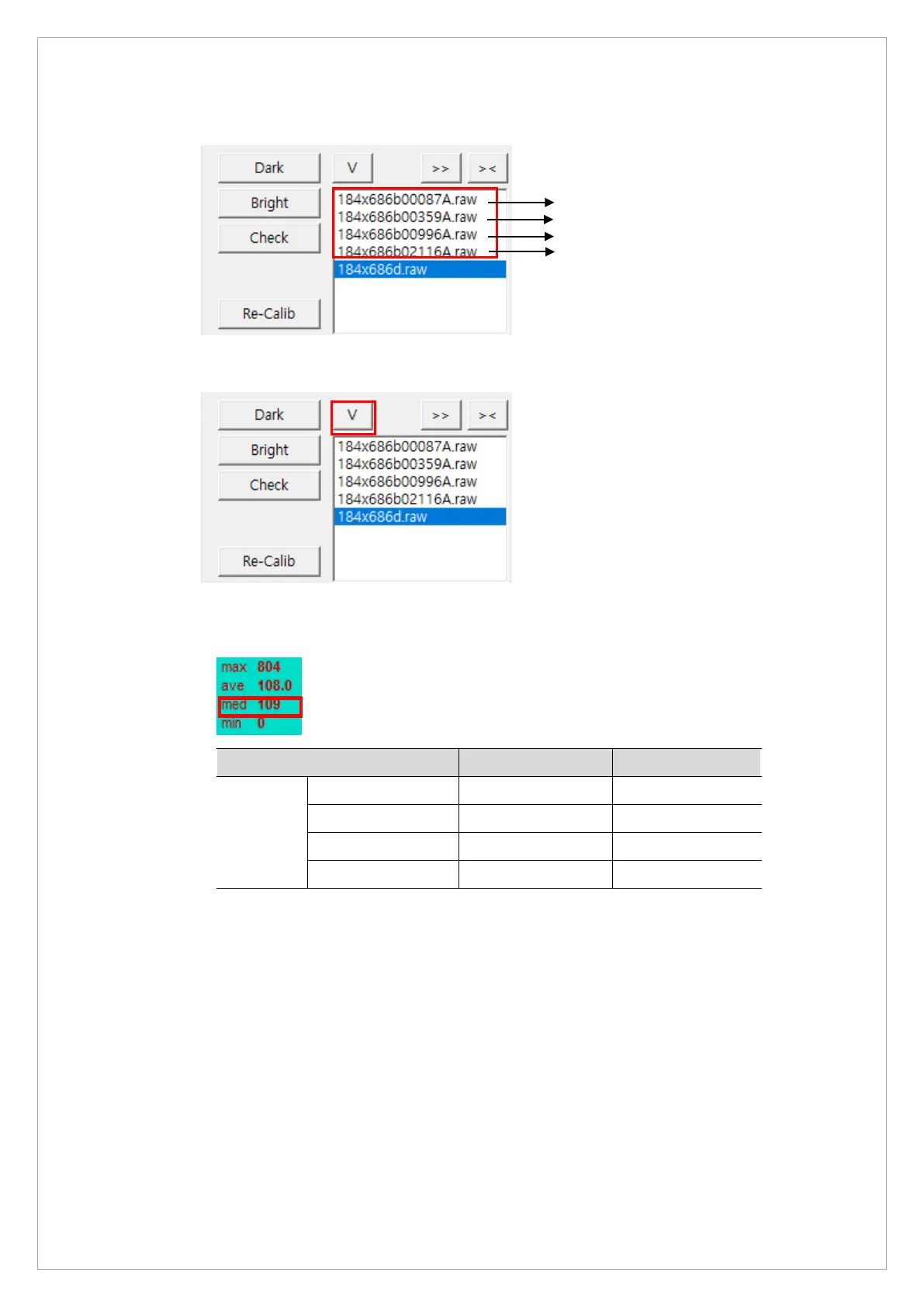
10. Click the V to open View16.
11. Click each file in View 16 and check whether each median value satisfies the standards in
the table below:
Bright Min Max
Median
value
Cal Point 1 80 120
Cal Point 2 150 700
Cal Point 3 800 1800
Cal Point 4 2000 2500
[4-Point Bright Calibration Standard Value]
If the median value falls outside of the standard, adjust the kVp0 and kVp1 values and
repeat the calibration procedure. (Adjustment range:±10)
12. Copy the saved data from the OPEN folder and paste them to the CAL folder. After this step,
the CAL folder must contain 6 files.



 To Next Page