Page 75 of 244
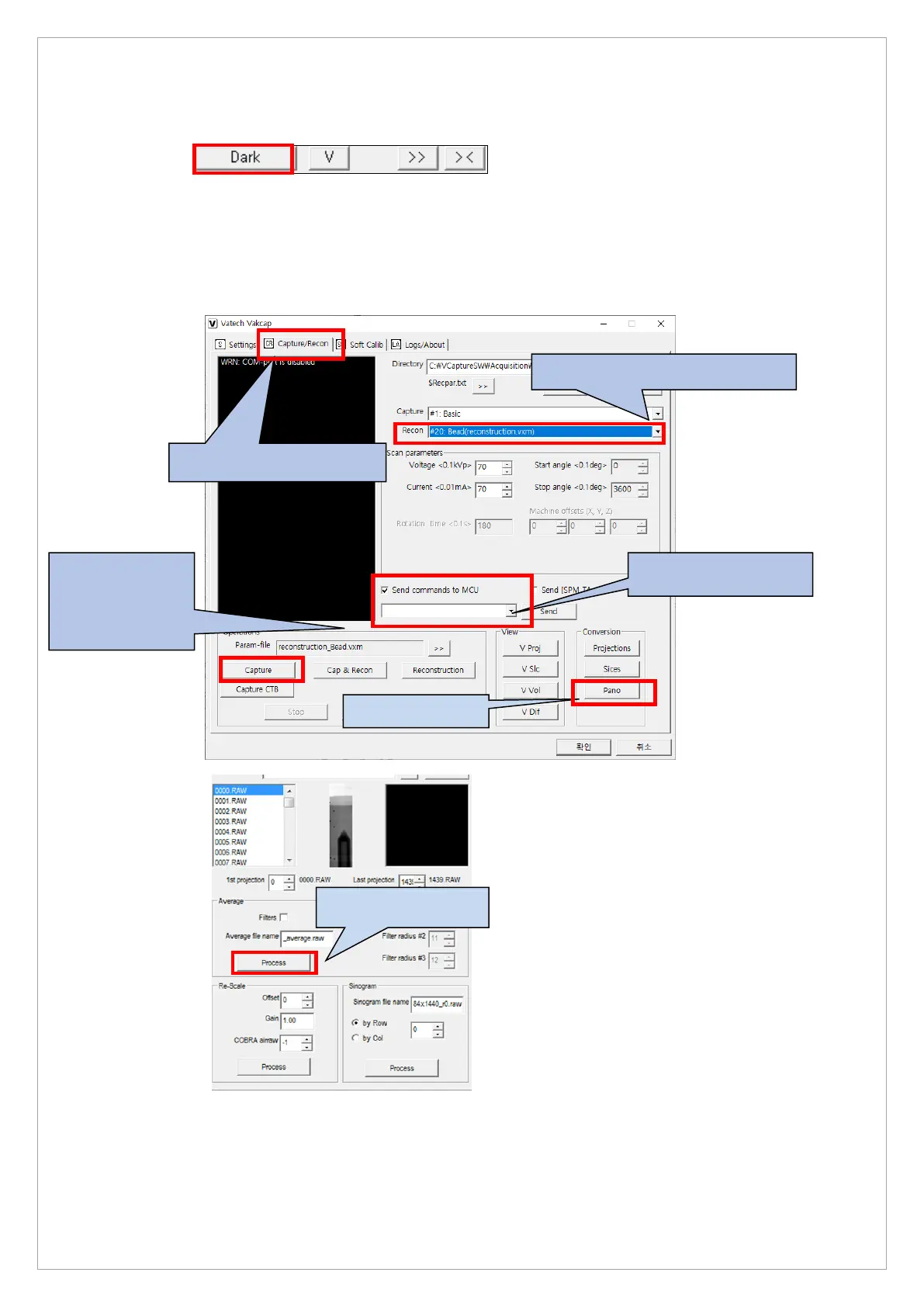
6. On the dialog box, select Soft Calib and click Dark to capture dark calibration data.
7. On the dialog box, select Capture/Recon then #20: Bead(reconstruction.vxm) for Recon
mode.
8. Click Capture and press the X-ray exposure switch to take an image.
9. On the dialog box, click PANO and Process to generate the average.raw of PROJ files.
3.Set the Bead(Reconstruction.vxm)
button after
obtaining the Dark



 To Next Page