Page 90 of 244
2.5.4. Handle Frame Align
2.5.4.1 Rotator Position setting command
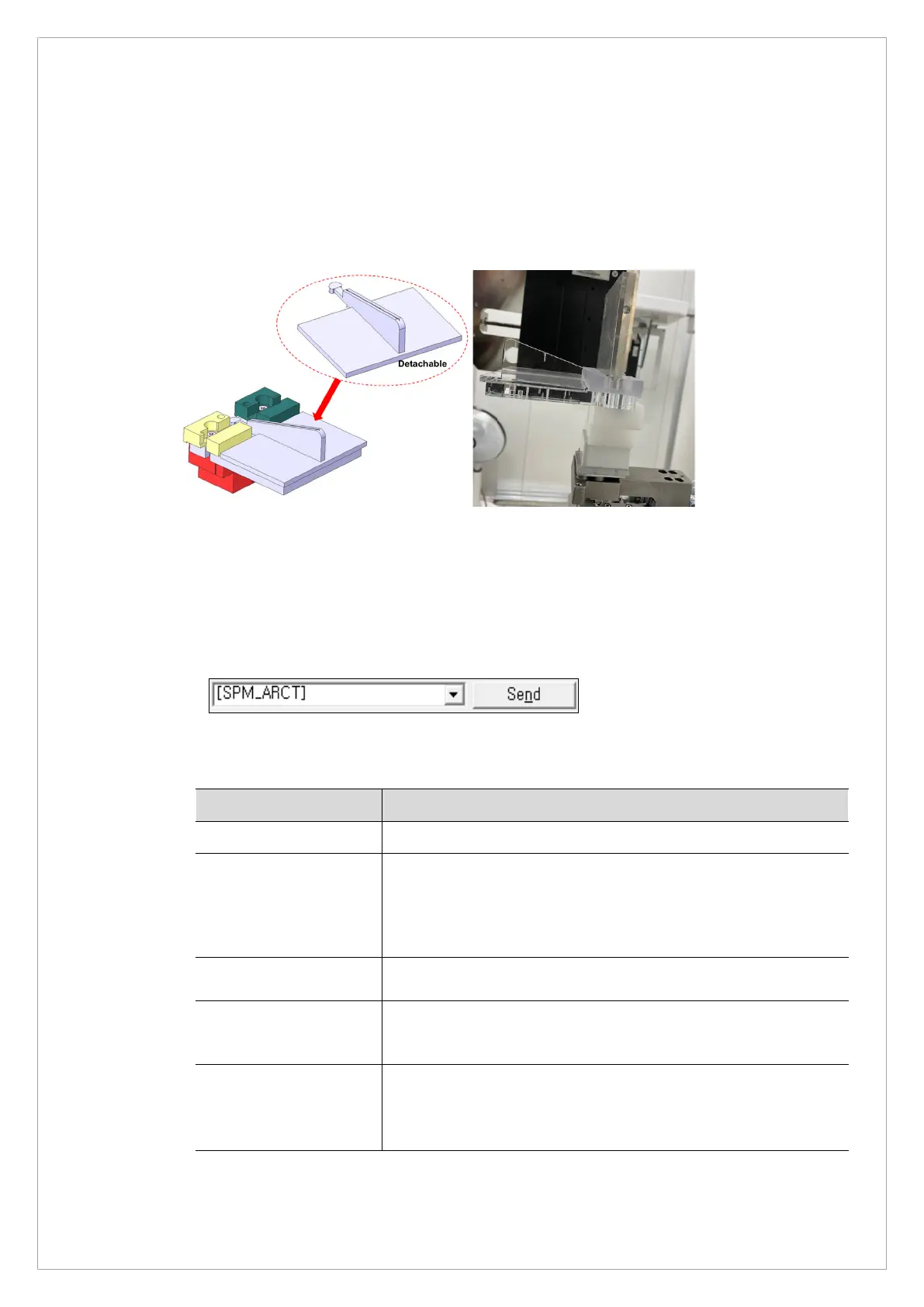
1. Make sure that the Handle Frame Align Jig is at the Bite position in PANO Mode as shown in
the picture below and then fasten.
Handle Frame Align Jig Side View
2. Run the VAKCAP.exe file in C:\VCaptureSW\Acquisition\CBCT\WidePANO.
3. Click the Capture/Recon tab and send the [SPM_ARCT] command to initiate the system
into CT mode.
4. When the equipment stops operating, send the following commands in the table below to
supply power to the CBCT Sensor.
Command Function
[SPM_CSON]
CBCT sensor Power On
[SPM_FISS_0001]
[Sensor Sensitivity & Binning Mode Setting]
//0000: High Gain, 2x2 Binning
//0001: High Gain, 4x4 Binning
//0002: Low Gain, 2x2 Binning (default)
//0003: Low Gain, 4x4 Binning
[SPM_FIPM_0001]
[Sensor Partial Mode Settings]
// Sensor size: 0000~0032
[SPM_FISM_0001]
[Sensor Internal/External Mode Settings]
//0000: Internal
[SPM_COLM_0003]
If Collimator is not completely opened, adjust with
[SPM_CDST_XXXX]
5. Click the Soft Calib tab and click the Dark button to acquire Dark Calibration Data.



 To Next Page