VTK‐VS‐BA‐004e‐B|UserManualMDS3200A | Product Description
17
4.2 FunctionKeys
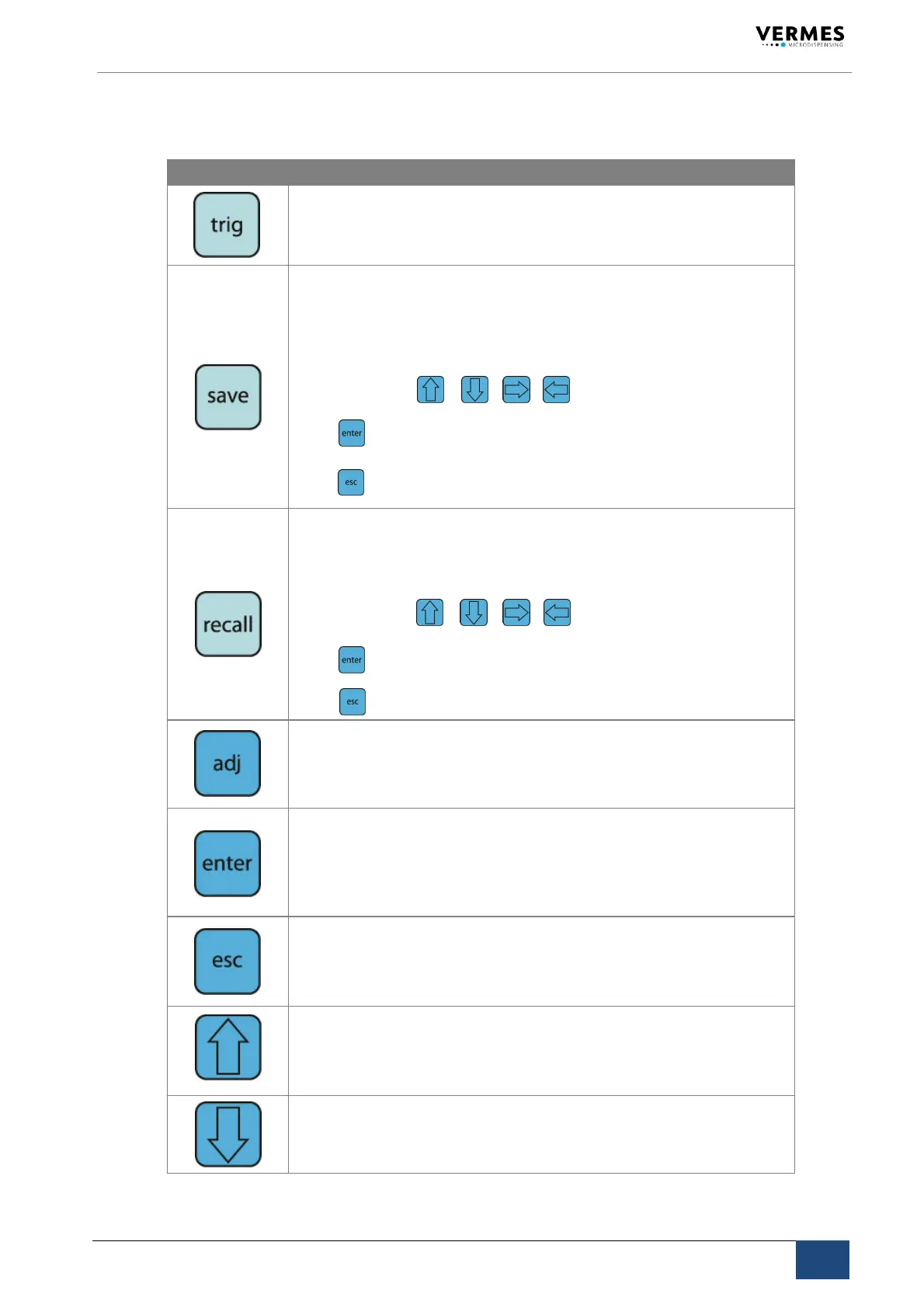
FunctionKey Function
ManualTriggerKey
Pressingthe[trig]‐keyinstantaneouslylaunchesadispensingprocedureac‐
cordingtotheselectedparametersettings.
The[save]‐keyopensthemenuforstoringcurrentparameters.Tenstorage
locationsareavailablefordistinctconfigurationsets.Eachsetcontainsvalues
forpulseparametersandthesettingsforheatingandkeyinterlock.
Selectthedesiredstoragelocationbymeansofarrowkeys.
Press toconfirm.
Press
tocancelwithoutsavingtheselection.
Parametersetssavedintheinternalmemorycanberetrievedanytimeusing
the[recall]‐key.
Selectoneoftheteninternalstoragelocationsbyarrowkeys.
Press toconfirmtheselection.
Press toabort.
The[adj]‐keyisusedtostarttheadjust(seepage).Itisrequiredduringeach
initialoperationandafteranexchangeofthenozzleunit.
Withthisprocedurethepositionofthenozzleinsertwithrespectto
thetappetispreselected.
Pressingthe[enter]‐keyconfirmsthemenuselectionandopensthecorre‐
spondingsubmenu.
...or...
Theentryofavalueisconfirmed,andthescreenchangestothenext‐higher
menulevel.
Pressingthe[esc]‐keyabortsthecurrentaction,valuesjustenteredaredelet‐
ed.Thenext‐highermenulevelopens.
...or...
Directaccesstothenext‐highermenulevel.
Accesstothenext‐highermenulevel.
...or...
Increasingofanumericalvalue.
Accesstothenext‐lowermenulevel.
...or...
Reductionofanumericalvalue.



 To Next Page