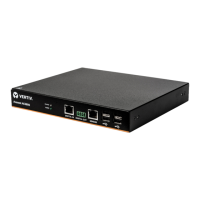
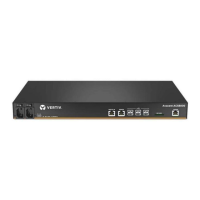
WARNING! Do not connect a UMIQmodule to anything other than a direct connection to an appliance port.
Putting a layer 2 switch in between a UMIQmodule and the appliance can damage or destroy the switch.
Port assignment
From the sidebar, click Targets - Port Configuration to view or change the mode and serial or network settings of each port.
To view or change port settings:
1. Click Targets - Port Configuration.
2. Select the port and click Port Configuration.
3. To override the autosense settings, see the following table.
SETTING DESCRIPTION
Enabled Turns the port on or off.
Serial Sets the port to operate in serial mode.
Network Sets the port to operate in network mode.
Auto Sense When disabled, additional settings are configurable.
Port Class Toggles between serial console or serial PDU.
Connection
Type
Changes the serial pinout from Avocent to Cisco (and
Sun).
Interface Name Assigns the physical port to a virtual interface.
Table 5.7 Port Configuration Options
Serial Settings
From the sidebar, click Targets - Port Configuration - Serial Settings to view or change the default serial interface
communication settings.
To configure serial mode settings:
1. For serial devices connected to a port, click Targets - Port Configuration - Serial Settings.
2. Select the port and click Serial Port Setting.
3. Use the drop-down menus to select the state, speed, parity, data-size, stopbits, flow and the serial pinout type.
NOTE: The default settings are:Speed = 9600, Parity = None, Data = 8, Stop bits = 1, Flow Control = None.
4. Click Apply.
Network Settings
From the sidebar, click Targets - Port Configuration - Network Settings to view or change the default network virtual
interface communication settings.
To configure virtual interface network mode settings:
1. Click Targets - Port Configuration - Network Settings.
2. Use the drop-down menu to enable or disable the network interface.
3. Enter the IP address, broadcast address and MTUin the appropriate fields.
4. Click Apply.
NOTE: IPaddresses in CIDRformat will utilize a standard decimal notation address (192.168.0.1) with the subnet mask
represented by the number of network bits in the mask.
(255.0.0.0 = /8, 255.255.0.0 = /16, 255.255.255.0 = /24).
Vertiv | Avocent® Universal Management Gateway Appliance Installer/User Guide | 37



 To Next Page