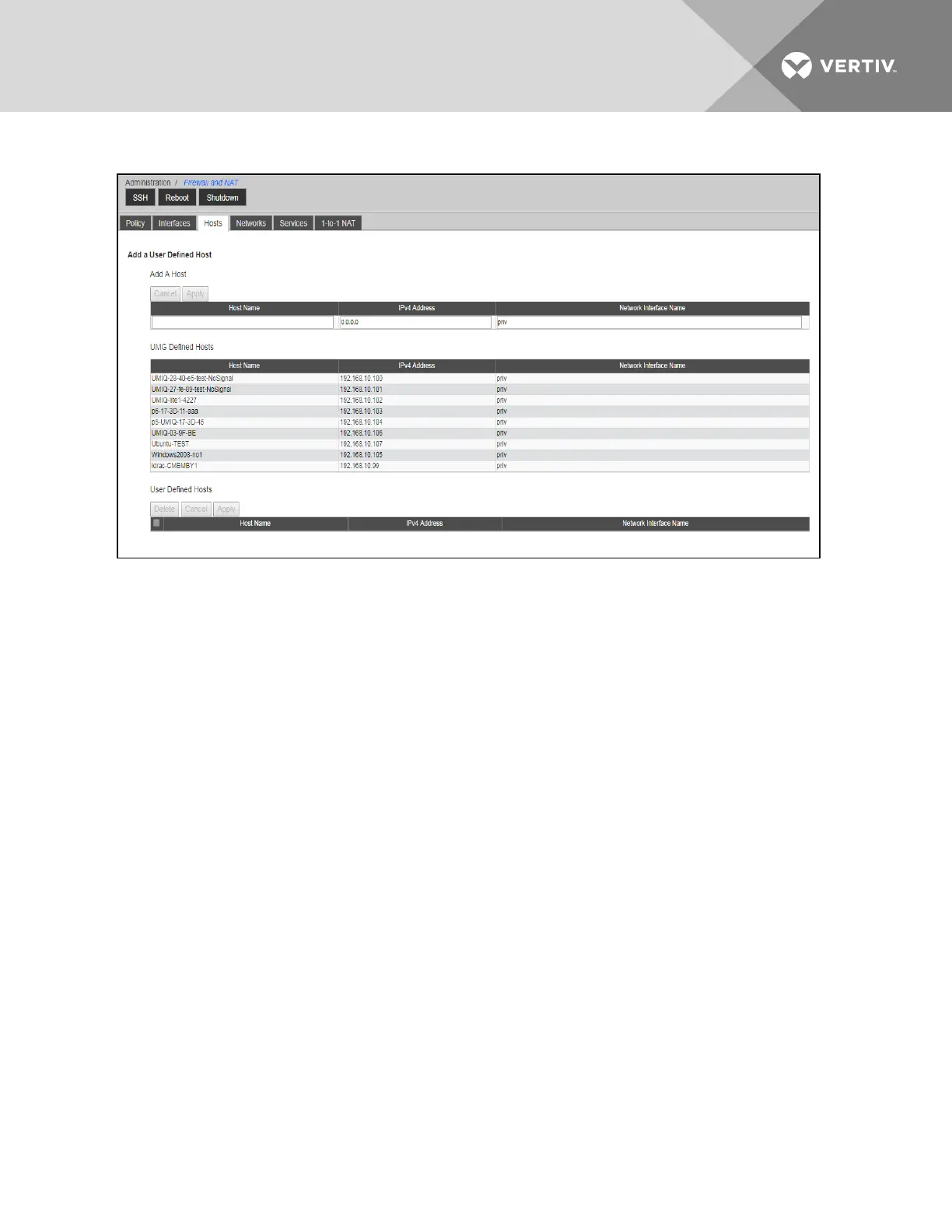
Figure 6.5 Hosts Tab
To add a host:
1. From the sidebar, select Network - Hosts.
2. Click Add to add a new host.
3. Enter a name to represent the host, an IPv4 Address and the physical or virtual interface which can
communicate with this host. Then click Apply. The new host definition will appear in the User Defined Hosts
table.
NOTE: The network interface must be one listed on the Interfaces tab.
To delete a host:
1. From the sidebar, select Firewall and NAT - Hosts.
2. Click on the name of the host you want to delete, then click Delete.
6.5.4 Services
Service definitions represent programs and network traffic by their TCP/UDPport number or port range. Service definitions
are essential for network address translation of ports (PAT)where a single outside IPand unique ports are used to represent
unique inside IP/ports.
For example, if two unsupported rack PDUs were connected to private appliance ports, had private/inside IP addresses
assigned to them and each had a web management console, then two NATrules could allow outside administrators to
access the rack PDU web management interfaces. Each NATrule would use a unique service definition to represent the
TCPport of the rack PDU web management interfaces on the public/outside IPof the appliance. For example, a service
definition of 8080 would translate to 80 for the first rack PDU and 8081 would translate to 80 for the second rack PDU.
The IPprotocol supports 65,535 ports and the Internet Assigned Numbers Authority (IANA)has a registry of common/well-
known TCPand UDP ports that represent various programs and services. This registry should be consulted to determine
which ports are used by the applications or traffic for which you want to create NATand firewall rules. Some applications do
not register all of their ports with IANA and will typically include port usage lists with their product documentation.
By default, the appliance has several well-known ports/port ranges defined as system services. Many of these services are
included in the default appliance firewall policy in order to support the various features provided by the appliance.
Vertiv | Avocent® Universal Management Gateway Appliance Installer/User Guide | 76



 To Next Page