Appendix J: Firewall and NATConfiguration Scenarios
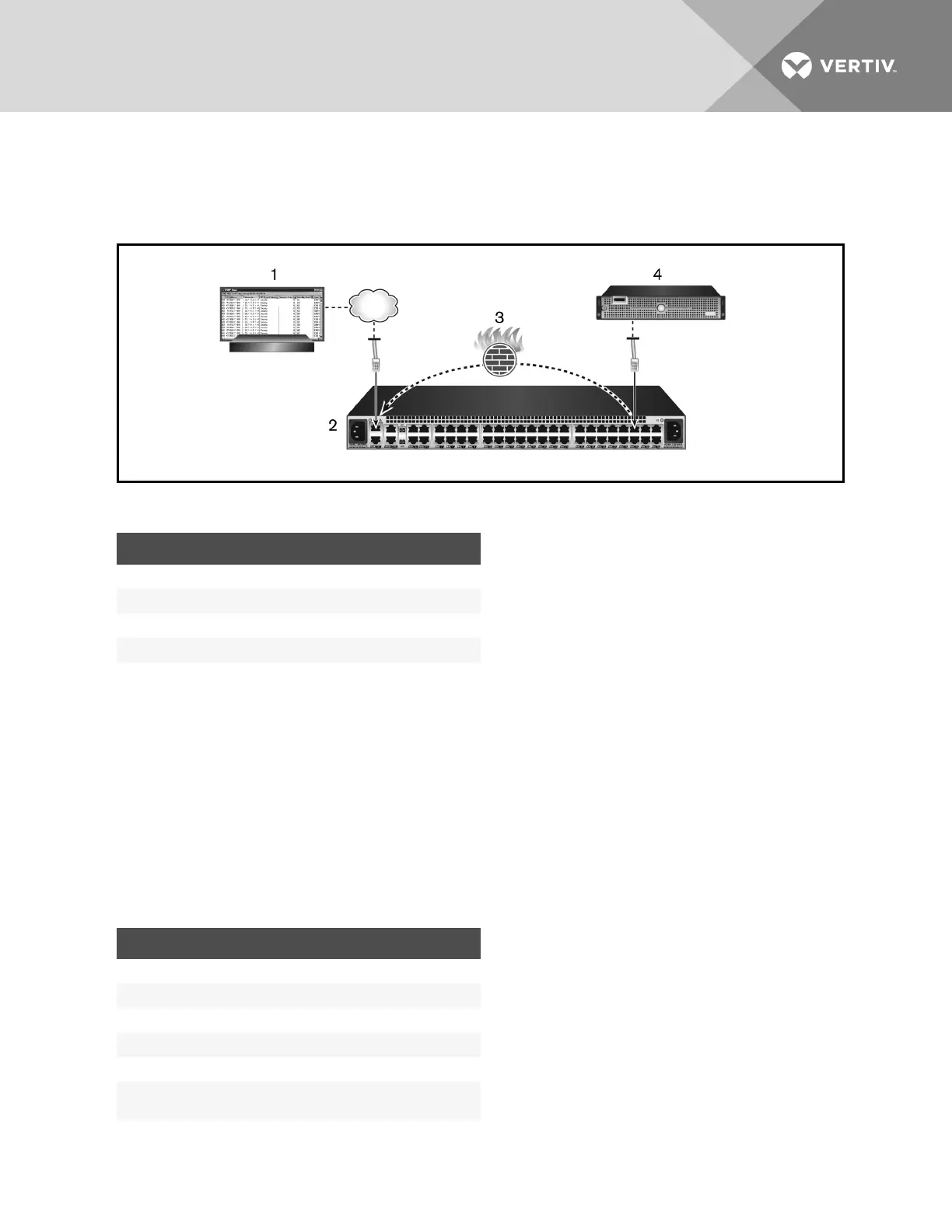
Firewall and NATscenario 1: Forwarding SNMPtraps from an SPto an external receiver.
Figure J.1 Scenario 1 Diagram
ITEM DESCRIPTION
1 External trap receiver server/console
2 Appliance
3 Appliance firewall
4 Service processor
Table J.1 Scenario 1 Diagram Descriptions
To forward an SNMPtrap:
1. Add the SPto the appliance.
2. Configure the SPto send traps to an external receiver server.
3. On the appliance, from the sidebar of the Administration tab, click Firewall and NAT
- Interfaces to set up the
firewall interfaces. For more information, see Interfaces on page 73.
NOTE: Use eth0 for outside and priv for inside.
4. Click Networks to add a network definition that will encompass the IPof the SPthat was added. Enter a
definition name, associated interface name and networkaddress. Click Apply when done. For more information,
see Defined networks on page 74.
5. Click Policy to add an outbound NATPolicy by entering the following information. Click Apply when done.
COLUMN PARAMETER
Direction Outgoing
Order Lowest unused number. Example:1
Interface eth0
Source Name of network definition. Example:PrivNet
Destination any
Service
Name of the service definition. Example:srv-
SNMP-Traps
Table J.2 NAT Policy Parameters
Vertiv | Avocent® Universal Management Gateway Appliance Installer/User Guide | 106



 To Next Page