— 50 —
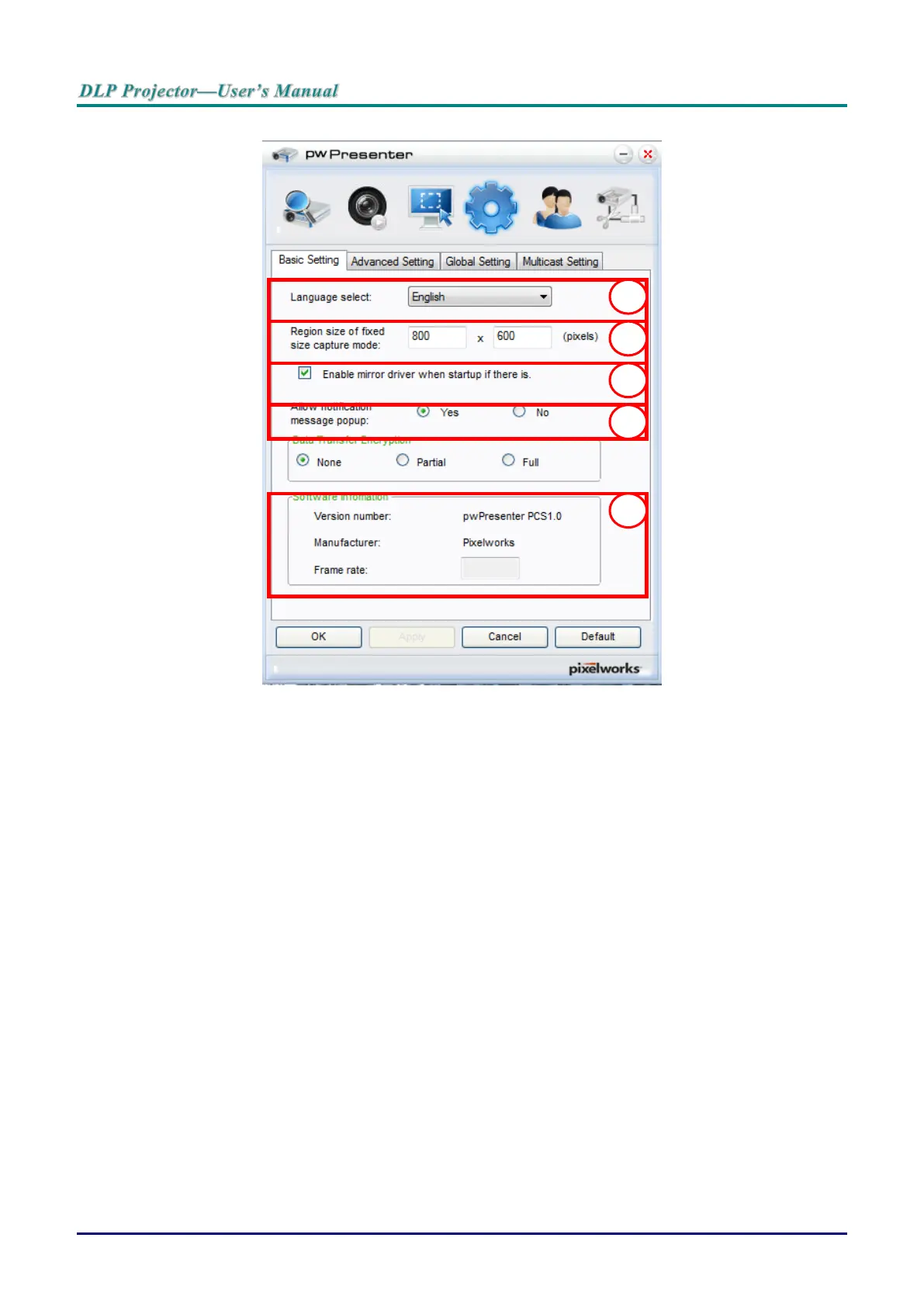
7. Click the Basic Setting tab to configure pwPresenter basic settings.
a. Select the interface language: click the drop-down menu and select the desired language.
Click Apply.
b. Change the size of the FixedSize frame in capture mode. Enter the size in pixels units.
Click Apply to save the settings.
c. Enable the mirror driver upon startup (driver must be previously installed).
d. Allow message notification. Click Yes, then Apply to save the settings.
e. Displays the software information.



 To Next Page