Operation
Adjust the operator's seat
70
BA RD24_RD27 en 04
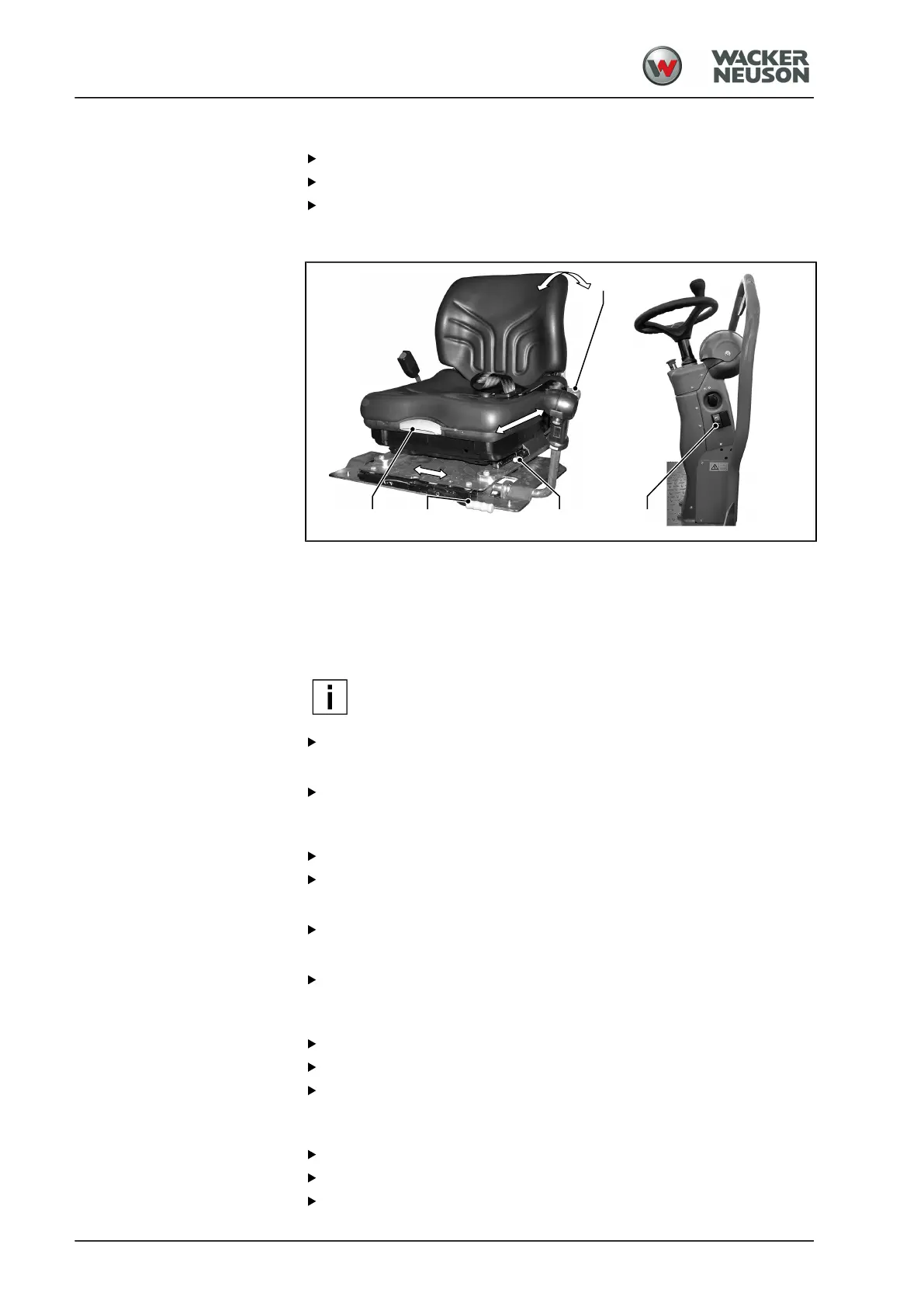
Seat adjustment left/right
Lift the lever [4].
Slide the seat pedestal to the desired position to the left or right.
Release the lever [4] and let the seat pedestal snap in place.
Driver's seat, model B
Set driver's weight
There is damping built into the driver's seat that compensates for shock-
like machine movements. For this damping to function optimally, the seat
must be adjust to the weight of the driver.
The driver's weight can be adjusted in 9 steps between 50 kg and 130 kg.
NOTE
The handle for setting the weight must only be pushed
downwards from above.
Push the handle [1] down hard towards the end stop.
a
The weight setting is adjusted upwards to its 50 kg home position.
Push the handle [1] downwards and set the driver's weight.
Setting the slope of the backrest
Lift the lever [2].
Move the seat face forwards.
a
The seat back is inclining backwards.
Move the seat face backwards.
a
The seat back is inclining forward.
Release lever [2].
Seat adjustment forward/backward
Lift the lever [3].
Slide the seat forward or backward to reach the desired position.
Release the lever [3] and let the seat pedestal snap in place.
Seat adjustment left/right
Lift the lever [4].
Slide the seat pedestal to the desired position to the left or right.
Release the lever [4] and let the seat pedestal snap in place.



 To Next Page