Warning: To avoid personal contamination with biohazardous or toxic compounds, wear clean,
chemical-resistant, powder-free gloves when performing this procedure.
Warning: To avoid burn injuries, allow the pump to cool before touching surfaces
displaying the burn warning symbol.
To add oil to the backing pump:
1. Power-off the instrument using the power button in the top, left-hand corner of the front
panel.
2. Wait approximately 5 minutes to allow the instrument to vent.
3. Switch off the pump and disconnect the power cable.
4. Place the pump on a tray suitable for catching dripping oil.
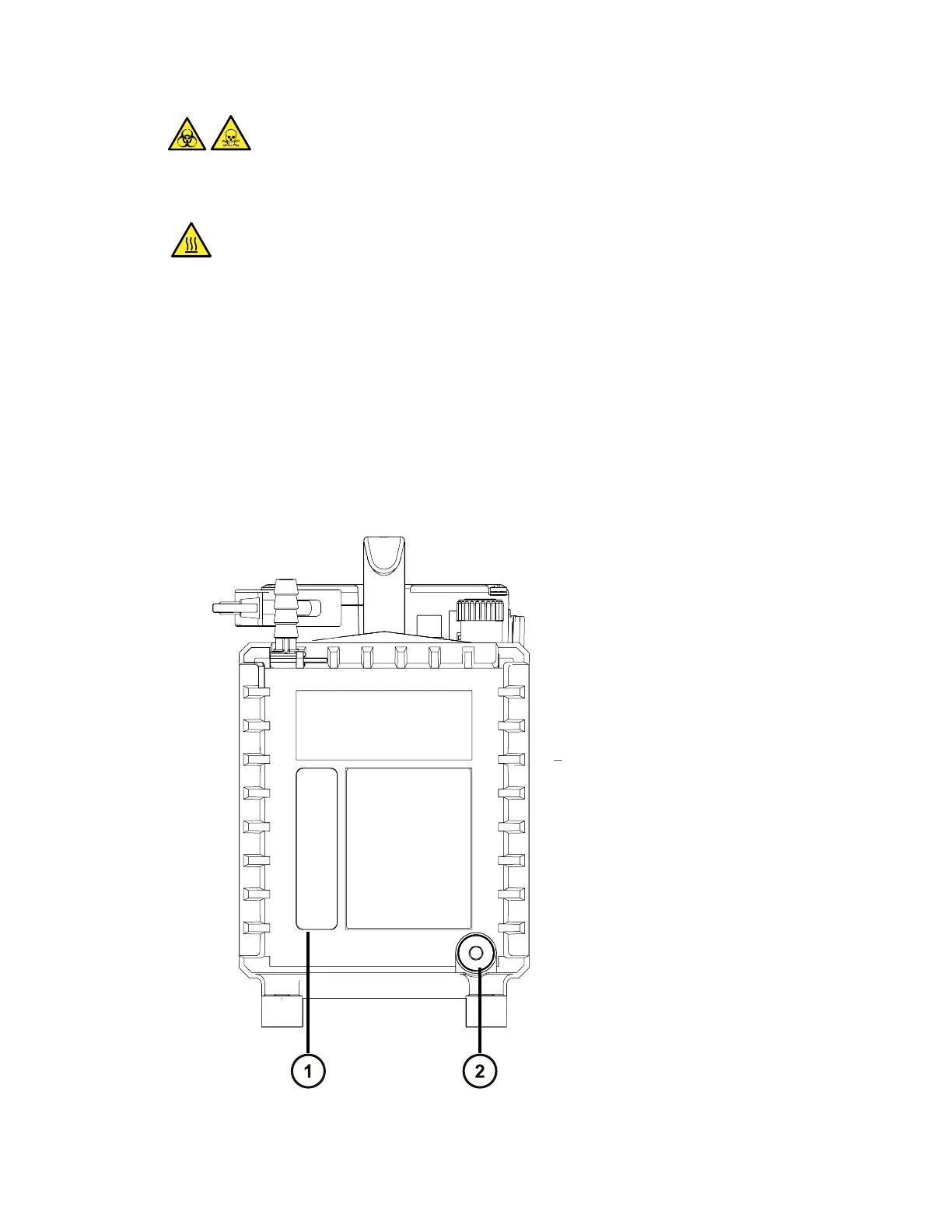
5. Remove the oil-drain plug from the pump’s rear panel.
Figure 3–16: Backing-pump rear panel
June 15, 2017, 715003956 Rev. F
Page 52











 To Next Page