Step 2 Select a time zone from the Time Zone drop-down list box.
Step 3 (Optional) Click the button on to enable Daylight Saving Time and specify the DST
start time and end time.
Step 4 Modify the device time.
Synchronizing time from the PC
Click Current PC Time.
Manually setting the device time
− Click Set Manually.
A time setting control is displayed.
− Set the date and time.
Step 5 Configure the NTP.
1. Click the button on to enable NTP.
2. Enter the IP address or domain name of the NTP server, the port number and the
time interval.
Step 6 Click .
The message "Apply success!" is displayed and the system saves the settings.
----End
4.4.7 Setting the Channel Name, Video System, and Source
Resolution
Procedure
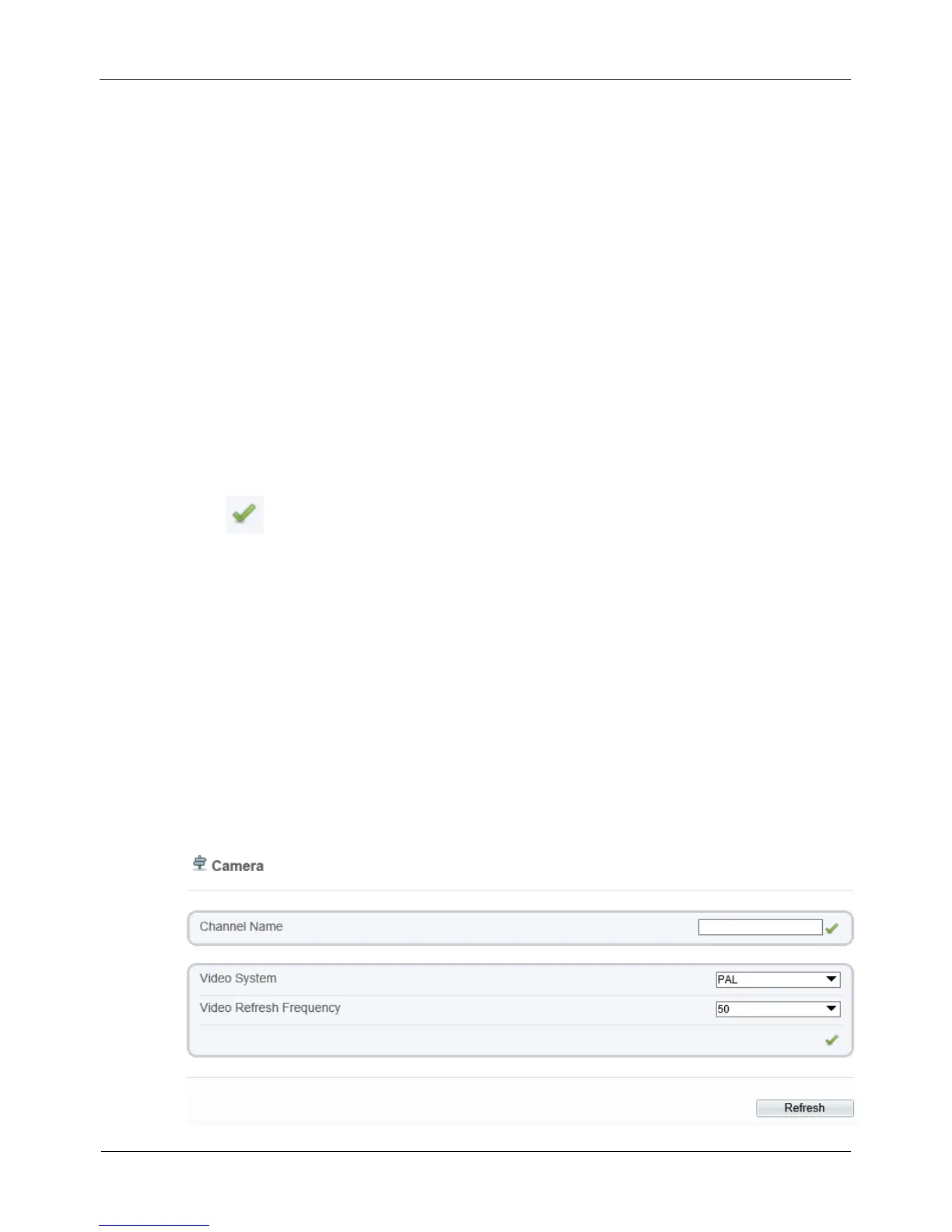
Step 1 Choose Configuration > Device > Camera.
The Camera page is displayed, as shown in Figure 4-14. Table 4-9 describes the
parameters.
Figure 4-14 Camera page



 To Next Page