When the resolution is D1 and CIF, the OSD customized in web interface can show
at most 22 words normally.
The OSD support simplified Chinese, English, digital and some special character
only.
Procedure
Step 1 Choose Configuration > Device > OSD.
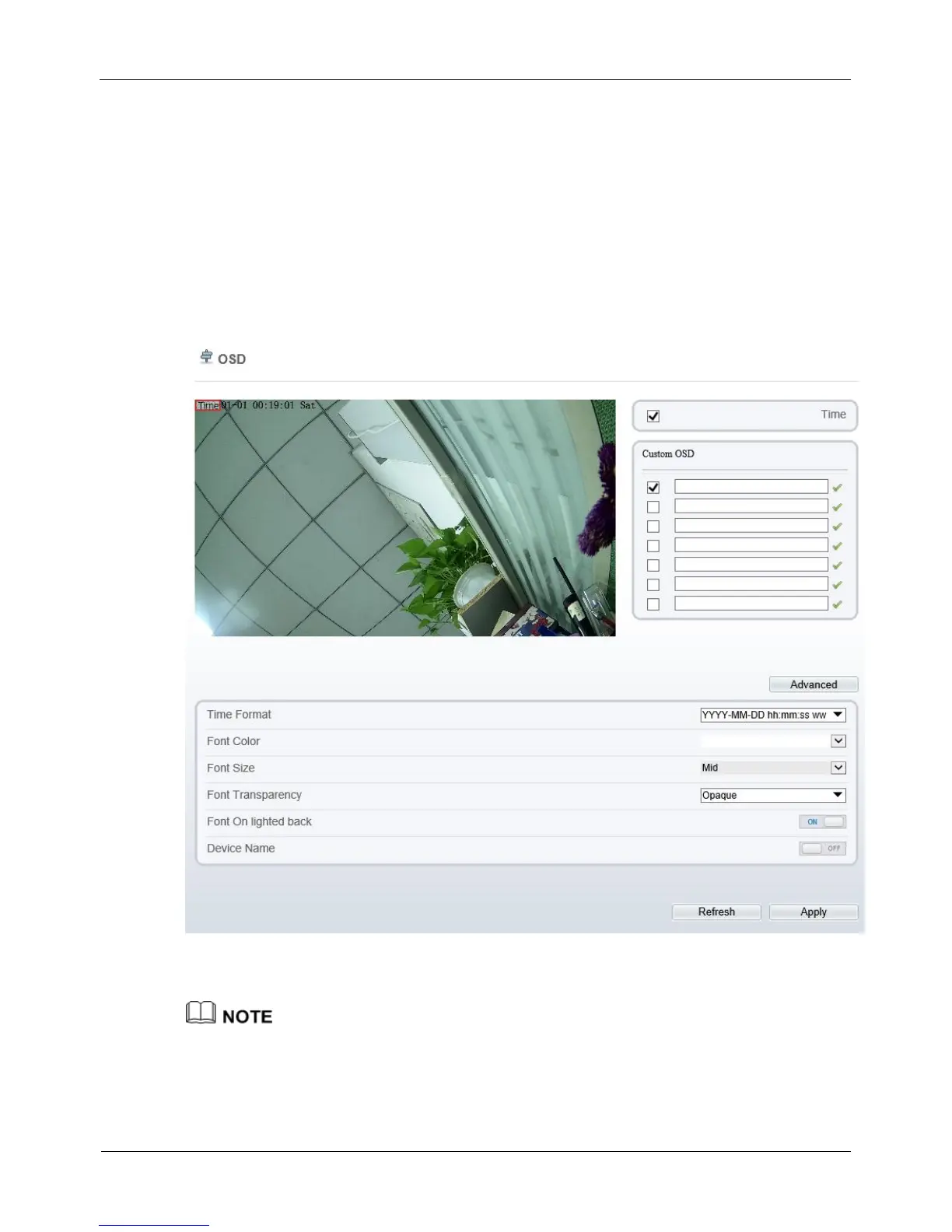
The OSD page is displayed, as shown in Figure 4-15.
Figure 4-15 OSD page
Step 2 Set the parameters according to Table 4-10.
The size of characters that can be displayed in a row or column varies according to the
resolution. When the OSD font is auto:



 To Next Page