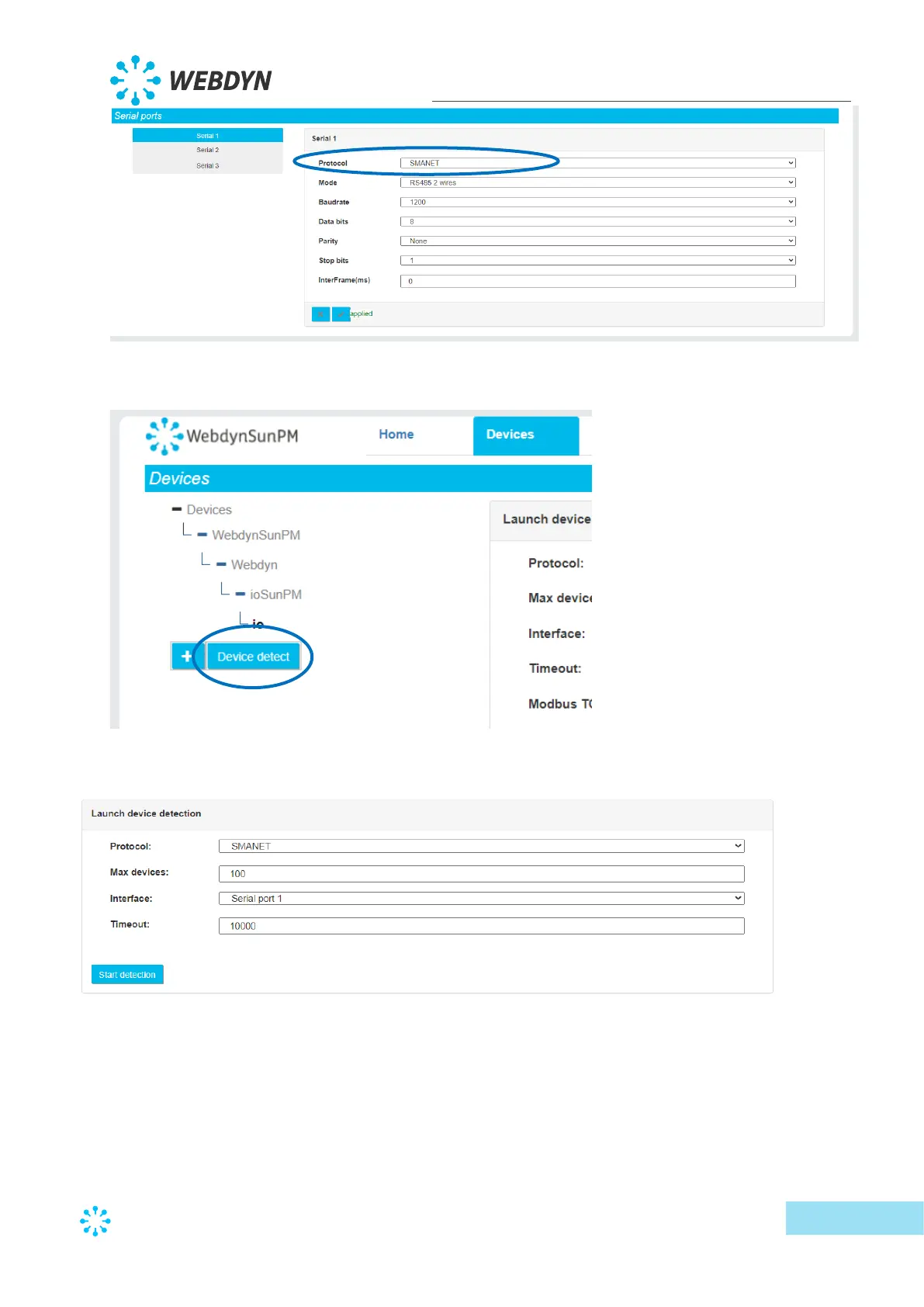
• Go to the device page and click “Device detect":
• The detection page is displayed:
o Select the SMA-Net protocol from the drop-down list on the first “Protocol”
field.
o Enter the maximum number of devices to detect in the “Max devices” field.
This can speed up the total detection time. By leaving the default value (100),
all the devices will be polled and all detectable devices will be detected.
o Select the serial port configured in the “Interface” field



 To Next Page