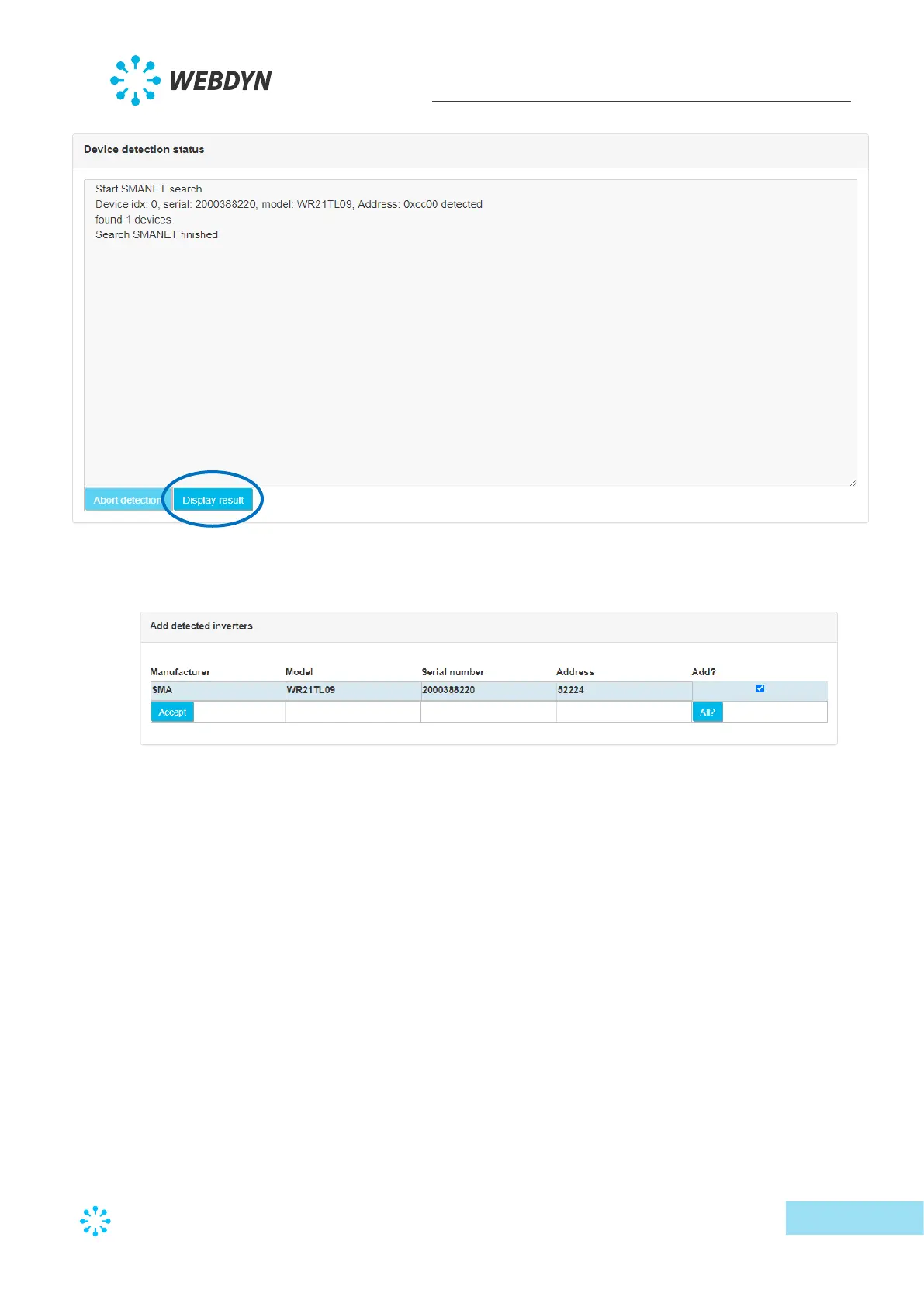
• The last detection page is used to view all detected devices and eventually to add them
to the configuration.
This screen therefore displays all the detected devices, as well as a certain number
of data read from the SMA-Net device tables (model, serial number, address,
manufacturer)
There is also a checkbox at the right to select the devices to add to the
configuration. Note that if the detected device is already part of the configuration,
the checkbox is not checked by default. Otherwise the checkbox is checked for
automatic addition.
Once the devices have been selected, a click on the “Accept” button imports the
new configuration to the concentrator and the device appears in the configured
devices.
• When the user clicks the “Accept” button, the device import starts by reading the
different frames to completely create the devices. The import progress is displayed in
the import window:



 To Next Page