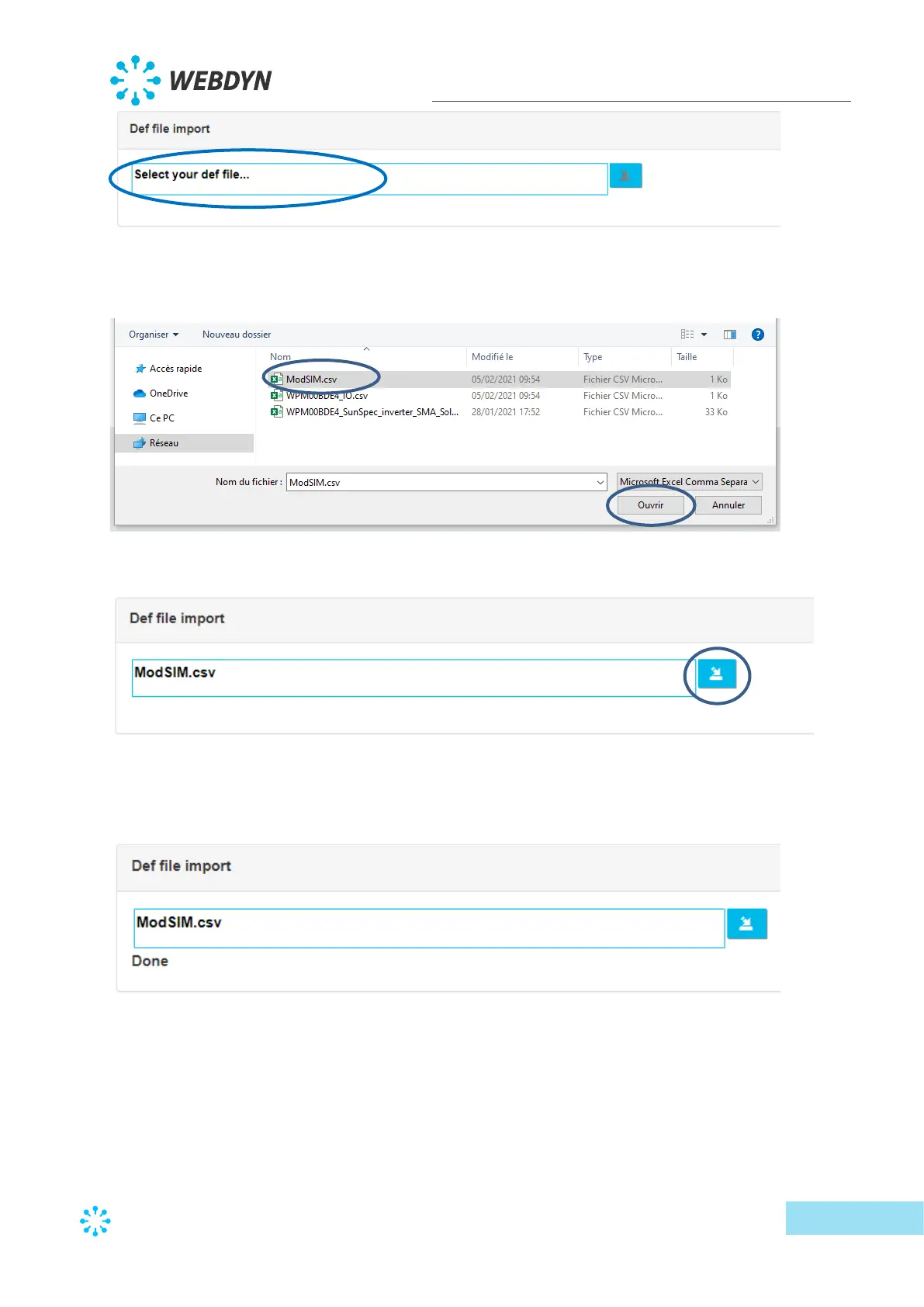
First click the indicated zone to select the definition file to import:
Then select the file to import and click the “Open” button.
Finally, click the import button to complete the definition file import.
A “Done” message is displayed on the web interface to indicate the operation was successful:
Once the definition file is loaded, it is possible to select the required device characteristics in
the drop-down lists.
For the test file, the header contains the following information:



 To Next Page