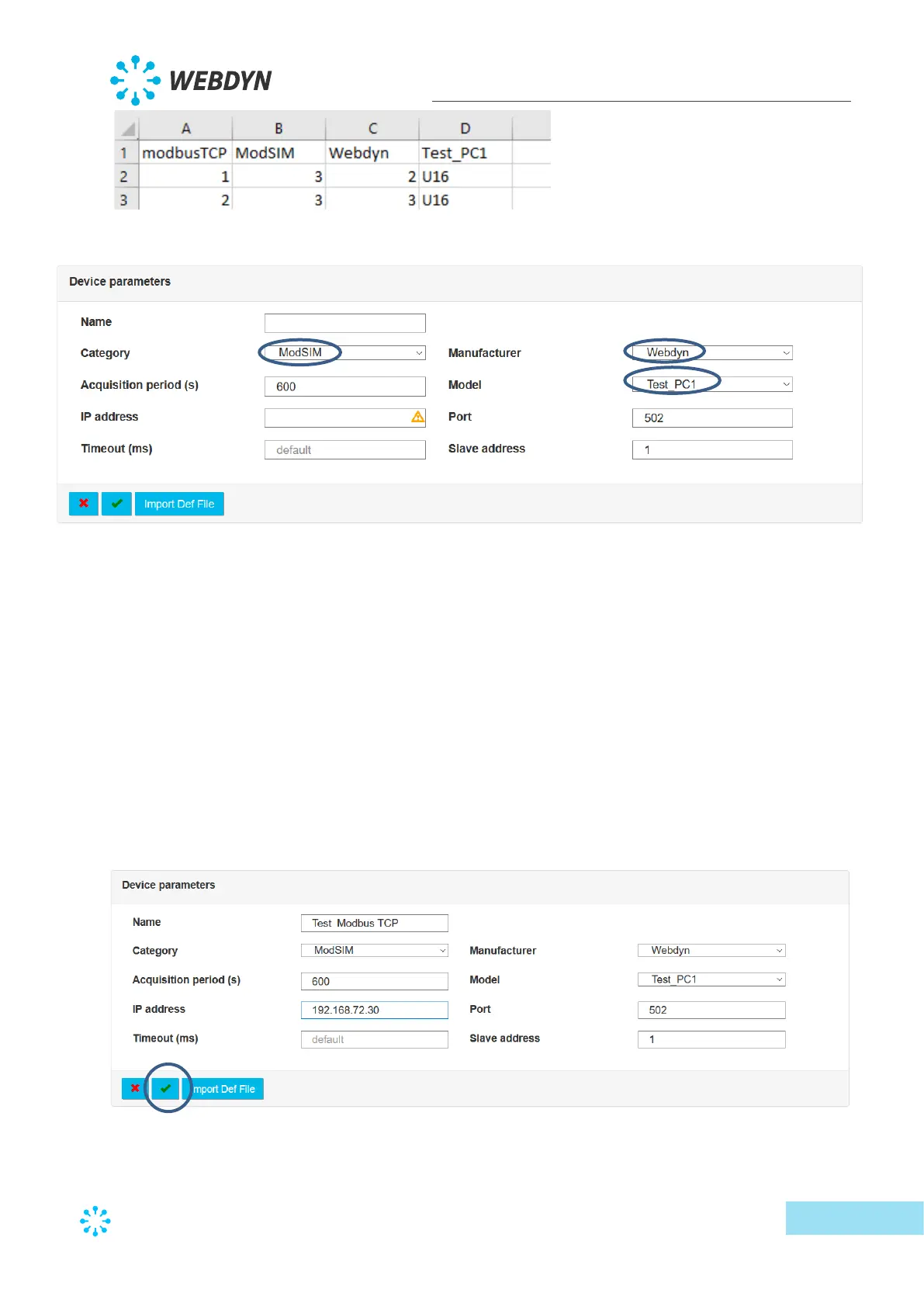
It is therefore possible to enter the corresponding device:
As the device is of the “modbus TCP” type, the following fields are also displayed:
• IP address: enter the modbusTCP device’s network IP address
• Port: enter the port number to access the device. Usually 502
• Slave address: the device’s modbus address
When the device is of the “modbus RTU” type, the following fields are displayed:
• Serial port: the serial port to which the modbus slave is connected
• RTU Slave address: the device’s modbus address
Once these parameters are entered, it is also possible to enter the data acquisition frequency
and a short device description.
When the configuration is satisfactory, click the validation button:
The new device then appears in the tree structure on the left of the screen:



 To Next Page