99
3. Set Event applying time.
Event Time configuration
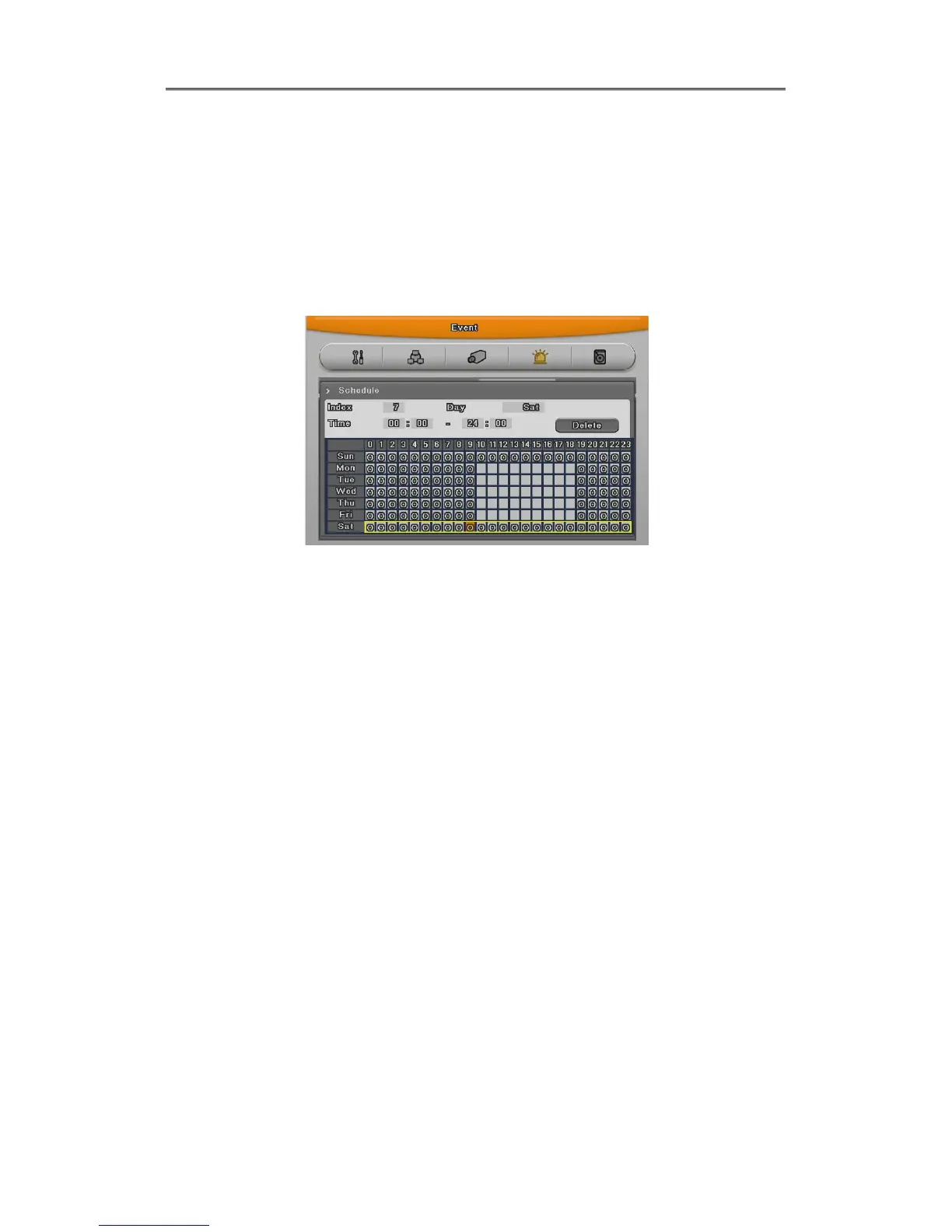
Configure time for event recording and there are 3 mode – Always, no use, Timezone.
In “Always”, event works all the time and in “Timezone”, works during configured time.
Configuration of Timezone is similar with schedule configuration and can configure
weekday,time for Event.
• INDEX : Set from 1 to 50
• Weekday : Set weekday applicable
• Time : Set time applicable
• Deletion :Delete per INDEX
Configuration
Configured INDEX,weekday,time will be shown at once.
Select recording start time and end time in order and its INDEX,weekday,time will be shown.
Deletion
Select INDEX and click Delete button
If clicking delete button without INDEX, previously selected INDEX will be deleted first and after
that, from the largest INDEX in order.
Edition
Select INDEX to edit, and change the values.
In case of being configured by INDEX 50, click and select time to eidt and if clicking the time
table again, previous configuartion will disappear and new configuration will be shown.



 To Next Page