23
2. Installation
2.1 Installation and Connection
2.1.1 Connecting & Running
2.1.1.1 Connecting camera
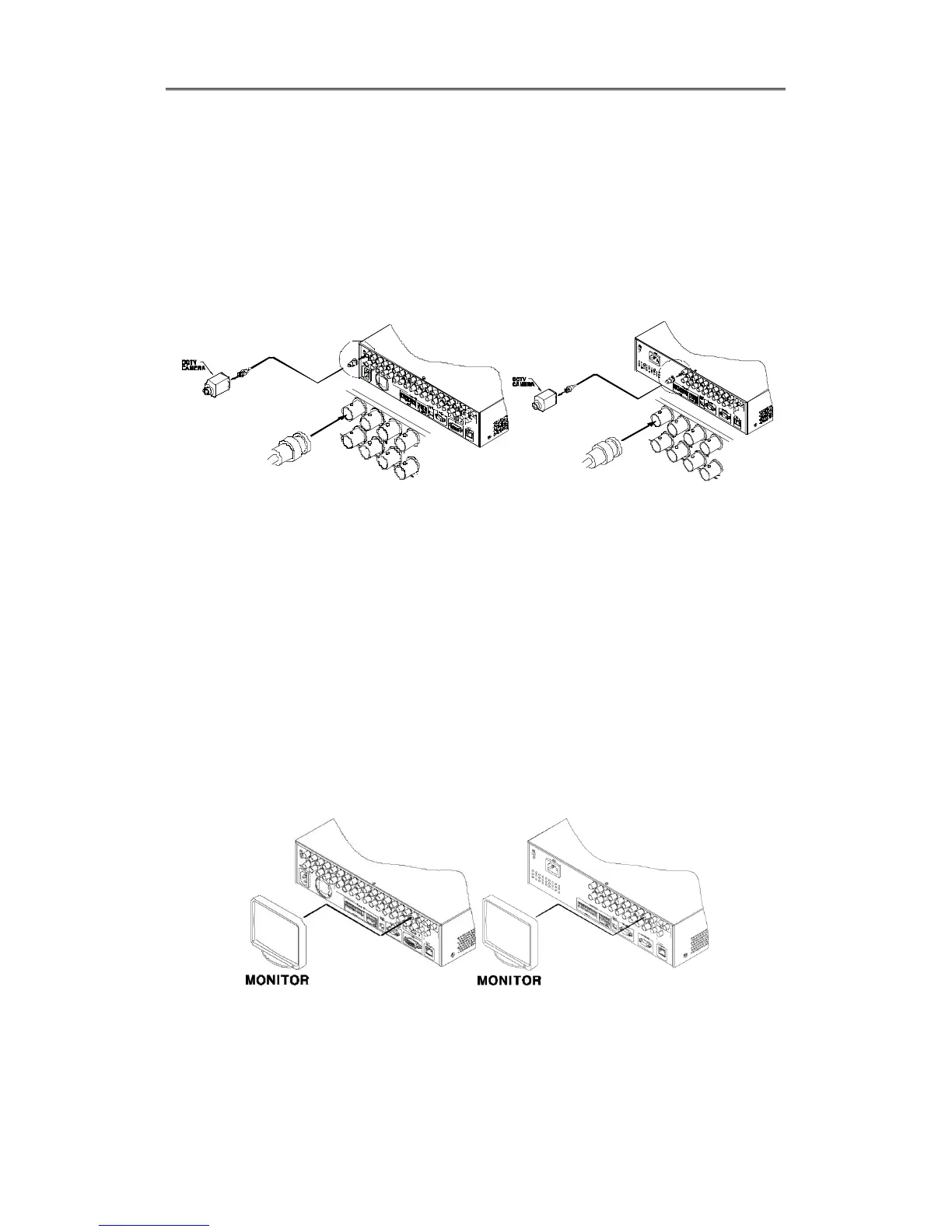
Connect CCTV camera to DVR with BNC cable as below
[EH-Series] [LH-Series]
- The video type for all channels should be either NTSC or PAL, not be combined both
- DVR sets video signal’s impedance (75Ω) automatically. Impedence is set as 75 Ω basically. If
connecting a dvice to video output, impedance will be “Hi-z” status.
- Video Type (NTSC/PAL) should be changed after booting DVR. The order of camera
recognition follows ch1 through Ch16 camera amd 1
st
recognized camera type leads other
camera type.
2.1.1.2 Connecting monitor
Connect CCTV monitor to DVR with BNC cable as below.
Will be able to connect BNC, DVI and VGA.
[EH-Series] [LH-Series]
2.1.1.3 Connecting Audio
Connect audio signal to DVR with using RCA cable or D-SUB as below;



 To Next Page