25
2.2 Running OSD menu
2.2.1 OSD menu configuration
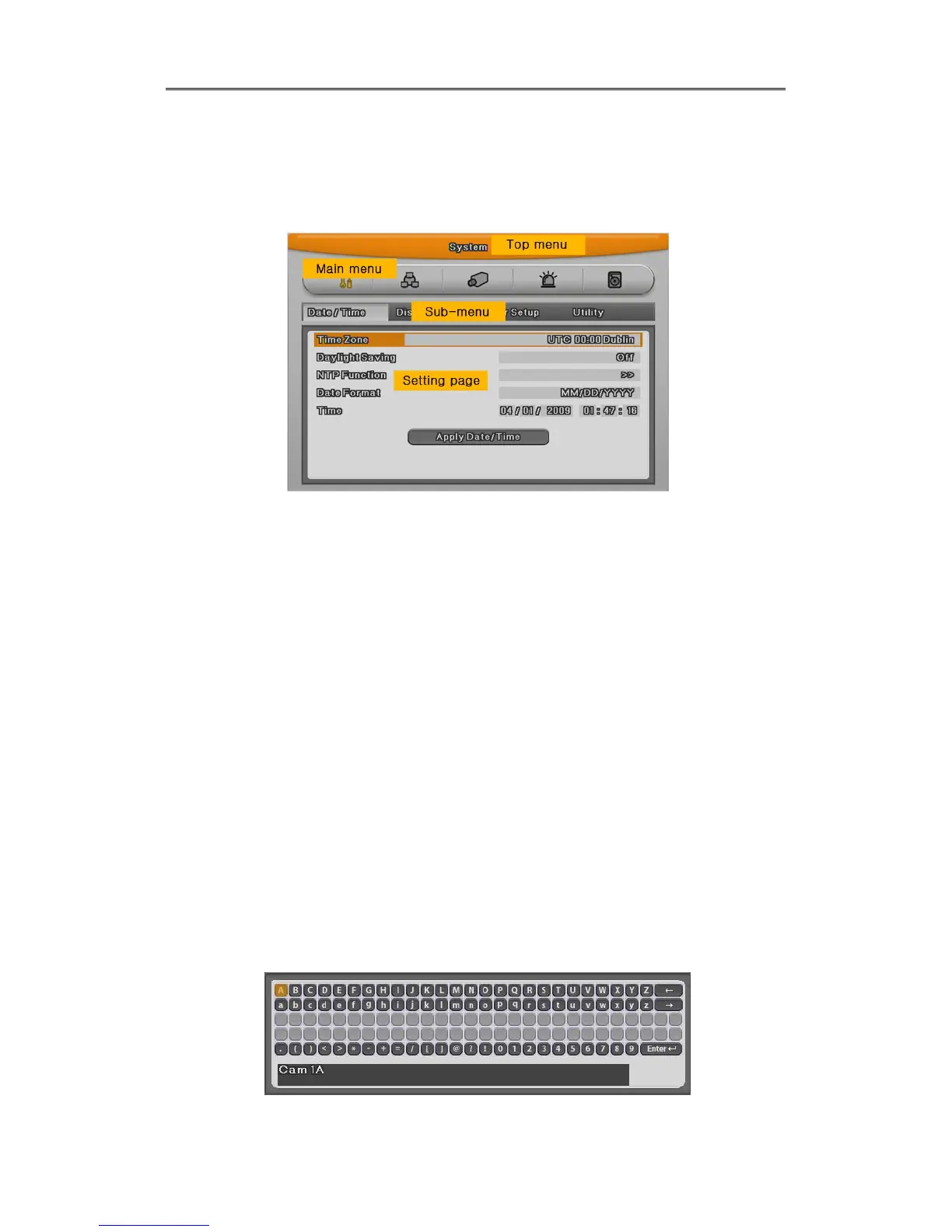
Press [MENU] in keypad of front to open configuration menu as below;
(1) Main Menu : The selected tab is show in bright color and the related sub-menu will be
shown left- below the tab. To move to the previous/next tab, use the [◀/▶] arrow buttons. To
move to a sub-menu press the [Enter] key.
(2) Sub-menu : The selected sub-menu is shown as tab title and the related setting will be
shown. To move to the previous/next tab, use the [◀/▶▲/▼] arrow buttons. To move to the
related setting press [Enter]. To move to upper main menu, press [ESC] button.
(3) Setting page : The selected tab is shown as orange, To move to the previous/next tab, use
the [◀/▶] or [▲/▼] arrow button and press [Enter] key for value setting. Whn setting value is a
word, a dialogue box to edit the word will be open. When setting value is number, it should be
set with using [◀/▶] or [▲/▼]. Press [ESC] button when the value is set and also [ESC] button
is available to upper sub-menu.
2.2.1.1 Dialogue box to edit a word
Dialogue box to edit a word is image shown as below; It is available to input both word and
bumber.



 To Next Page