55
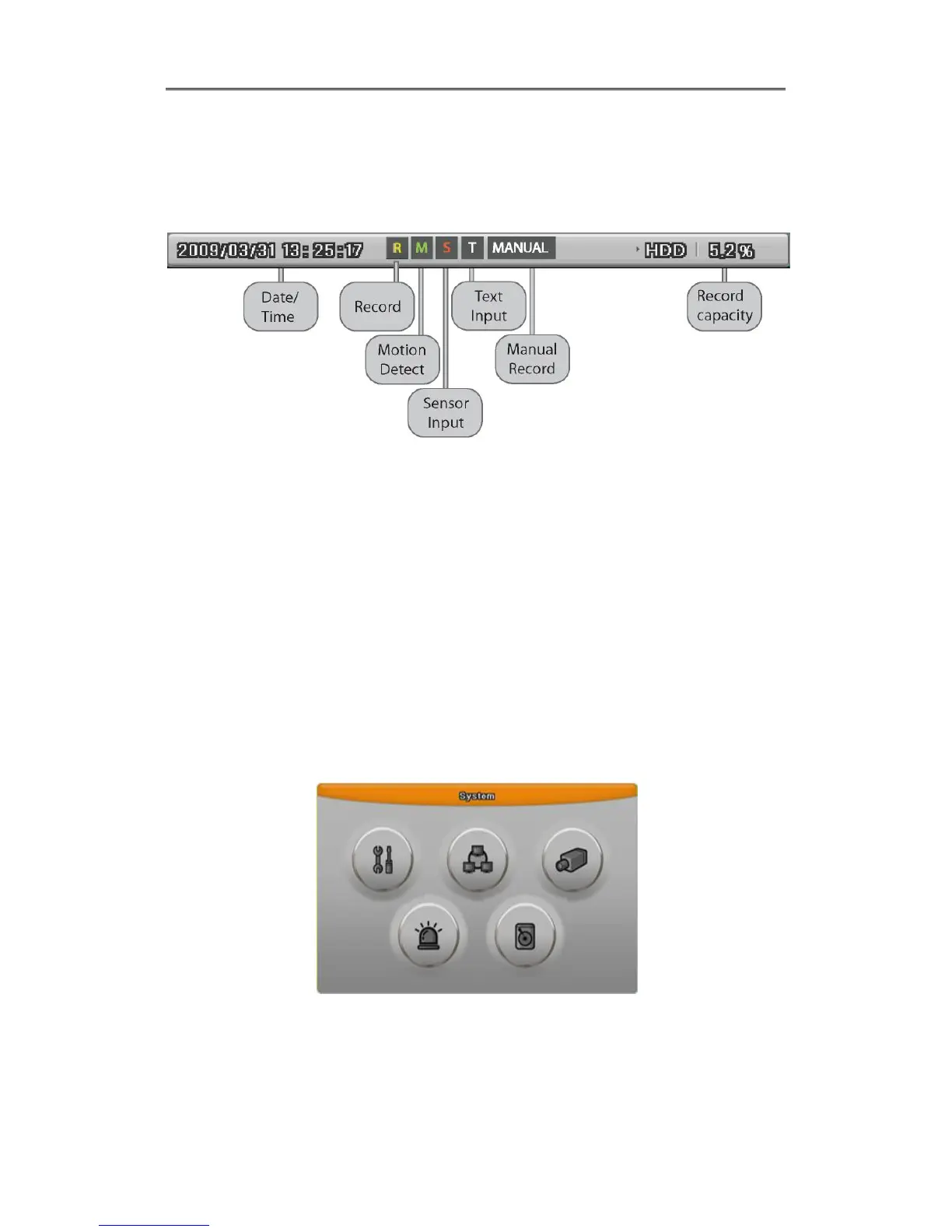
4.4 Screen Description
The status bar from monitoring screen, it shows DVR’s current status that included Date/Time,
Record, Motion/Sensor Detection, Manual Record, Text input and HDD’s record capacity.
4.5 Auto Switch Mode
There are System Standard modes and User Defined mode in Auto Switch mode. And Users
Sequence mode operates by the press [SEQ] button.
4.5.1 System Standard Mode
By [Auto] button, it can monitor auto switching of all channels.
Press [MENU] for the setting switching term or using mouse click menu icon from function
menu.
Move to “Device” “Monitor” from OSD menu.
Select “Seq. Switching(sec)” and set value from 1 sec. to 60 sec. At OFF set, auto switch
mode does not operate.



 To Next Page