26
.
Keep pressing [▲/▼], [◀/▶] arrow button until the word is looking for and press Enter. In case
of deleting input word press [], spacing words press [] button. To exit from dialogue box,
press [Enter] after finishing word input.
2.2.2 Setting remote controller
2.2.2.1 Setting ID of DVR
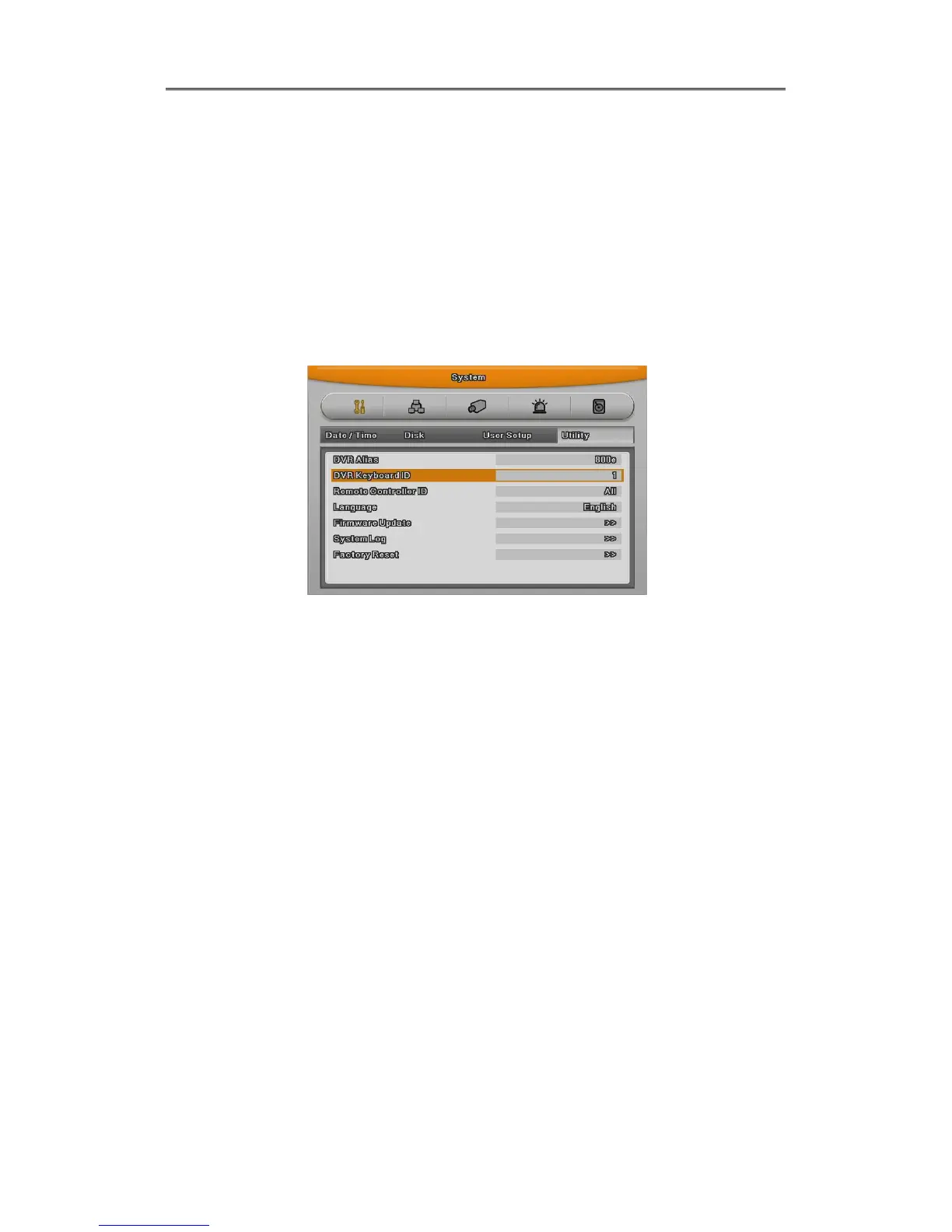
When controlling several DVRs with one remote controller, set Remote Control ID as follws;
(1) Press the [MENU] button
(2) [▶] Select “system” with using [▶] arrow button and press [Enter] or [▼] button
(3) [▼] Select “Utility” with using [▶] arrow button and press [Enter] button.
(4) Select “Remote Control ID” and press [Enter]
(5) [◀/▶] Select a value using [◀/▶] arrow buttons and press [ESC]
(6) Press the [ESC] button to return to the monitor mode.
<Reference>
Up to 16DVRs can be controlled with a single remote controller.
When not using remote controller, set the Remote Control ID as “Off”
2.2.2.2 Selecting ID
If several DVRs are with unique ID numbers, they can be controllerd with one remote controller.
To select a specific DVR, keep pressing the ID button of remote controller until a buzzer sounds
during 2 seconds.



 To Next Page