75
<Reference>
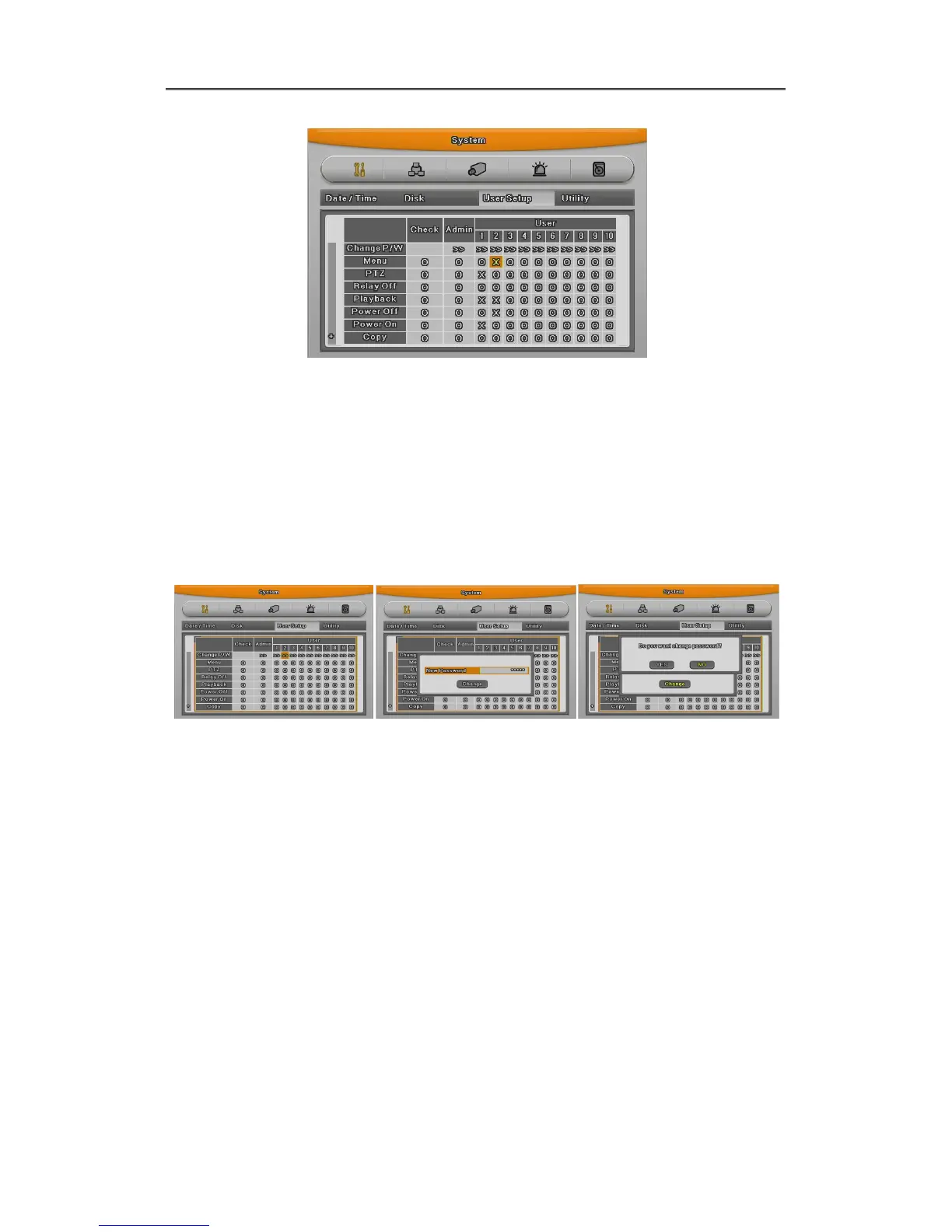
Admin Password is “12345” in factory default and from user 1 to 10 in order
“11111”,”22222”,.. and user10 is “00000”. In case of 9 channel DVR user, press “0” for
figure 0, in case of 16 channel, press button “10”
Password change
Select user Input password and press change Press Yes
Password input box is displayed. Password can be input with front figure button or text input
window. After inputing 8 digit figure, click “Change” button.
After that, message pop up window will be shown and press “Yes”.
Authority
User can use only authorized functions.
If user 1 has PTZ use authority, when pushing PTZ button, authority check window will pop up
and user should inpt the password and if it is correct, user 1 can use PTZ function. If password
is wrong, message box “Wrong password” will be displayed.



 To Next Page