10
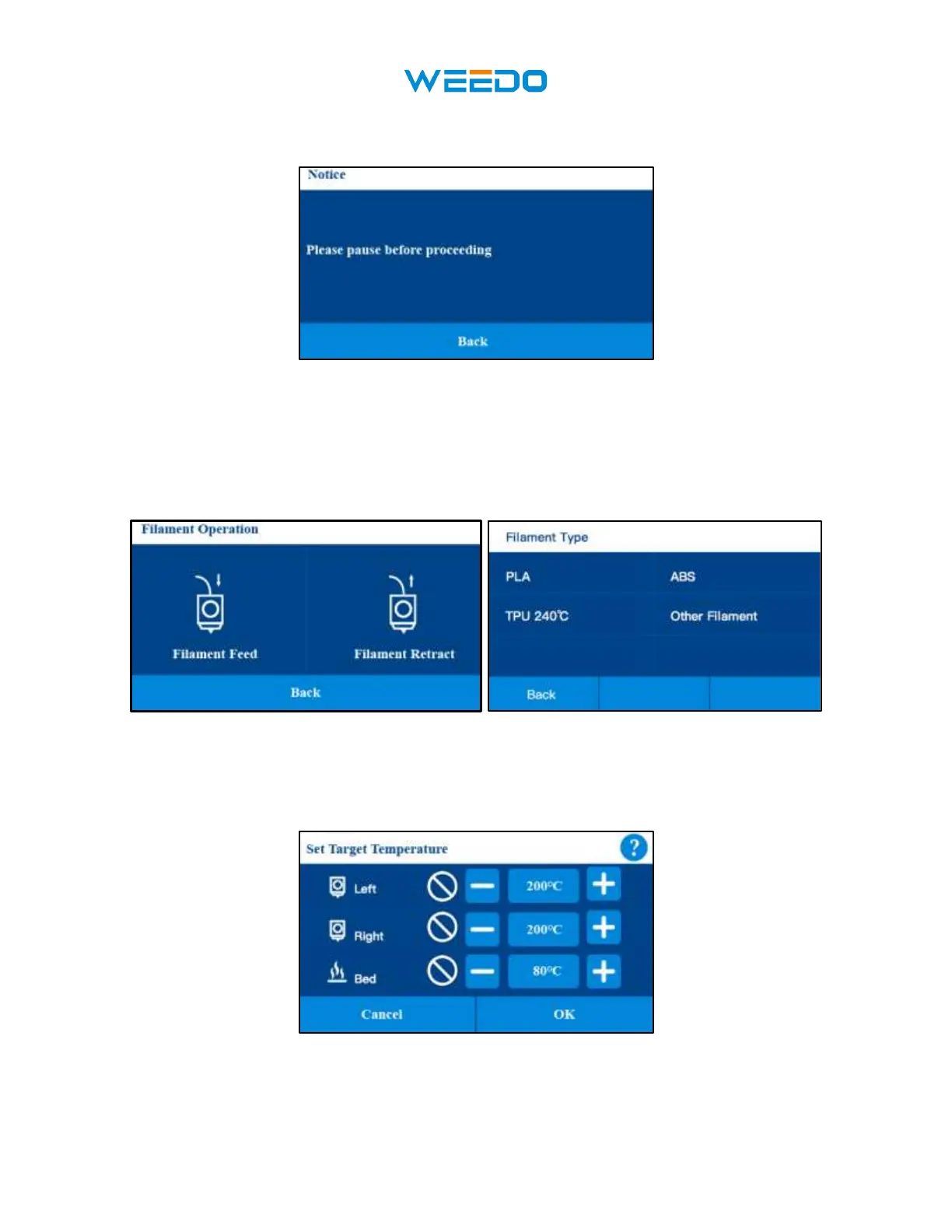
• Click the Filament Operation button, if printing is in progress, this function cannot be
used, and it can only be used after printing has been paused (Pic13).
Pic13
• Pause the printing process and then click the Filament Operation button(Pic14 Pic15).
When your filaments are running out and the model still needs a lot of filaments to
print, you can pause and replace the supplies. When you print some models, the
model you want different colors, you can also paise and then perform the
replacement of filaments
Pic14 Pic15
• Click the Temperature button to change the current printing temperature (Pic16). In the
printing progress the printing temperature and bed temperature can be reset.
Pic16
• Click the Speed button to change the current printing speed (Pic17). In the printing
progress the printing speed can be reset. Notice: if the speed is set to more than 2



 To Next Page