English
HMI
4HMI
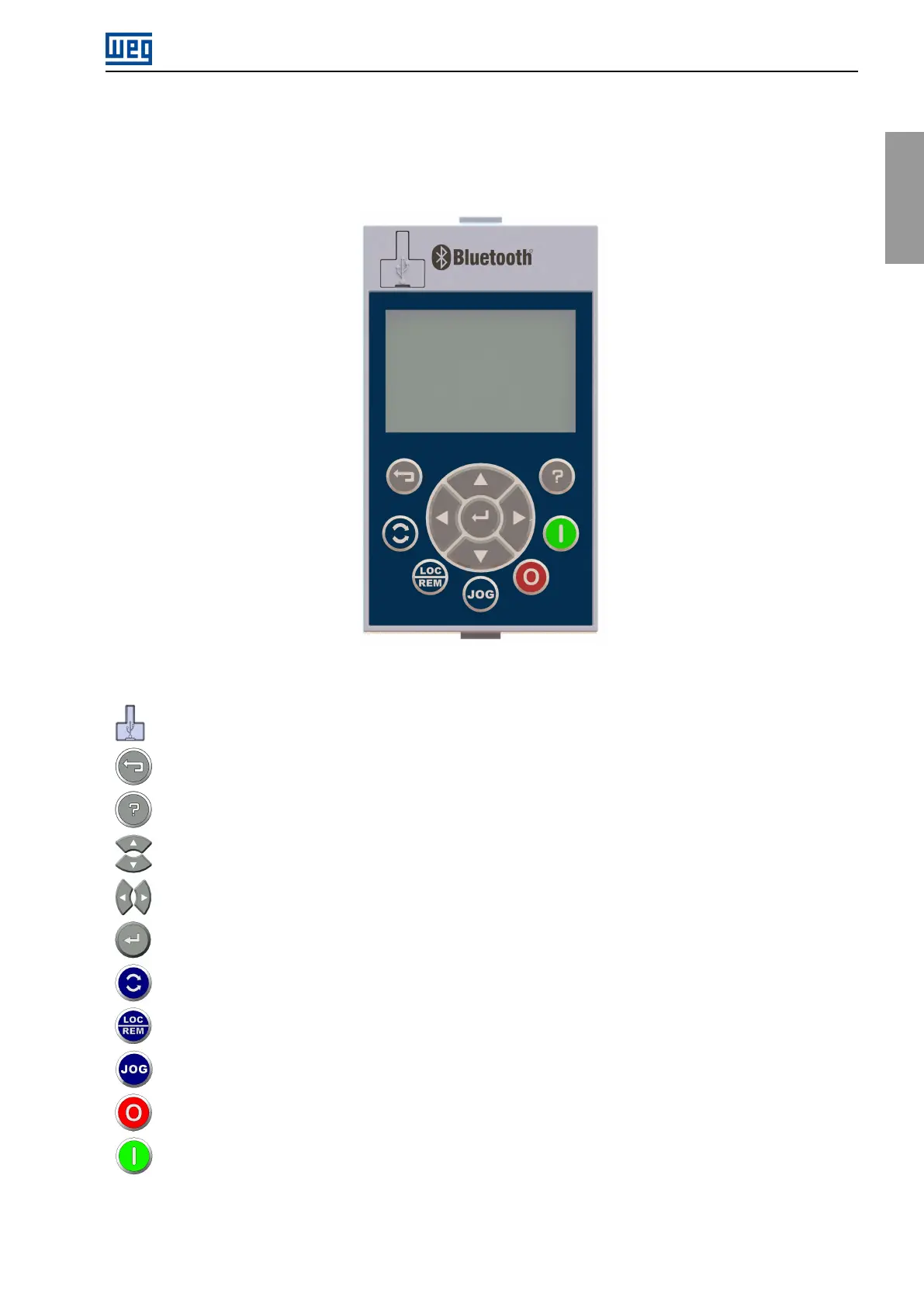
TheproductgraphicHMIallowsviewingandprogrammingtheCFW900frequencyinverter.Thekeynavigation
providesaccesstoalldatabymeansofgroups(Menus).
Figure4.1:HMIkeys
USBconnectorforcommunicationwithPC.
“Esc”:Cancelprogrammingorgobacktomenu.
“Help”:Showshelptextforthemarkedcontent.
IncrementandDecrementvalues.Navigatethemenus.
Switchbetweenscreens.Moveselectionforeditingvalues.Navigatethemenus.
Enterkey:Savechanges.Enterthemenus.
ControlthemotordirectionofrotationifprogrammedforHMI.
SelectLOCALorREMOTEcommandifprogrammedforHMI.
RunJOGifprogrammedforHMI.
StopmotorifprogrammedforHMIorfault/protectionreset.
RunmotorifprogrammedforHMI.
AlltheHMIoperationisbasedonmenus,whichcontainthereadingandwritingvariables.Themenusaredivided
intolevels,containingmenusandsubmenus.
CFW900|47



 To Next Page