DTV 720 USER’S MANUAL
www.wegener.com 17 800043-01 Rev. C
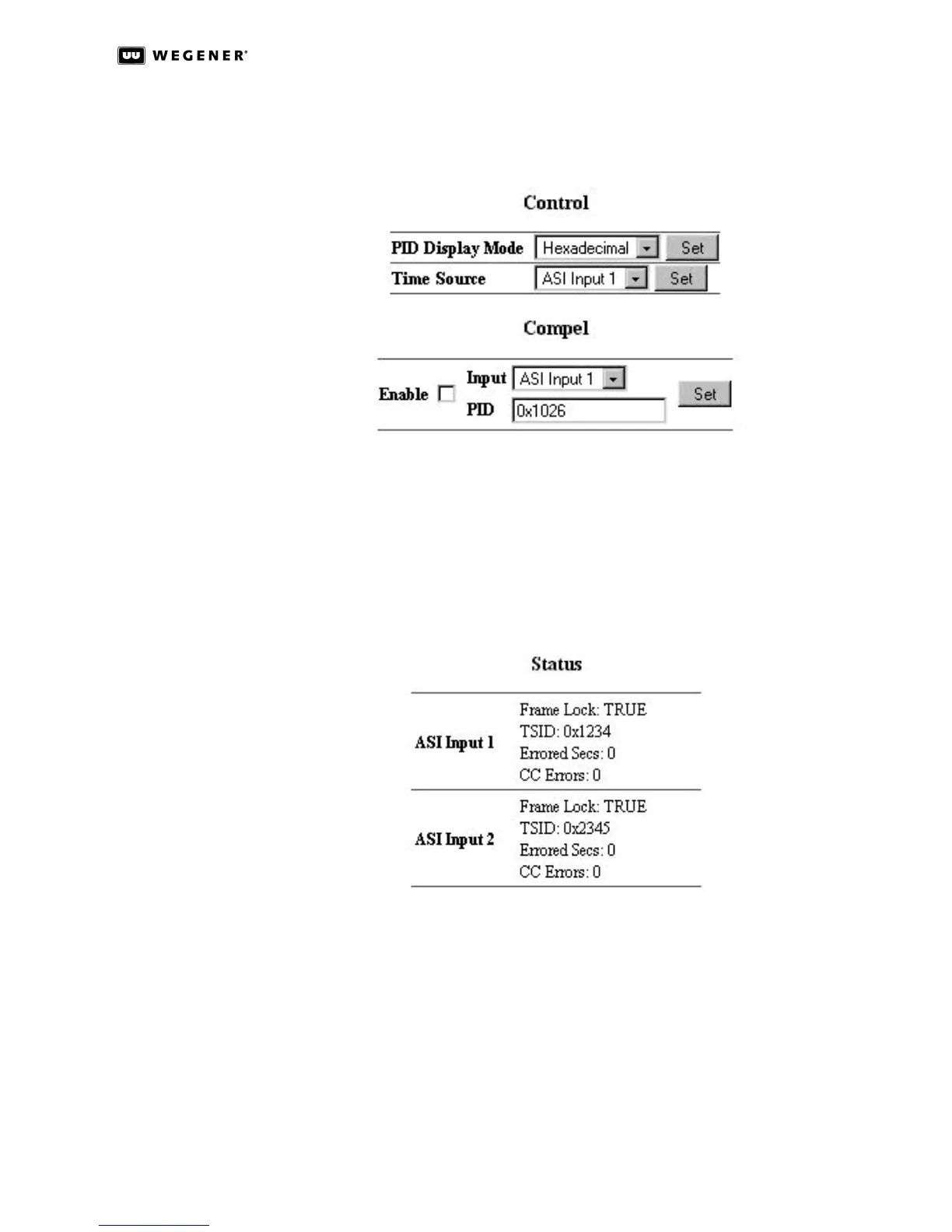
decimal format regardless of this selection.) Because up to four independent input
sources may be present, the Time Source selection box is used to select which of these
inputs is used to set the clock in the unit.
Figure 3.5: DTV 720 Control & Status Page Control Sections
The Compel section is for systems that use Wegener's COMPEL Control. After you select
the input stream and the PID of the stream containing the COMPEL commands, use the
Enable checkbox and the Set button to set the stream and PID information.
Status
The Status section (on the right side) provides the unit’s input and output signal status.
Figure 3.6: DTV 720 Control & Status Page ASI Input Status
The ASI Input entries indicate whether or not the ASI Inputs show frame lock. Frame lock
normally indicates a signal good enough for reception with few or no errors. When frame
lock is achieved, the TSID of the stream is shown together with the errored seconds and
Continuity Count (CC) errors. Errored Secs indicates the number of seconds in which
errors occurred in the input stream since the last time the error counter was cleared. CC
errors indicate the the number of errors detected where packet discontinuities occurred.
These counters may be cleared by clicking the word Clear.



 To Next Page