DTV 720 USER’S MANUAL
www.wegener.com 21 800043-01 Rev. C
will not cause a switch. The Alarm condition that will cause such a switch is defined by the-
setup on the Alarm Configuration Page. Any of the 21 conditions listed on this page will
cause a switch if that condition is configured as an Alarm.
Once the DTV 720 unit has switched to a Backup Configuration, a warning will be displayed
on its front panel LCD screen and on the Control & Status page, indicating that the unit is
in a Backup Configuration mode. The unit will not automatically recover from this switch. It
is up to the user to verify that the condition that caused the switch has cleared. Then the
unit can be manually switched back to its former configuration.
Alarm Config
Page
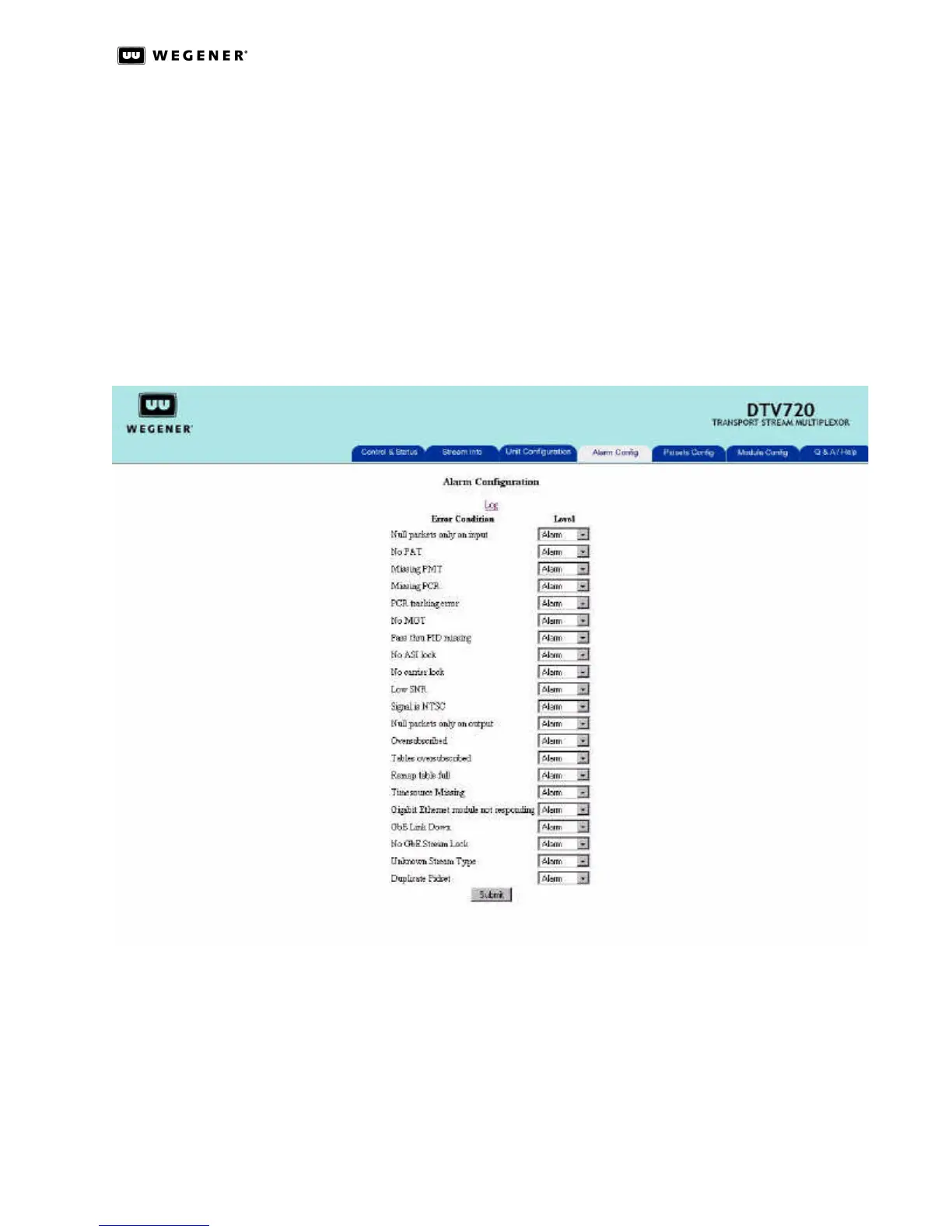
The Alarm Config page allows the user to configure whether an event type will be handled
as an Alarm or Warning condition or whether the event type will be disabled so that no
Alarm or Warning indications will be given for that specific type of event. (See Figure3.12.)
Figure 3.12: DTV 720 Alarm Configuration Page
The Alarm Configuration page should be used in conjunction with the Backup Configura-
tion, under Unit Configuration page, to set up the DTV 720 unit to switch to another config-
uration in the event of a signal source problem. By default, all events are set to be in an
Alarm condition.
Table3.3 on the next page lists all the types of events that can be configured for Alarms or
Warnings, with a brief description of each type of event and what it applies to..



 To Next Page