DTV 720 USER’S MANUAL
www.wegener.com 19 800043-01 Rev. C
Stream
Information
Page
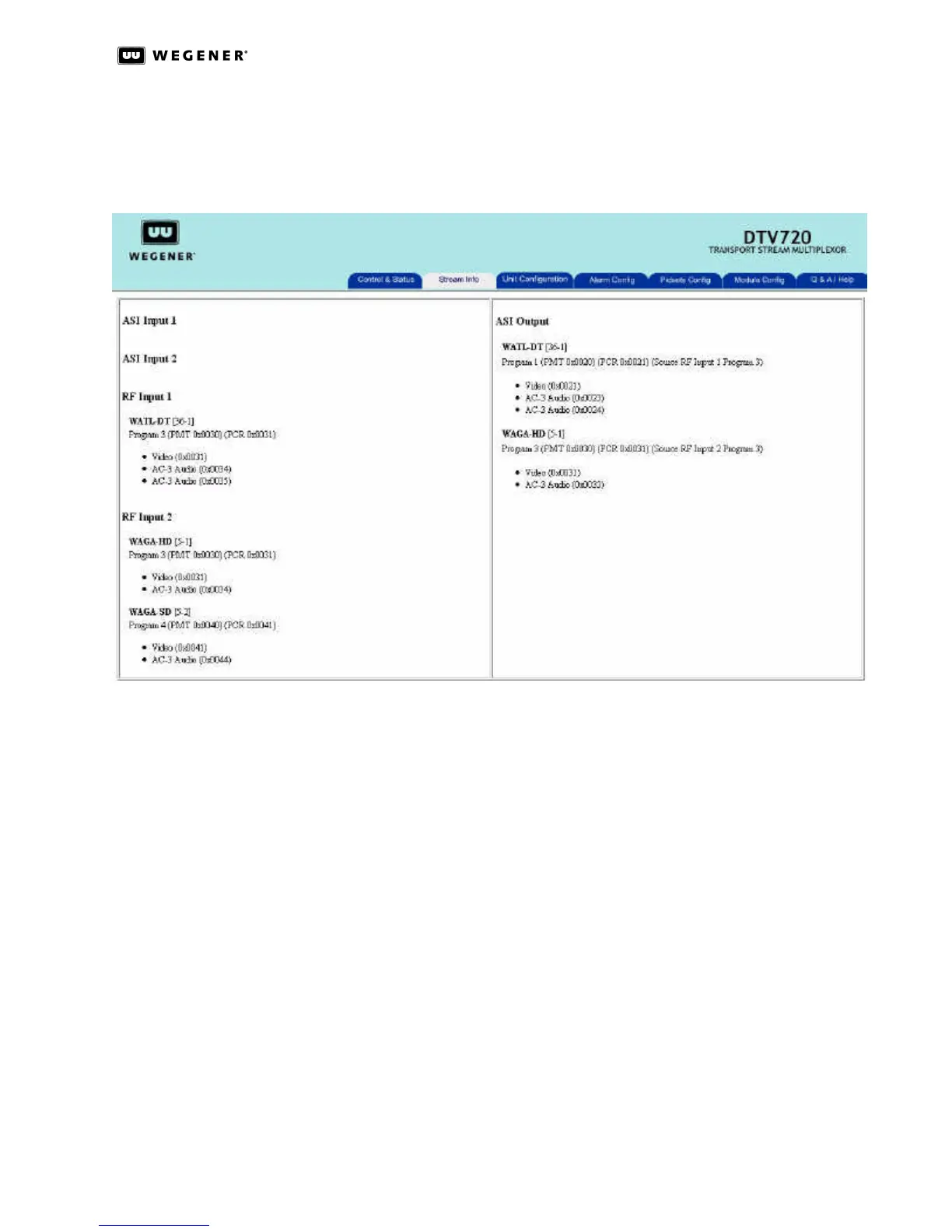
The Stream Information page (see Figure3.9) gives detailed information on all input
streams and the output stream. This is for reference only. No selections may be made on
this page. The left side shows input information and the right side shows output informa-
tion.
Figure 3.9: DTV 720 Stream Information Page
Input information begins with ASI Input 1 followed by ASI Input 2, RF Input 1, and RF Input 2.
All input streams are shown whether or not they are selected for the output. Information
provided for each active input includes the Pogram Short Name; Major and Minor channel
numbers; Program Number with PMT and PCR PID locations indicated; and a list of all
referenced streams (video, audio, and data) with their PID numbers. Any PIDs present
that are not referenced are shown as Ghost PIDs.
Output information provides the same information as the Input side plus the input source
of each output program.
Unit
Configuration
Page
The Unit Configuration Page, shown in Figure 3.10, allows the multiplex configuration to be
stored with a user-selected name. A stored configuration may be loaded at any time to
rapidly change the configuration of the unit. Using Unit Configuration, a single backup unit
could be loaded with the configurations of several on-line units. Then, in the unusual case
of failure of an on-line unit, the backup could be installed with the correct unit configuration
already loaded. With up to twenty characters allowed for each configuration name, highly
descriptive naming may be used.



 To Next Page