DTV 720 USER’S MANUAL
800043-01 Rev. C 38 www.wegener.com
3. If your local computer is attached to a network, Wegener recommends that you discon-
nect the network cable from the computer and reset the computer before proceeding
to the following steps. The upgrade may not start up correctly if the computer isn’t
reset first.
4. Use your unzip utility to extract the TFTPD32.exe file from the TFTPD32.zip file.
5. Start and setup the TFTPD32.exe program on the PC:
a. Run TFTPD32.exe
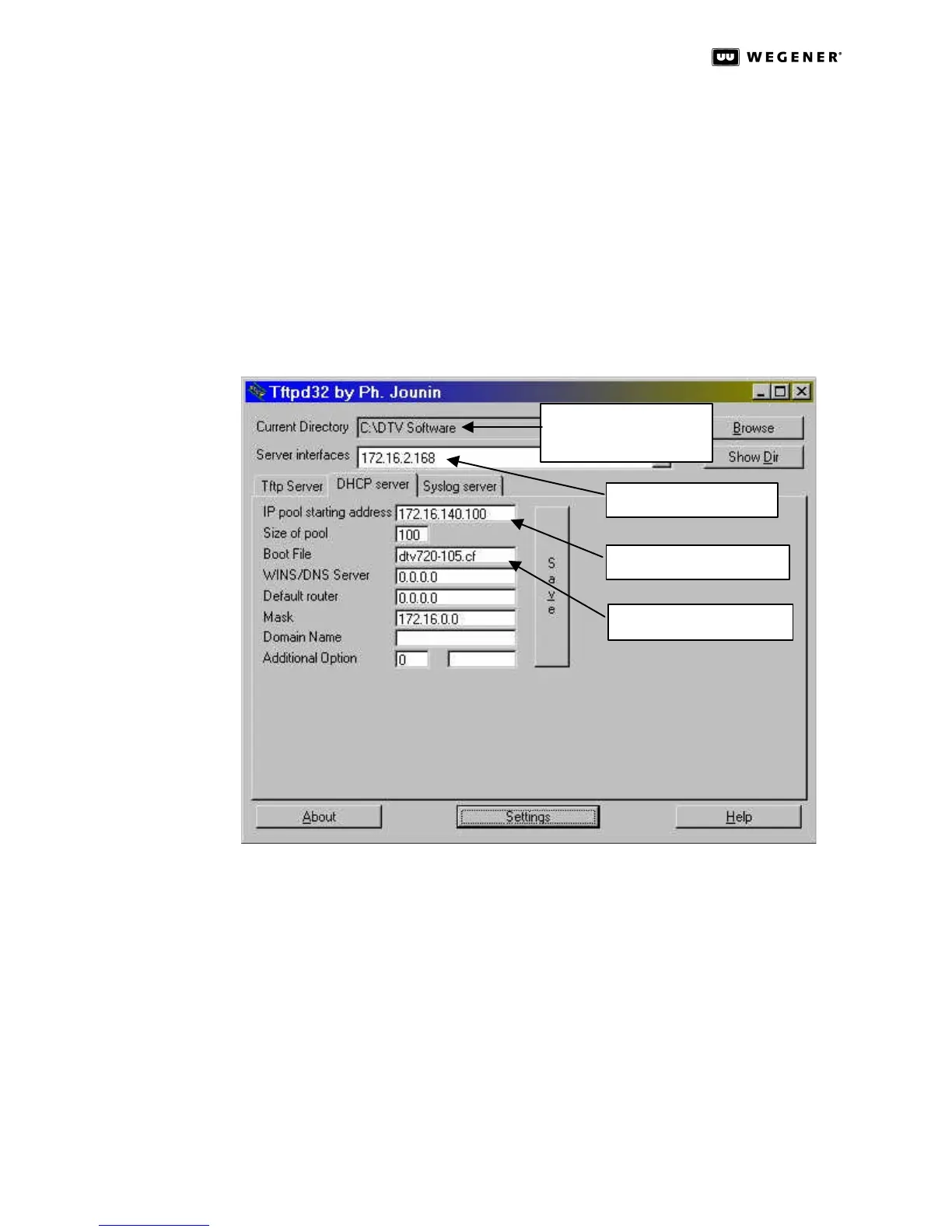
b. When the TFTPD32 window (Figure3.23 below) opens, set the Current Directory:
field to the DTVSoftware directory where you placed the application code DTV 720-
xxx.cf in Step 1. above.
Figure 3.23: TFTPD32 Top-level Settings and DHCP Server Tab
c. Look at the Server interfaces: field, which should contain your PC’s IP address.
(The TFTPD32 program should automatically set this from the information in your PC.)
d. Click the Settings button to bring up the TFTPD32: Settings screen shown in
Figure3.24.
e. Under Global Settings, click the checkboxes so that TFTP Server, Syslog Server,
and DHCP Server are checked to be ON, and that TFTP Client is not checked, or
OFF.
f. Under TFTP Security, click the radio button for Standard.
g. Under TFTP Configuration: set Timeout (seconds) to 3, Max Retransmit to 6, and
Tftp port to 69.
Location of software
upgrade.
Your PC’s IP address
IP address of DTV unit
DTV Software upgrade



 To Next Page