DTV 720 USER’S MANUAL
www.wegener.com 27 800043-01 Rev. C
3.3 DTV 720 Controls and Indicators
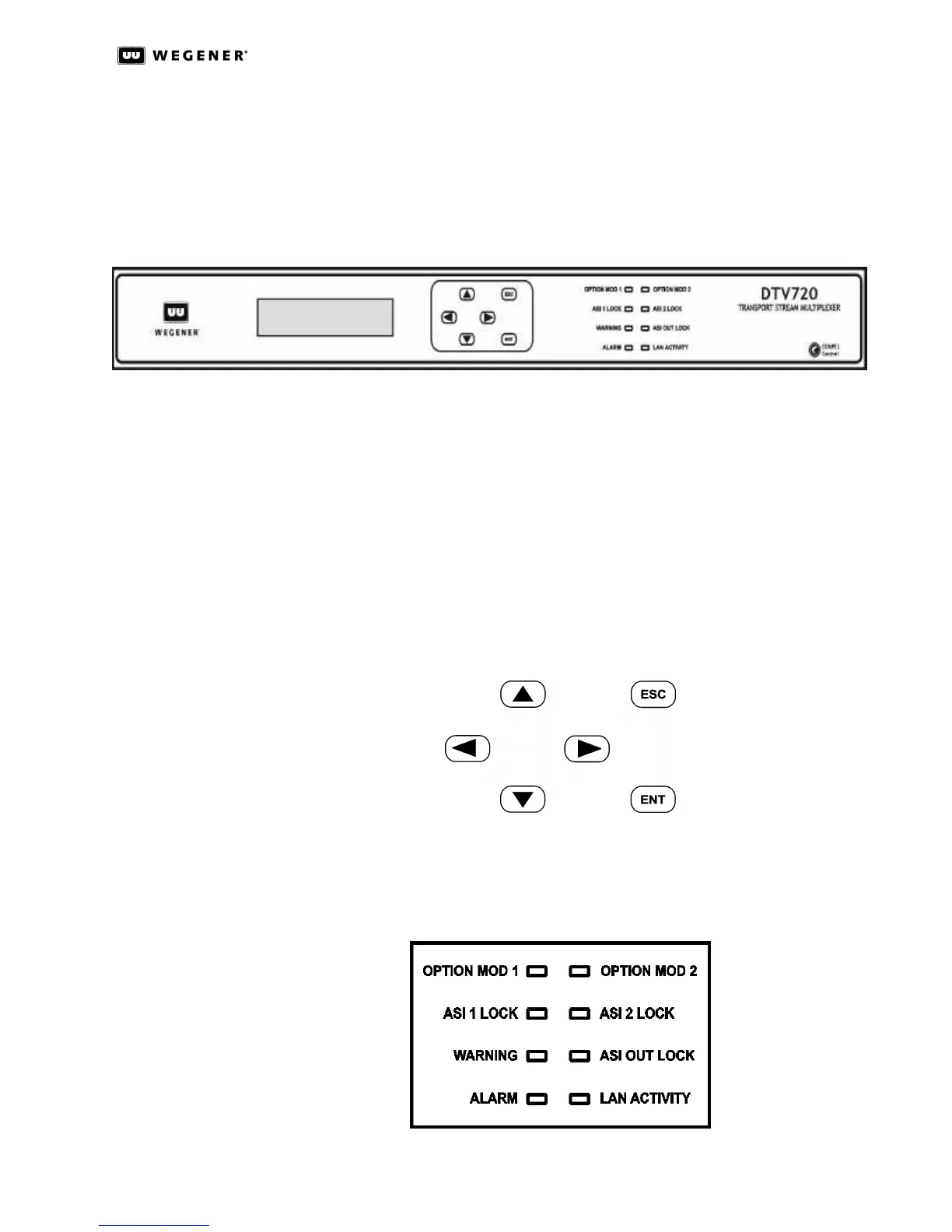
There are three major parts of your DTV 720’s front-panel controls and indicators: the liq-
uid-crystal display (LCD), the six push buttons, and the eight LED indicators. Essentially
all control available through the terminal is also available via the front panel (shown below
in Figure3.20).
Figure 3.20: DTV 720 Unit Front Panel
Liquid-
Crystal
Display(LCD)
The DTV 720’s 2-line by 20-character LCD indicates unit status and prompts for and
reflects user input. Here, on startup, you will see your DTV 720’s Home screen which
shows information on the input connections.
Front Panel
Push Buttons
These six push buttons (shown below in Figure3.21) are your means of commanding the
DTV 720 from the front panel. The four arrow buttons allow navigation through the menu
screens and character selection when editing user-input fields. The Enter (ENT) button is
used to select menu options (downward navigation), to open user-input fields, or to com-
mit user input to the DTV 720. The Escape (ESC) button allows exit from user-input fields
without saving the entry or selection. ESC also provides upward navigation through the
menu structure to the Home screen. The arrow buttons also provide navigation through
user-input screens and switching between user-selectable options.
Figure 3.21: DTV 720 Front Panel Push Buttons
Front Panel
LED
Indicators
Figure3.22 below shows the eight light-emitting diodes (LEDs) that provide status informa-
tion about your DTV 720 and its processes. Table 3.4: DTV 720 Front Panel LED Indicator
Descriptions provides the meaning of the color and state of each LED.
Figure 3.22: DTV 720 Front Panel LED Indicators



 To Next Page