312576780000/00/02-2018
Conguration
Rotation eld direction
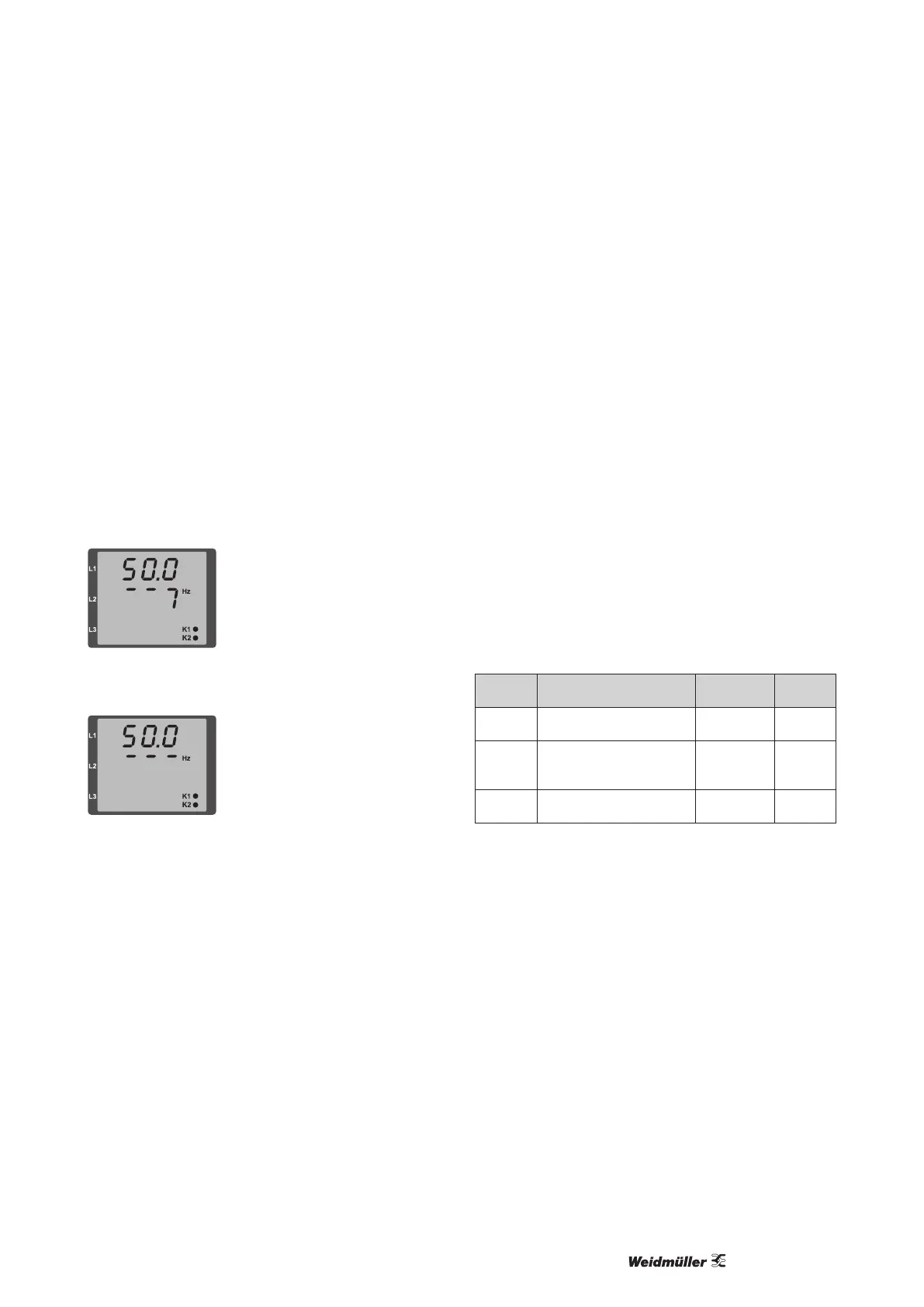
The rotation eld direction of the voltages and the frequency of
phase L1 are shown on the display.
The rotation eld direction indicates the phase sequence in three-
phase systems. Usually there is a “clockwise spinning rotation
eld”.
The phase sequence at the voltage measurement inputs is
checked and displayed in the Energy Meter 610/610-PB. A move-
ment of the character string in the clockwise direction means a
“right rotation” and a counter-clockwise movement indicates a “left
rotation”.
The rotation eld direction is determined only if the measurement
and operating voltage inputs are fully connected. If one phase is
missing or two of the same phases are connected, the rotation
eld direction will not be determined and the character string does
not appear on the display.
Fig.: Display of the mains frequency (50.0) and the rotation eld
direction
Fig.: No rotation eld direction detectable.
LCD contrast (addr. 035)
The preferred direction of viewing for the LCD is from “below”. The
user can adjust the LCD contrast of the LCD screen. It is possible
to set the contrast in the range from 0 to 9 in steps of 1.
0 = characters are very light
9 = characters are very dark
Factory default setting: 5
Backlight
The LCD backlight allows the display to be read easily even in
poor light. The brightness can be controlled by the user in stages
from 0 to 9.
The Energy Meter 610/610-PB has two different types of backlight:
- the operation backlight
- the standby backlight
Operation backlight (addr. 036)
The operation backlight is activated by pushing the appropriate
button, or with a restart.
Standby backlight (addr. 747)
This backlight is activated after an adjustable period of time (addr.
746). If no button is pressed within this period, then the device
switches to the standby backlight.
If buttons 1 to 3 are pressed, the device switches to the operation
backlight and the dened period of time begins again.
If the brightness settings for the two backlights are set to the same
value, then no change is discernible between the operation and
standby backlights.
Address Description Setting
range
Default
setting
036 Brightness for operation
backlight
0 to 9 6
746 Period of time after which
the backlight will switch to
standby
60 to 9999 s 900 s
747 Brightness for standby
backlight
0 to 9 0



 To Next Page