35243637000/00/02.17
Loading Material
4 Loading Material
4.1 Loading Media from Roll
5
7
8
6
9
2
1
3
4
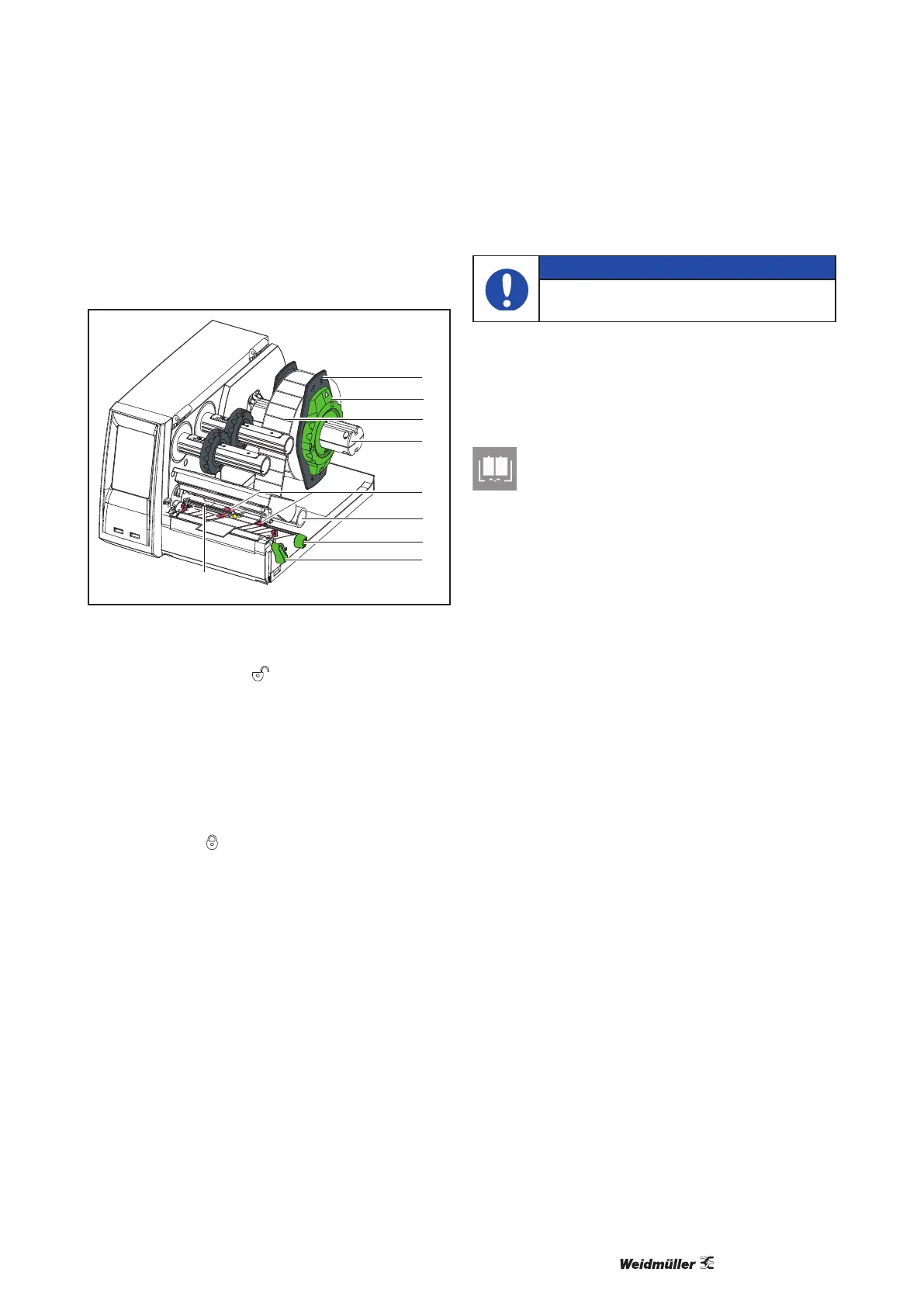
Fig. 7 Loading Media from Roll
1 Turn ring (2) counterclockwise, so that the arrows
points to the symbol , and thus release the
margin stop (1) from the roll retainer (4).
2 Load label roll (3) on the roll retainer (4) in such
a way that the printing side of the labels is visible
from above.
3 Re-mount the margin stop (1) and push against
the label roll as far as possible.
4 Turn ring (2) clockwise, so that the arrow points
to the symbol
on the roll retainer (4).
5 Turn lever (8) counterclockwise to open print-
head.
6 If the printer is equipped with a cutter or perfora-
tion cutter, fold it down.
7 Position guides (5) by turning the knob (7) so that
they are several millimeters wider than the mate-
rial.
8 Position material below the belt roller (6) and
guide it through the print unit.
NOTE
Guide material through the print unit
below the label sensor (9).
9 Move guides (5) closely to the edges of the mate-
rial without clamping the material.
10 Adjust label sensor.
Please refer to Chapter 4.3 for more infor-
mation.
11 If the printer is equipped with a cutter/perforation
cutter, guide material through the cutter and fold
cutter back to the printing unit.
12 Press printhead retainer down and turn lever (8)
clockwise to lock the printhead.


 To Next Page
 Loading...







