6-10
DIAGNOSTIC TEST QUICK GUIDE
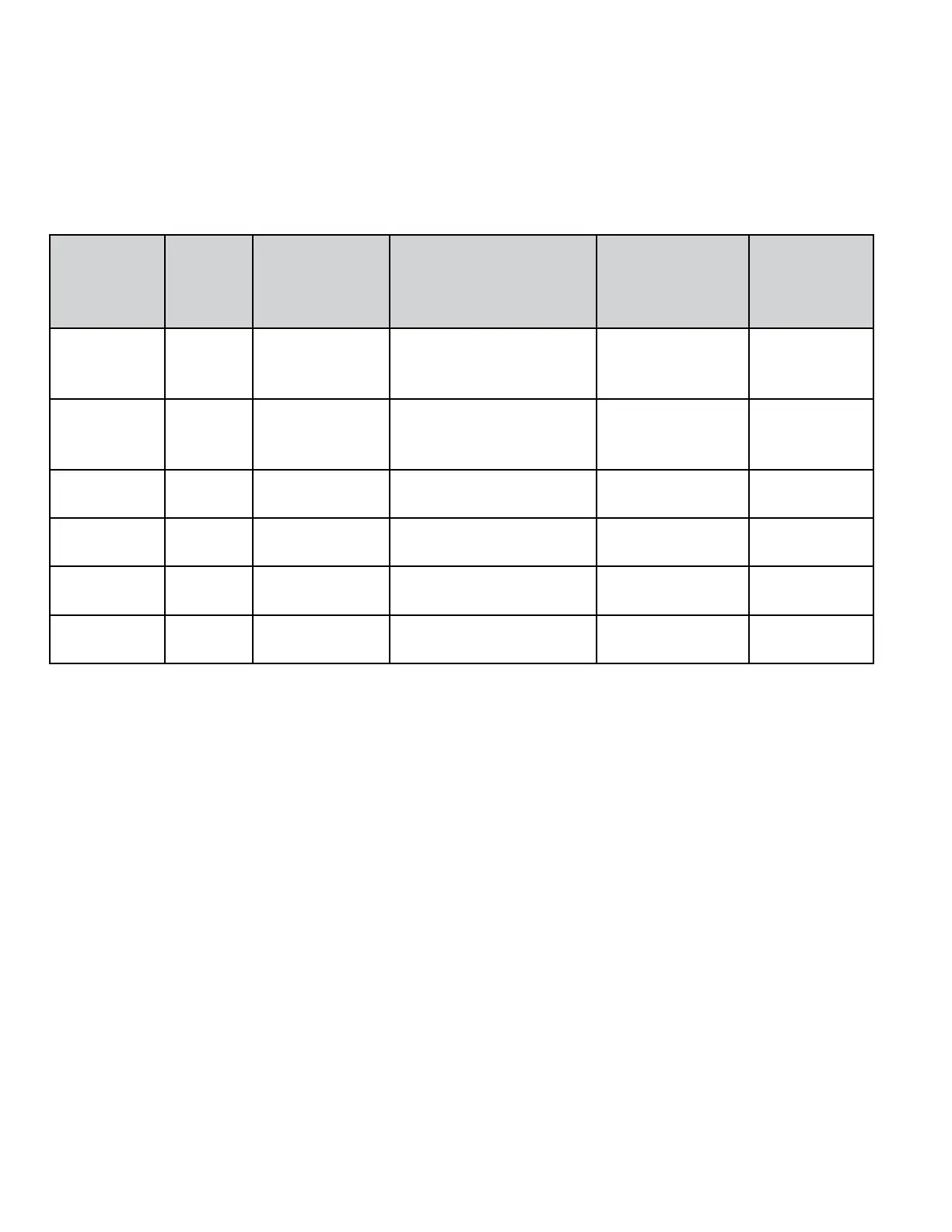
The following table summarizes button functions among the diagnostic sub-modes
Button Functions in Diagnostic Mode Table
Button
Name on
Interface
Generic
Button
Function
User Input Function in Code
Display Sub-Mode
Function in
Flashing
Sub-Mode
Function
in Cycle
Running
Sub-Mode
COLD Mode
Select
Press and hold
until display
ashes
Erase diagnostic codes
and begin diagnostic
ashing mode.
Enter set-up
mode
Cancel cycle,
enter set-up
mode.
WARM Enter /
Advance
Press for 1
second
Exit diagnostic mode
and enter set-up mode
without erasing code(s)
Access Quick
Overview Test
Go to next
step
HOT Slew Press for 1
second
Inactive Credit a
Customer Cycle
Go to next
step
COTTON /
WHITES
None N/A Inactive Access Manual
Overview Test
Go to next
step
PERM
PRESS
None N/A Inactive Access a Quick
Spin
Go to next
step
COLORS /
DELICATES
None N/A Inactive Access Washer
Cleanout Cycle
Go to next
step
HELP MODE
This mode is used to verify the behavior of the
washer along the operation of a normal cycle.
It shows the current status of many switches,
valves, and relays. It also reports the current
values of the spin basket speed, unbalance
value and power used by the MCU.
Accessing the Help Mode from Manual
Communication:
n Open the service door.
n Press the WARM button until the set-up
code (2.XX) is displayed.
n Press the HOT button.
n Press the WARM button to move to the
next option.
Accessing the Help Mode if the DA
Communication Has Been Established:
n Open the service door.
n The message dAS will appear in the display.
n Press the HOT button , the washer will
access the Help Mode sub-menu.
n Press the WARM button to advance through
the help codes.




 To Next Page