6-11
HELP MODE SYMBOLS AND
ELEMENTS
Along with the 15 steps of the help mode,
symbols and elements are mapped, at all
times, to reect the state of various inputs and
outputs.
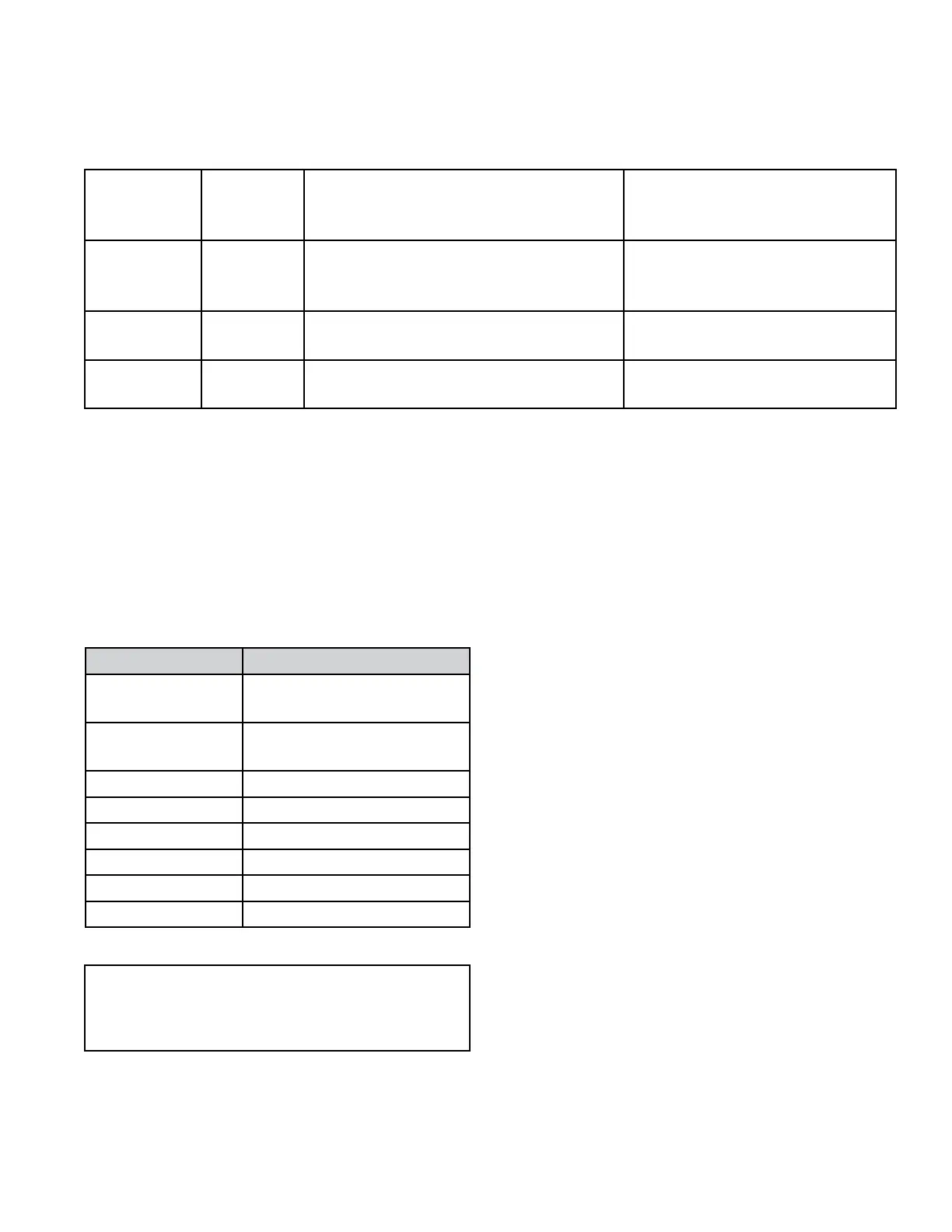
Display Symbol Description
WASH Water sensed at wash
level
* Low voltage present
(below about 90 VAC)
o
above digit Door closed
DOOR LOCKED Door sensed locked
COLD Cold water relay ON
HOT Hot water relay ON
OR Door unlock
AVAILABLE Drain pump ON
Be sure to perform the Diagnostic tests
before replacing the system components
Button
Name on
interface
Generic
Button
Function
Result While Software Version
Spins, Motor Power, Dispenser State
Result While Help Code
Displays
HOT Slew Exits help code and returns to set-up
mode - either dAS display or Set-up
code 2.XX
Exits help code and returns
to set-up mode - either dAS
displayed or Set-up code 2.XX
COLD Mode
Select
Inactive - no result Clears all 3 help codes
WARM Mode
Advance
Advances through help sub-mode Advances through each help
code.
BUTTON FUNCTIONS IN HELP MODE TABLE




 To Next Page