Electronic Control System
WWaallll OOvveennss
3-3
UNIQUE ELECTRONIC CONTROL INPUT OPERATIONS
The following few pages illustrate electronic control input operations that you would not expect a customer to perform everyday.
The input operations described are: Field Option Mode, Sabbath Mode, Delayed Start Mode, Probe Mode and Self-Clean Mode.
Field Option Mode
Field option mode allows for the user to adjust specific options of the oven controller, such as User Preference Offset (adjusting
temperature ± 35°) and Temperature Display Preference (choosing between °F, Fahrenheit or °C, Celsius).
NOTE: Field Option Mode must be entered with the oven(s) turned OFF.
To initiate the Field Option Mode for the Upper Oven, press and hold the TEMPERATURE key for the Upper Oven for five sec-
onds.
To initiate the Field Option Mode for the Lower Oven, press and hold the TEMPERATURE key for the Lower Oven for five sec-
onds.
To initiate the Field Option Mode for the Single Oven, press and hold the TEMPERATURE key for five seconds.
NOTE: Pressing the CLEAR key will cancel the Field Option Mode.
User Preference Offset
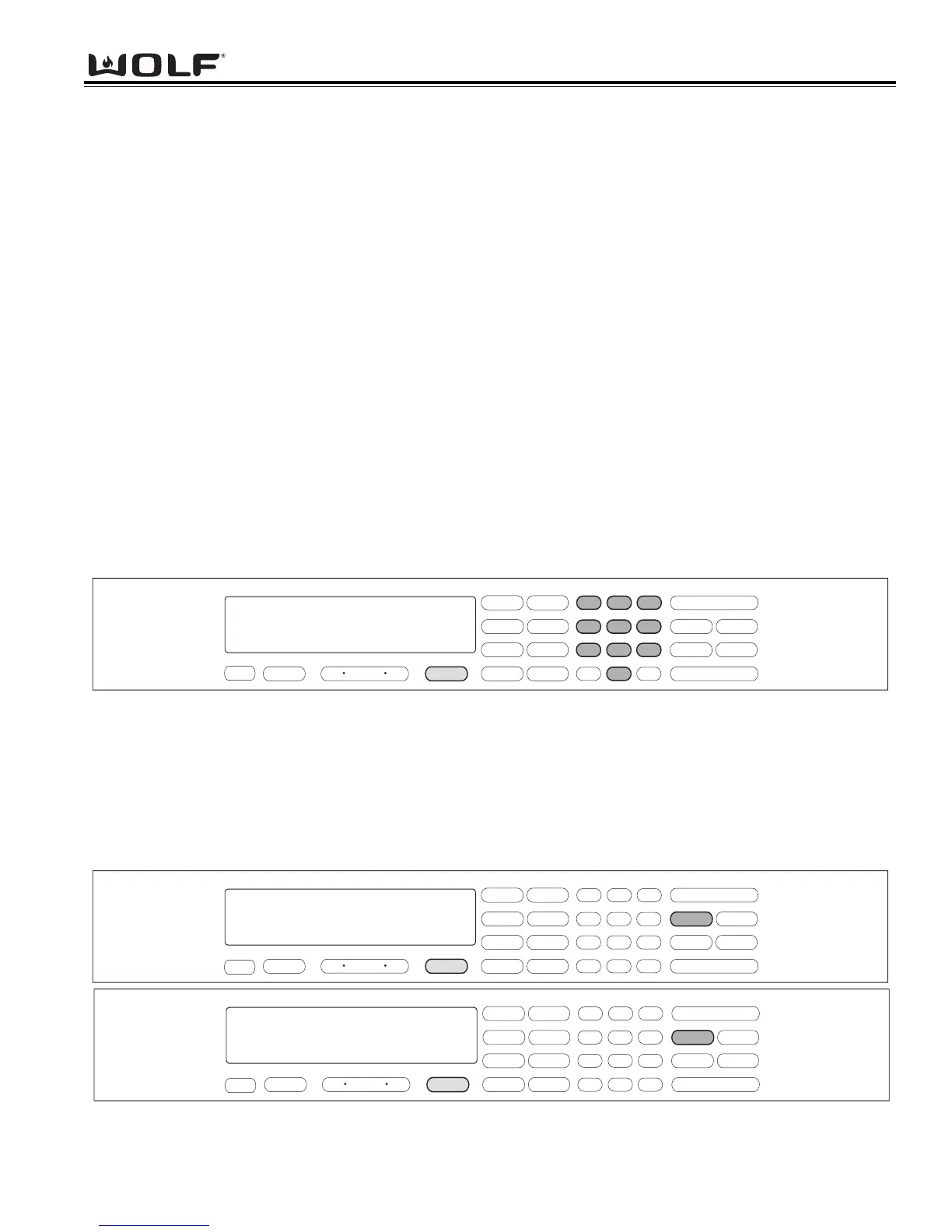
This option allows the user to offset a specific oven temperature ±35° in 1°F (Fahrenheit) increments. Once in Field Option
Mode, press the number keys to input the numeric value of the offset and press the TEMPERATURE key to toggle between ±.
The new offset is accepted ten seconds after the last key stroke or by pressing the ENTER key. (See Figure 3-1). Pressing the
CLEAR key will cancel the Field Option Mode.
NOTE: User Preference Offset will only work for °F (Fahrenheit).
.
.
.
.
.
.
Figure 3-1. User Preference Offset. Press and HOLD the TEMPERATURE key for five seconds. Then, press the number
keys to enter a new numeric value up to 35. Now, press the TEMPERATURE key to toggle between ±.
Figure 3-2. Temperature Display Preference. Must be in Field Option Mode. Now, press the COOK TIME key to toggle
between °C and °F.
Temperature Display Preference
This option allows the user to choose how the temperature is displayed, °F (Fahrenheit) or °C (Celsius), and/or back again.
Once in Field Option Mode, press the COOK TIME key to toggle between °C and °F. The new display, °C or °F is accepted ten
seconds after the last key stroke or by pressing the ENTER key. See Figure 3-2. Pressing the CLEAR key will cancel the Field
Option Mode.



 To Next Page