.
.
1.07
.
.
1.07
.
.
1.07
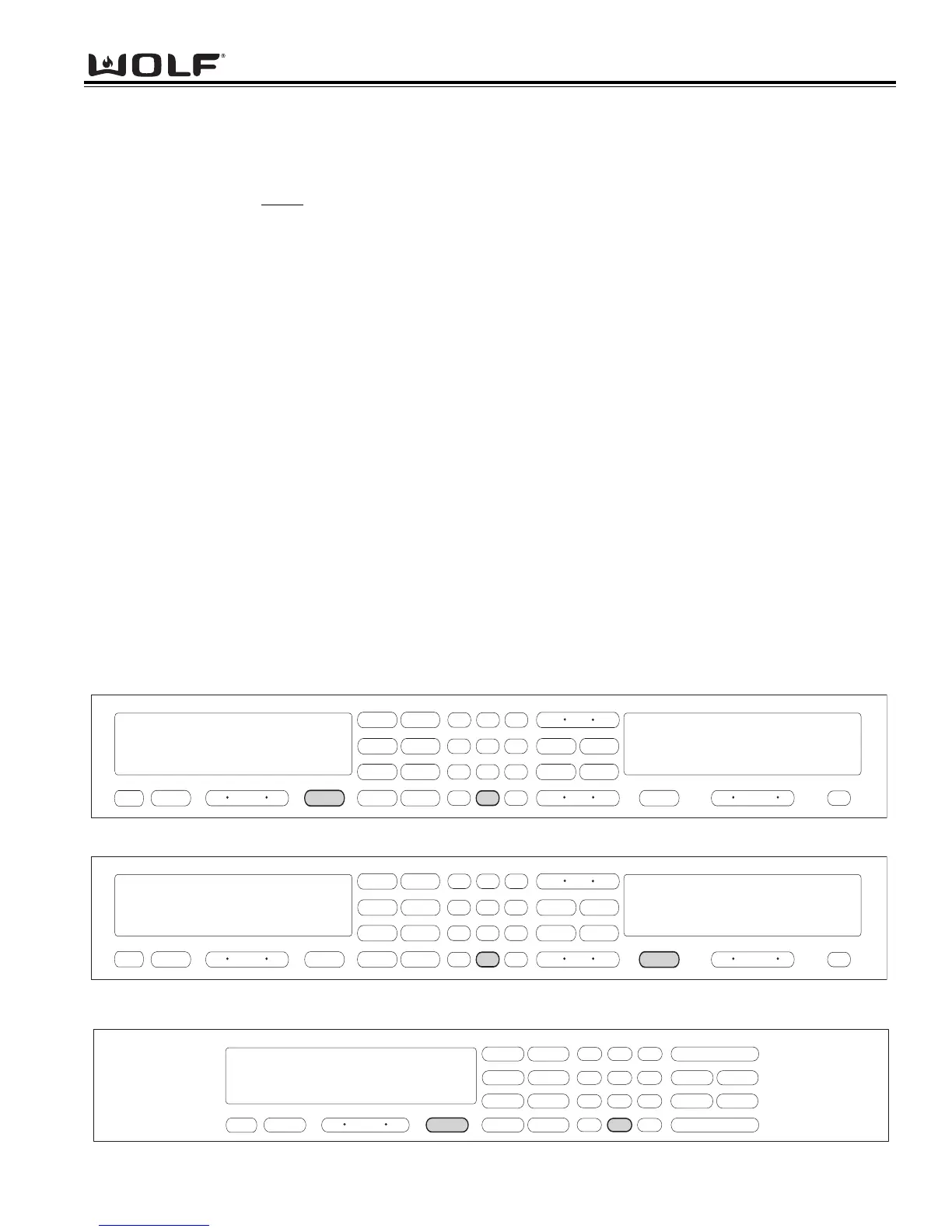
Figure 5-3. Initiate Diagnostic Mode Single Oven - Press and hold the TEMPERATURE key and the “0” key.
INITIATING DIAGNOSTIC MODE
Diagnostic Mode allows the Service Technician to inspect the functionality of the Oven Controller and Relay boards.
Entering a key combination on the oven touch pad will allow the Service Technician to enter Diagnostic Mode. In
Diagnostic Mode the last seven
errors that have occurred to the oven controlling all the relays on the relay board and
controller feedback of temperature and switches will be displayed.
NOTE: The Double Oven stores a total of fourteen errors. Seven errors for the Upper Oven and seven errors for
the Lower Oven.
NOTE: Diagnostic Mode will end two minutes after last key stroke or by pressing the CLEAR key.
Double Wall Oven Keyboard:
The Double Wall Oven controls consist of 1 double oven controller, 2 relay boards, 1 upper oven display, 1 lower oven
display, 1 double wall oven keyboard, 1 stepper motor control board, 1 MRCP Drive Plate.
To initiate Diagnostic Mode for the Upper Oven, the oven must be OFF. Then press and hold the TEMPERATURE
key and the 0 “ZERO” key for 3 seconds, then release both keys. (See Figure 6-1).
NOTE: Diagnostic Mode will end 2 minutes after last key stroke or when the CLEAR key is pressed.
To initiate Diagnostic Mode for the Lower Oven, the oven must be OFF. Then press and hold the TEMPERATURE
key and the 0 “ZERO” key for 3 seconds, then release both keys. (See Figure 6-2).
NOTE: Diagnostic Mode will end 2 minutes after last key stroke or when the CLEAR key is pressed.
To initiate Diagnostic Mode for the Single Oven, the oven must be OFF. Then press and hold the TEMPERATURE
key and the 0 “ZERO” key for 3 seconds, then release both keys. (See Figure 6-3).
NOTE: Diagnostic Mode will end 2 minutes after last key stroke or when the CLEAR key is pressed.
To toggle from one error code to another, the ENTER key must be pressed. The ENTER key will need to be pressed
seven times to make sure there are no other codes.
To clear any error codes, the oven must be in diagnostic mode. Pressing the COOK TIME and STOP TIME key, at the
same time will clear the error codes recorded. This must be performed after the unit is serviced.



 To Next Page