Electronic Control System
WWaallll OOvveennss
3-5
Time Cook Feature
Time Cook Feature controls the automatic timing of the oven(s) ON and OFF function by setting the cooking time to
start immediately and turn off when the desired cooking is complete. To accomplish time cook, the time of day clock
is used and therefore the correct time must be displayed prior to programming.
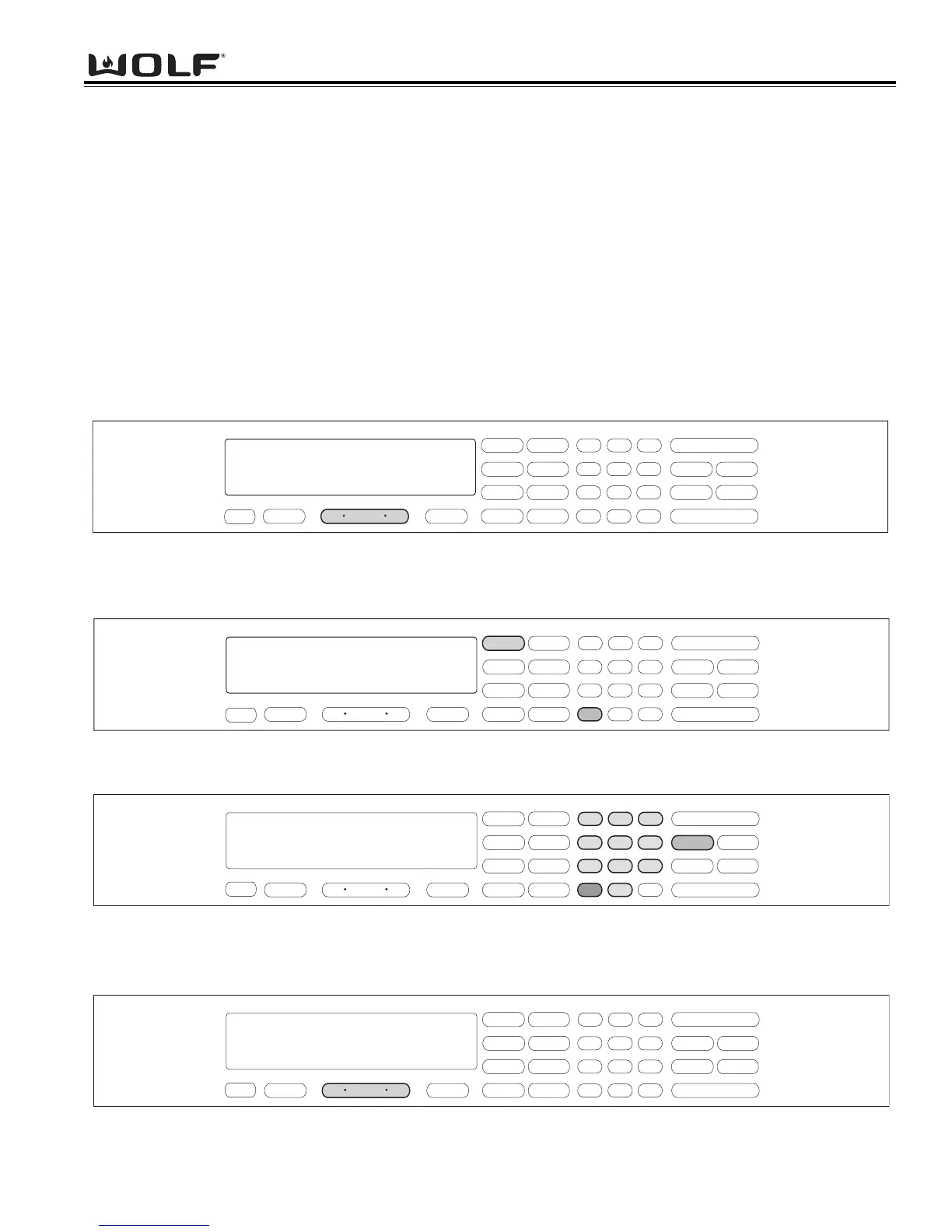
To initiate Time Cook, the oven must be OFF. First press the Oven ON key. (See Figure 3-7). For Double Ovens
press the Upper Oven ON key or the Lower Oven ON key. Now, press a desired cooking mode (example Bake
Mode). A preset temperature of 350°F is shown in the display. To change the temperature from 350°F, immediately
enter another temperature using the number keys. (See Figure 3-8). Then, press the COOK TIME key. Then, enter
the hours/minutes desired for cooking. The oven(s) will start heating after a five second delay or by pressing the
ENTER key. (See Figure 3-9). To exit TIME COOK feature, pess the Oven OFF key. (See Figure 3-10). For the
Double Oven, press the Upper Oven OFF key or the Lower Oven Off key.
NOTE: The oven should always be preheated in this mode. The oven will chime after the oven reaches preheat
temperature.
Figure 3-8. Press a desired Cooking Mode. (Example: Bake Mode). A preset temperature of 350°F will be shown in the
display
. To change temperature, immediately enter another temperature using the number keys.
Figure 3-10. To exit the Cook Time Feature. Press the Oven OFF key.
For Double Ovens select either Upper Oven OFF key or Lower Oven OFF key.
.
.
Figure 3-9. Now, press the Cook Time key. Now, enter the hours/minutes desired for cooking. The Stop Time will auto-
matically be entered in the display. Then, press the ENTER key. The oven(s) will now start heating and then turn off
when the cooking times has completed.



 To Next Page