WWaallll OOvveennss
Electronic Control System
3-10
Convection Mode
The Convection Mode uses dual convection fans, each with heating elements mounted on the back wall of the oven
cavity. The convection fans move air sequential, throughout the entire oven cavity creating uniform air movement.
This air movement makes it possible to cook on all six levels of the cooking racks simultaneously. The heating ele-
ments and convection fans are cycled sequentially (on and off), resulting in even browning.
NOTE: In Convection Mode, standard recipe temperature should be reduced by 25°F.
NOTE: The oven should always be preheated in this mode. The oven will chime after the oven reaches preheat
temperature.
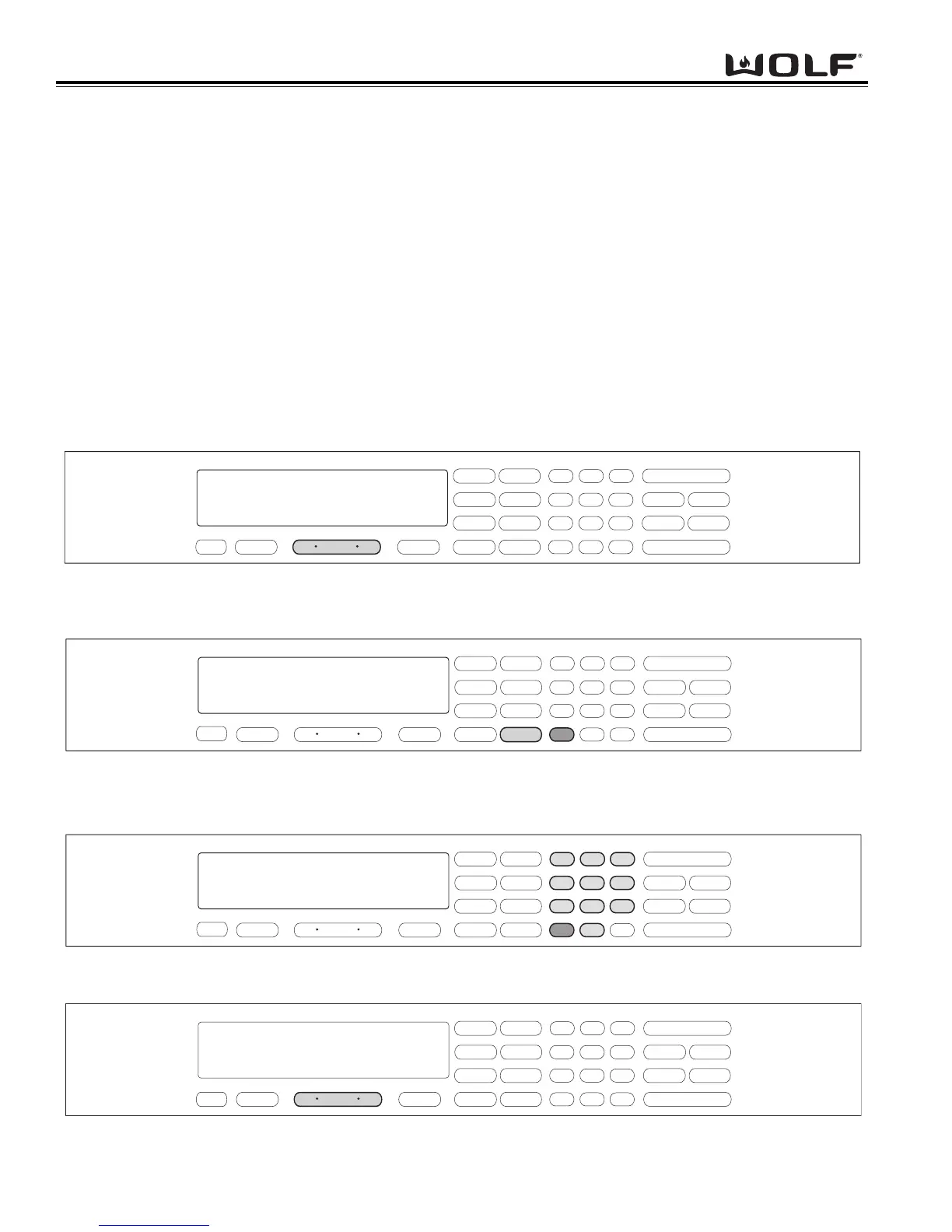
To initiate Convection Mode, the oven must be OFF. First, press the Oven ON key. (See Figure 3-27). For the
Double Ovens, press the Upper Oven ON key or the Lower Oven ON key. Now, press the CONVECTION key. A
preset temperature of 325°F will appear in the display. The oven begins to heat after 5 seconds or by pressing the
ENTER key. (See Figure 3-28). To change the temperature from the preset 325°F, immediately enter another tem-
perature using the number keys. Then, press the ENTER key. (See Figure 3-29). To exit the Convection Mode,
press the Oven OFF key. (See Figure 3-30). For Double Ovens press the Upper Oven OFF key or the Lower Oven
OFF key.
.
.
Figure 3-27. To initiate Convection Mode, Press the Oven ON key.
For Double Oven, press the Upper Oven ON key or the Lower Oven ON key.
.
.
.
.
Figure 3-29. To change the preset temperature, immediately press the number keys to enter a new temperature.
Then, press the ENTER key.
.
.
Figure 3-30. To exit the Convection Mode, press the Oven OFF key.
For Double oven, press the Upper Oven OFF key or the Lower Oven OFF key.



 To Next Page