Electronic Control System
WWaallll OOvveennss
3-15
Convection Roast Mode
In Convection Roast Mode the dual convection fans with each convection element operate sequentially (on and off),
along with the cycling of the top broil element. The convection elements are on 46 percent of the time and the broil
element is on 16 percent of the time. The convection fans are on 100 percent of the time. This mode intensifies the
convective and radiant heating. This combination gently browns the exterior and seals in juices making it perfect for
roasting tender cuts of meat.
NOTE: The oven should always be preheated in this mode. The oven will chime after the oven reaches preheat
temperature.
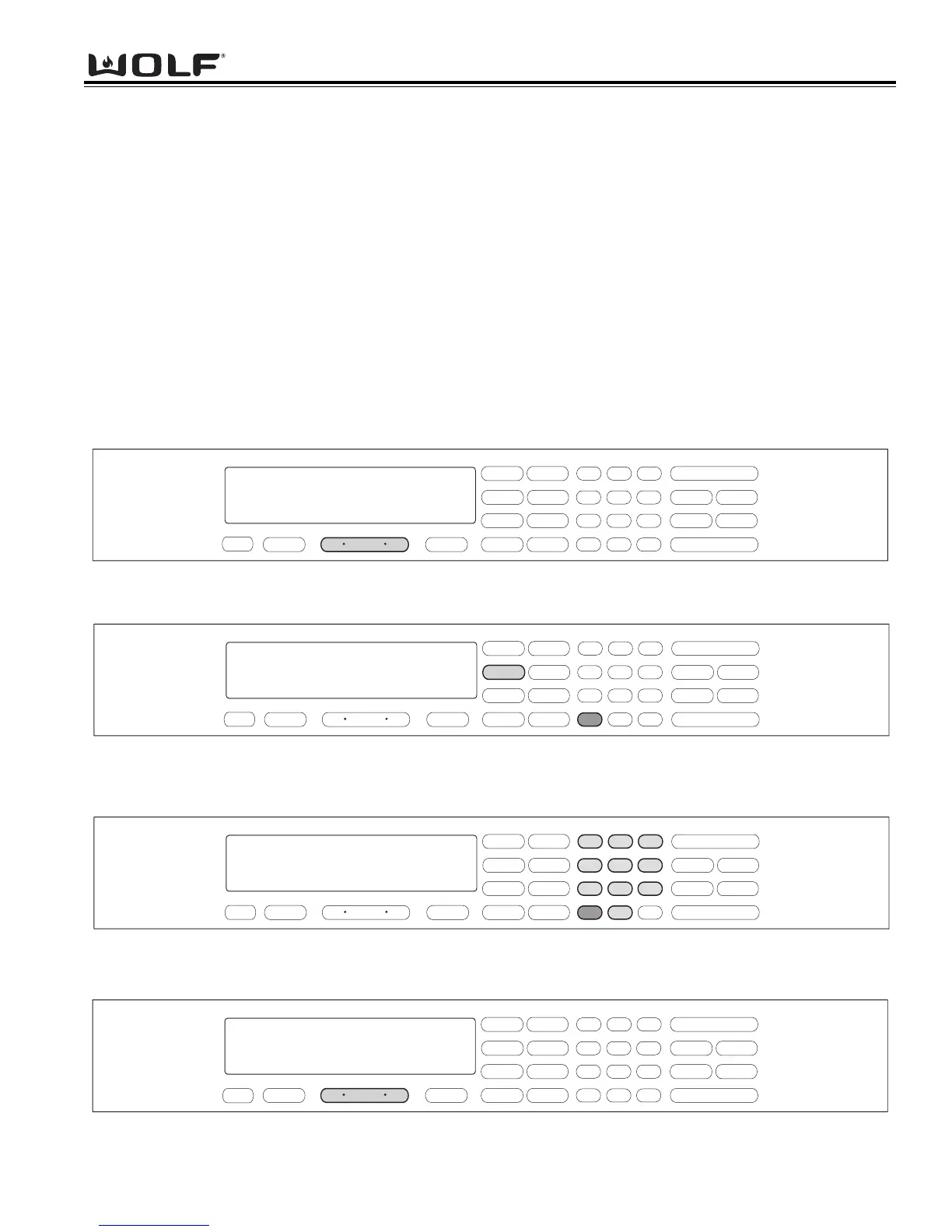
To initiate Convection Roast Mode, the oven must be OFF. First press the Oven ON key. (See Figure 3-47). For
Double Ovens press the Upper Oven ON key or the Lower Oven ON key. Now, press the CONVECTION ROAST
key. A preset temperature of 325°F is shown in the display. The oven begins to heat after 5 seconds or by press-
ing the ENTER key. (See Figure 3-48). To change the temperature from 325°F, immediately enter another tempera-
ture using the number keys. Then, press the ENTER key. (See Figure 3-49). To exit the Convection Roast Mode,
press the Oven OFF key. (See Figure 3-50). For the Double Oven, press the Upper Oven OFF key or the Lower
Oven Off key.
.
.
.
.
.
.
.
.
Figure 3-47. To initiate Convection Roast Mode, Press the Oven ON key.
For Double Oven, press the Upper Oven ON key or the Lower Oven ON key.
Figure 3-48. Press the CONVECTION ROAST key. A preset temperature of 325°F will be shown in the display.
The oven begins to heat after 5 seconds or by pressing the ENTER key.
Figure 3-49. To change the preset temperature, immediately press the number keys to enter a new temperature.
Then, press the ENTER key.
Figure 3-50. To exit the CONVECTION Roast Mode, press the Oven OFF key.
For Double oven, press the Upper Oven OFF key or the Lower Oven OFF key.



 To Next Page