Electronic Control System
WWaallll OOvveennss
3-9
ELECTRONIC CONTROL INPUT OPERATIONS
The following few pages illustrate electronic control input operations that you might expect a customer to perform
everyday. The input operations described are: Bake, Convection, Convection Bake, Broil, Convection Broil, Roast,
Convection Roast and Bake Stone Mode.
Bake Mode
In Bake Mode both the hidden bake element and the broil element are used to heat the air and cycle to maintain
temperature. The hidden bake element operates 80 percent of the time and the broil element operates 10 percent
of the time. The oven(s) should always be preheated when using Bake Mode.
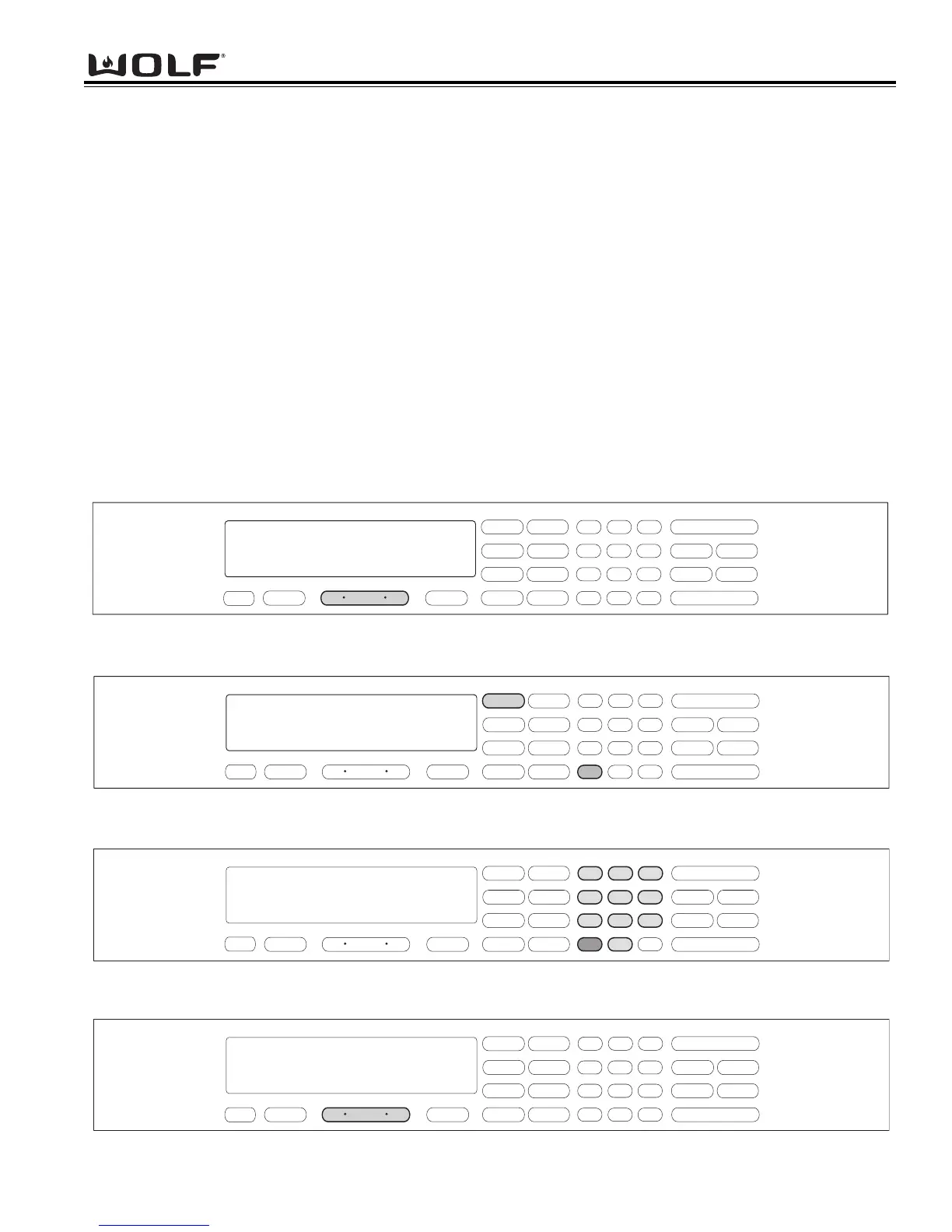
To initiate Bake Mode, the oven must be OFF. First press the Oven ON key. (See Figure 3-23). For Double Ovens
press the Upper Oven ON key or the Lower Oven ON key. Now, press the BAKE key. A preset temperature of
350°F is shown in the display. The oven begins to heat after 5 seconds or by pressing the ENTER key.
(See Figure 3-24). To change the temperature from 350°F, immediately enter another temperature using the number
keys. Then, press the ENTER key. (See Figure 3-25). To exit the Bake Mode, press the Oven OFF key.
(See Figure 3-26). For the Double Oven, press the Upper Oven OFF key or the Lower Oven Off key.
NOTE: The oven should always be preheated in this mode. The oven will chime after the oven reaches preheat
temperature.
.
.
Figure 3-23. To initiate Bake Mode, Press the Oven ON key.
For Double Oven, press the Upper Oven ON key or the Lower Oven ON key.
Figure 3-25. To change the preset temperature, immediately press the number keys to enter a new temperature.
Then, press the ENTER key.
Figure 3-26. To exit the Bake Mode, press the Oven OFF key.
For Double oven, press the Upper Oven OFF key or the Lower Oven OFF key.



 To Next Page