WWaallll OOvveennss
Electronic Control System
3-12
Broil Mode
In Broil Mode the top broil element is used to conduct an intense radiant heat which browns one side of the food
being cooked. Food cooked in any of the Broil Modes must be turned to finish cooking and browning the other side.
There are three Broil Level temperatures that can be used in this mode, Hi Broil, Medium Broil and Lo Broil.
NOTE: Preheat is never used in Broil Mode.
NOTE: The oven door MUST be closed during this mode.
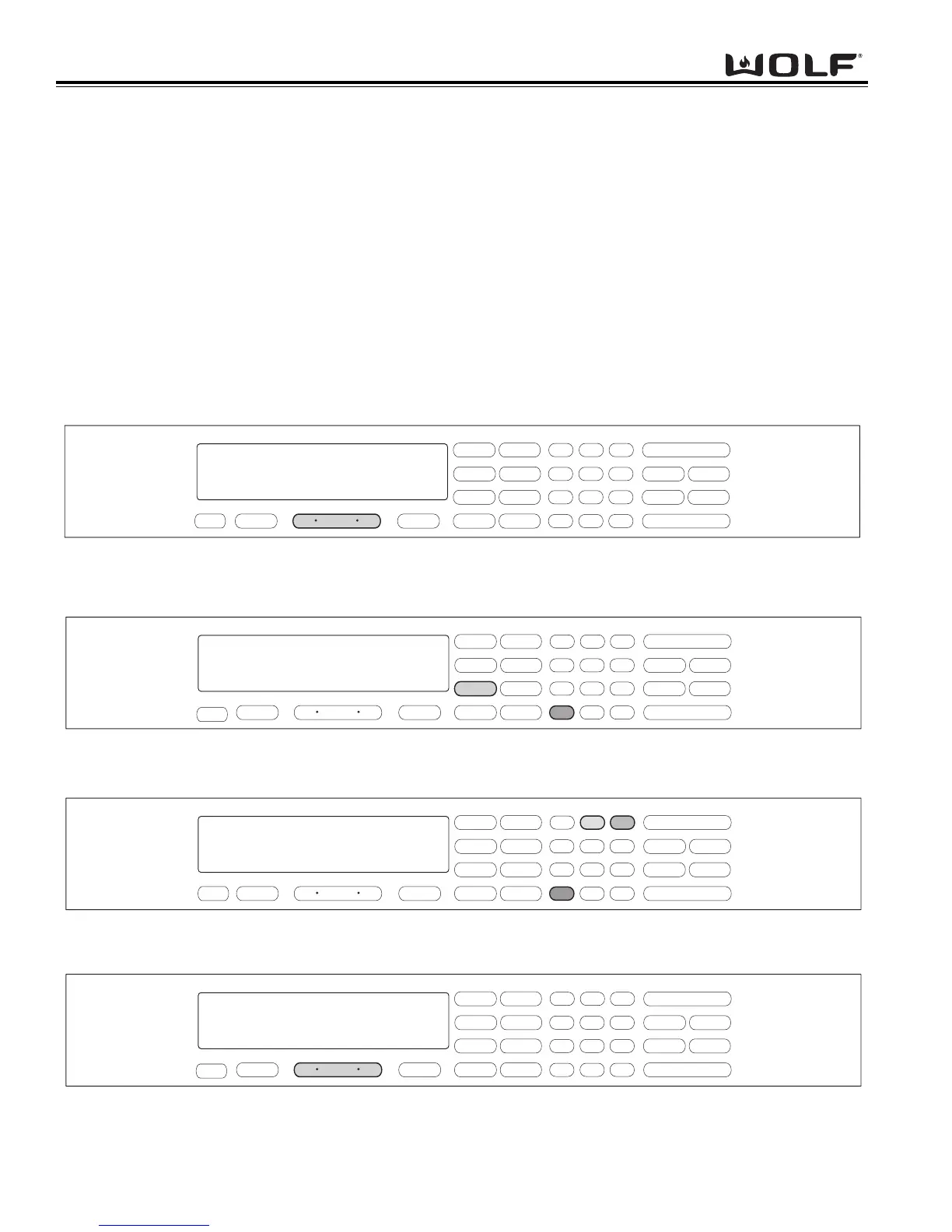
To initiate Broil Mode, the oven must be OFF. First, press the Oven ON key. (See Figure 3-35). For the Double
Ovens, press the Upper Oven ON key or the Lower Oven ON key. Now, press the BROIL key. A preset tempera-
ture of 550° and the number “1” and the word HI will appear in the display. The broiler begins to heat after 5 sec-
onds or by pressing the ENTER key. (See Figure 3-36). To change the preset temperature, immediately press the
“2” key for Medium Broil at 450° or press the “3” key for Lo Broil at 350°F. Then, press the ENTER key.
(See Figure 3-37). To exit the Broil Mode, press the Oven OFF key. (See Figure 3-38). For Double Ovens press
the Upper Oven OFF key or the Lower Oven OFF key.
.
.
Figure 3-35. To initiate Broil Mode, Press the Oven ON key.
For Double Oven, press the Upper Oven ON key or the Lower Oven ON key.
.
.
.
.
.
.
Figure 3-36. Press the BROIL key. A preset temperature of 550°F is selected and the number “1” and HI will be shown
in the display. The oven begins to heat after 5 seconds or by pressing the ENTER key.
Figure 3-37. To change the preset temperature, immediately press the “2” key for Medium Broil at 450°F.
Press the “3” key for Low Broil at 350°F Then, press the ENTER key.
Figure 3-38. To exit the Broil Mode, press the Oven OFF key.
For Double oven, press the Upper Oven OFF key or the Lower Oven OFF key.



 To Next Page