Troubleshooting Guide
WWaallll OOvveennss
5-10
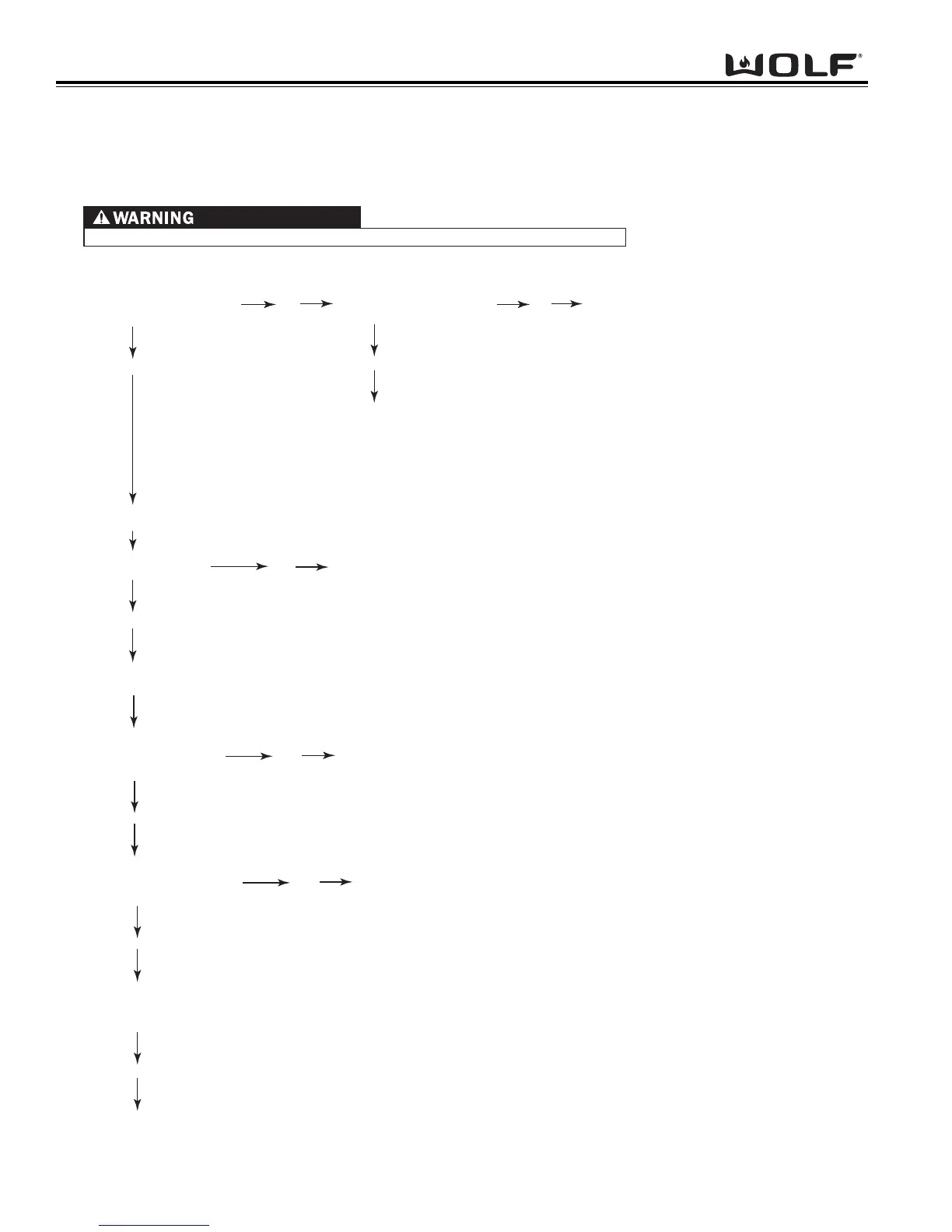
Head Assembly Doesn’t Rotate Troubleshooting Flow Chart
Using a volt/ohm meter set to read DC voltage, at the J2 connector of the stepper motor control board, place one meter probe to
pin 1 and one meter probe to pin 2.
Using a volt/ohm meter set to read ohms. Unplug the J5 connector at stepper motor control board. Check continuity of the switch,
Do you have continuity
of switch?
Yes
No
Using a volt/ohm meter set to read AC voltage, at connector J1 on the Stepper Motor Control Board, place one meter probe to pin 1 and
one meter probe to pin 3.
Do you have 120 VAC ± 10%
from pin1 to pin 3?
Yes
No
Do you have 120 VAC ± 10%
from L1 to N?
Yes
Unit has loose or defective wire(s) between L1 and
N of terminal block to J1 connector on stepper motor control board.
Repair/Replace wires.
No
Check for loose or defective wiring to unit
from terminal block to junction box/power
cord. May have to call an electrician
No
Replace defective actuator switch
With the wires connected,
do you have 2 VDC
from pin 1 and pin 2 ?
Yes
With the wires disconnected,
do you have 5 VDC
from pin 1 and pin 2 ?
Replace oven controller
No
Replace oven controller
Yes
At the J4 connector of the stepper motor control board, check from pin 6 to any of the first four pins, while depressing the switch.
11 VDC present while cycling.
Replace the stepper motor.
WHEN PERFORMING CONTINUITY CHECKS, POWER TO THE UNIT MUST BE DISCONNECTED
No
with your ohm meter, while depressing the switch.
Wall Oven Head Assembly Doesn’t Rotate Troubleshooting Flow Chart



 To Next Page