Basic principles of operation
37
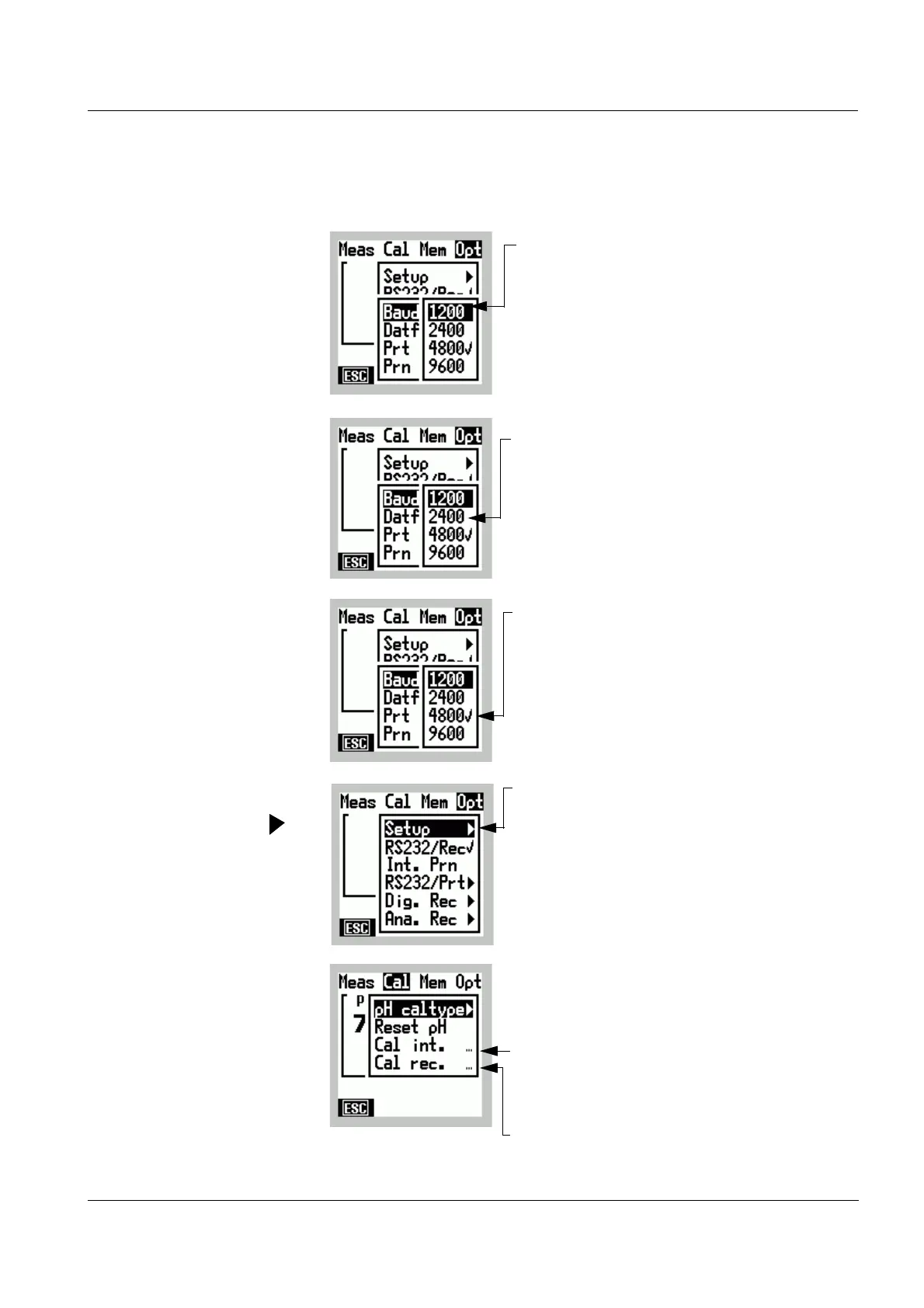
4.1.3 Symbols in the Menu mode
White script
on a black
background
Black script
on a white
background
Tick
✔
Arrow
Dots
...
White script:
(example: Baud rate 1200)
Function/setting selected
Black script:
(example: Baud rate 2400)
Selectable function/setting;
the function/setting can be selected by
pressing
82
Tick ✔
(example: Baud rate 4800 )
Active (✔) setting
rrow
(example: Setup)
After selecting and confirming by
pressing
g, a submenu with more
functions/settings opens.
Dots...
(Example Cal Prot. ...)
exists for this menu item:
l A display with input field(s) (e.g. to
enter the calibration interval), or
l A special display
(e. g. calibration records)



 To Next Page