Basic principles of operation
41
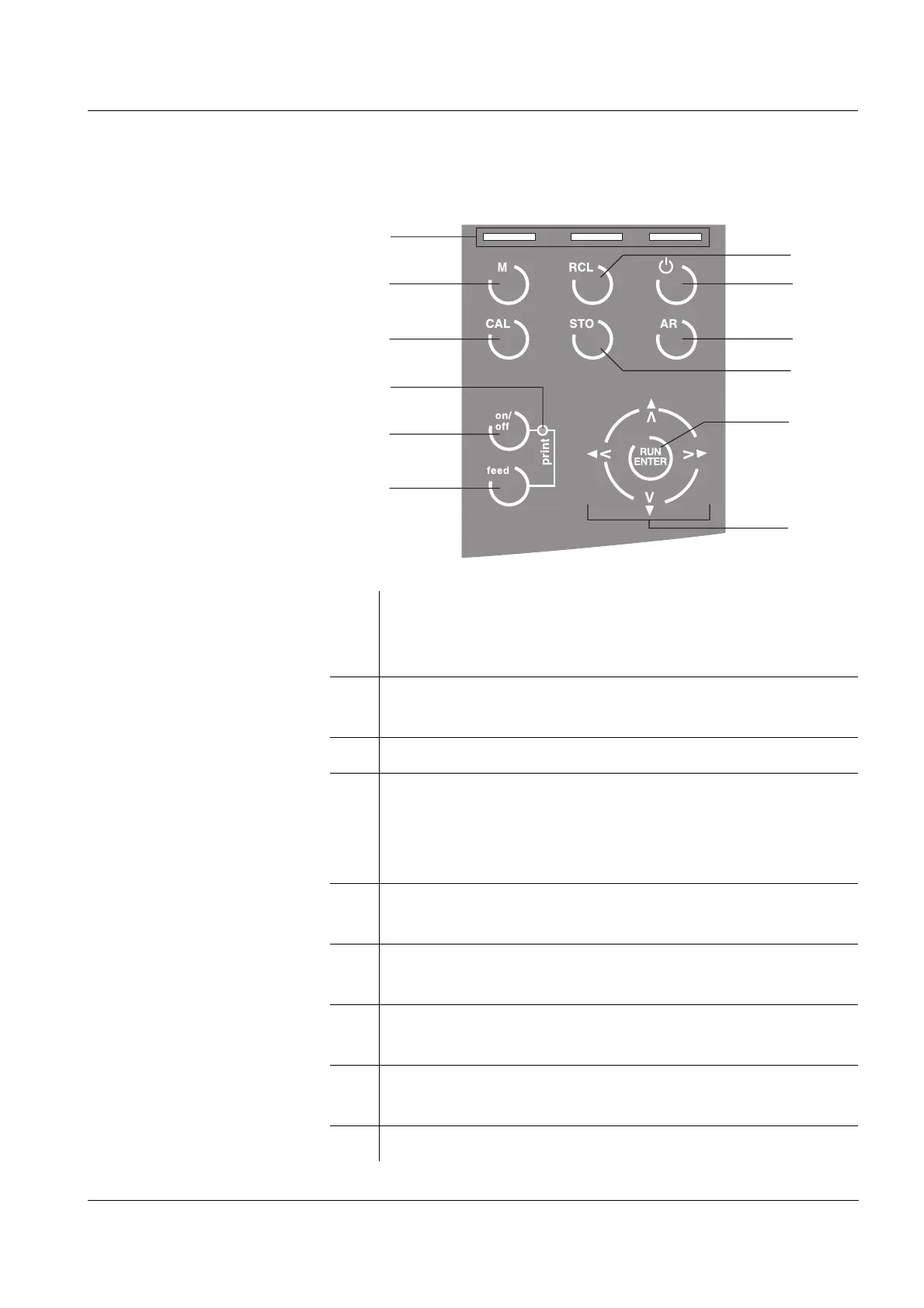
4.2.1 Keys on the terminal
1 Three softkeys (display-dependent function keys).
The currently available function of the key appears
on the display above the key.
2 Switches from the Menu to the Display mode or
selects a measured variable
3 Starts a calibration procedure
4 Print LED
(only on the terminal with integrated printer)
red: printer off (offline) or malfunction
green: printer ready for operation (online)
5 Switches the printer on/off
(only on the terminal with integrated printer)
6 Paper feed/line feed
(only on the terminal with integrated printer)
7 Increases or reduces values; Selects functions/
settings in the Menu mode
8 Makes a selection in the Menu mode and
confirms inputs in input fields
9 Saves a measured value manually
1
2
3
4
5
6
12
11
10
9
8
7



 To Next Page