XAG AUSTRALIA
152
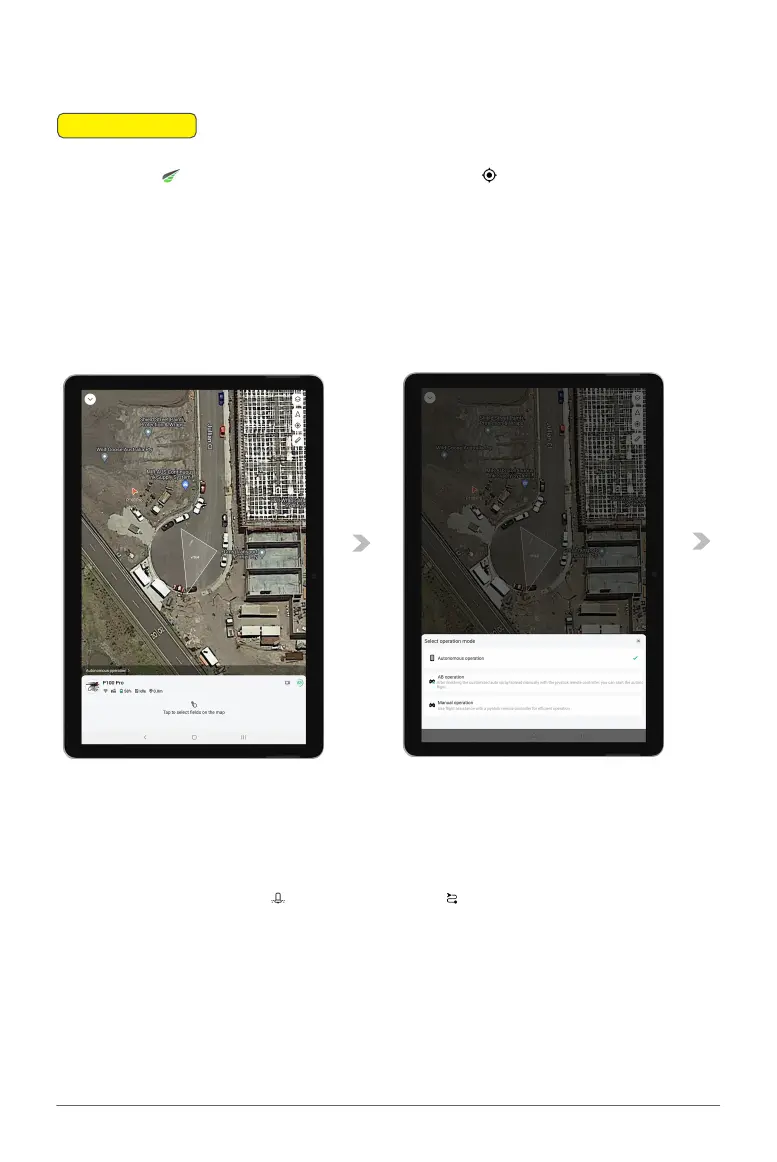
Selecting Operation Mode
📖
INSTRUCTION
01. Open the App on your device. Select the location icon to position the map according to
your current location.
02. Tap the “Operation” button to access the operation menu.
03. Tap on the Option located above the Drone icon to reveal the Operation Mode menu.
04. Choose “AB Operation” from the menu, then close it to return to the Operation View screen.
Setting Operation parameters
05. Adjusting Settings: Tap on Spraying settings and Route settings to Review and adjust
the operation parameters for your task.



 To Next Page