47
XAG AUSTRALIA
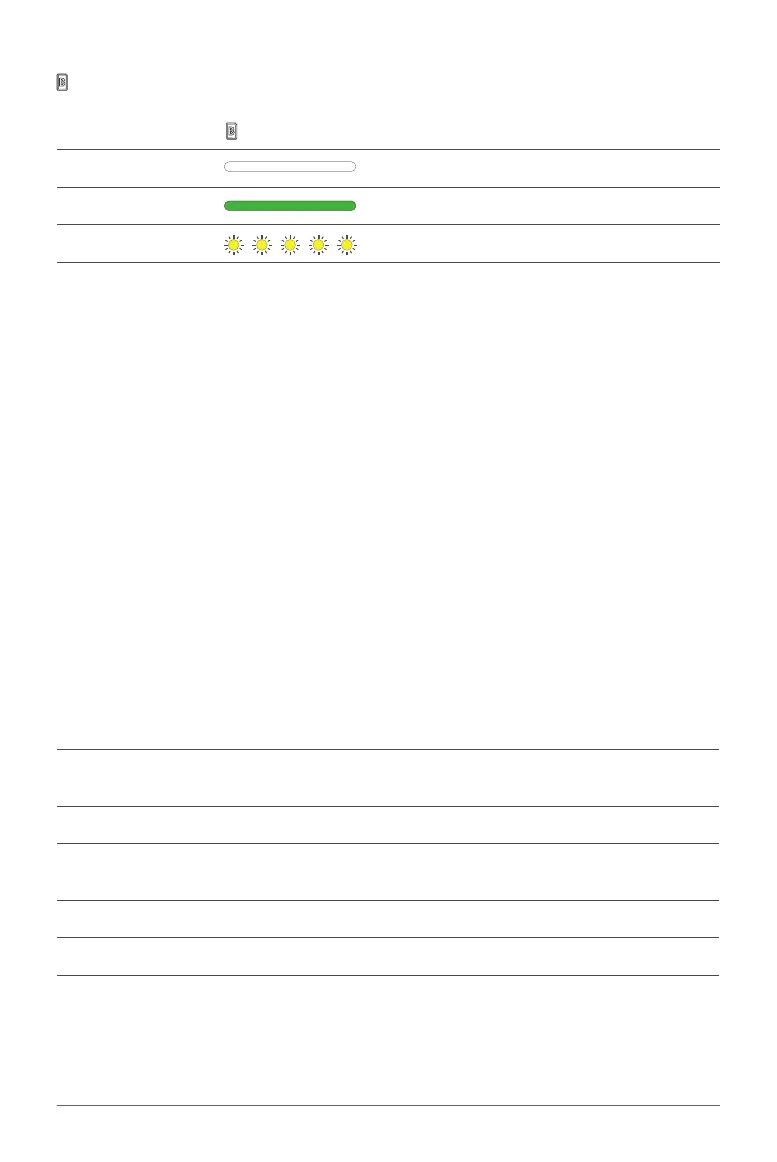
Function Indicator B
Function Indicator B Description
OFF Manual spray – OFF
Solid Green Manual spray – ON
Flash Yellow Container volume – LOW
The remote controller of your drone is more than just a device to guide the drone's movement; it's
also a vital tool that communicates essential information about the status of the controller and the
drone itself. It does so through a series of beeping sounds. By understanding these auditory signals,
you can maintain better control over your drone, potentially averting mishaps, and ensuring smoother
operations.
When the remote controller is switched on, it emits beeping sounds that serve as status indicators.
These may vary depending on the drone model, but generally, they include alerts for low battery, loss
of connection with the drone, GPS lock status, and more.
Remember to keep your ears open to these audio cues during operations, and familiarize yourself
with what each beep or series of beeps signifies. Doing so will allow you to react quickly to any
changes, ensuring safer and more efficient drone operation.
Buzzer Description
Long Beep
When remote controller is being powered ON/OFF, or a
device is being added
Single short Beep When a key is briefly pressed, or a knob is rotated
Double short Beeps
When any key is long-pressed, or when the remote
controller is binding, calibrating, or charging
Triple short Beeps (Continuous) Aircraft’s System or Payload System Warning
Triple long Beeps (Continuous) Low battery warning / Remote controller abnormal
Remote Controller Alert



 To Next Page