XAG AUSTRALIA
50
Charging the Remote Controller
ℹ
IMPORTANT
For optimal battery health and longevity, it's important to fully charge and discharge the internal
batteries of the Remote Controller at least once every three months. When the Remote Controller is
stored for an extended period, the battery will slowly deplete. Regular charging and discharging help
maintain the battery's capacity and prevent potential damage.
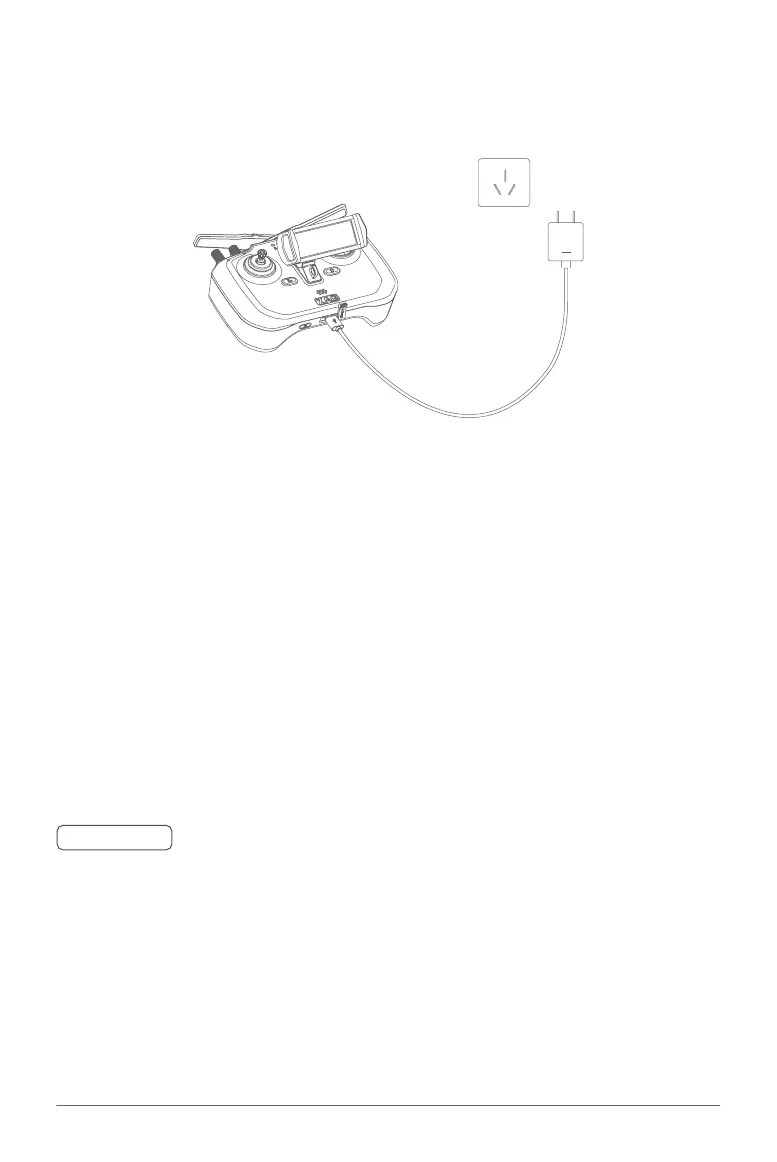
01. Connect the Type-C end of the charging cable to the charging port on the Remote Controller.
02. Connect the USB-A end of the cable to your charging device (e.g., wall charger, computer port,
etc.).
Normal Charge:
Upon successful connection for charging, the remote controller will emit two beeps, and the power
indicator will flash Red, signalling that charging has commenced.
Fast Charging:
If you're using a fast charger, the power indicator will flash, and the buzzer will beep. The power
indicator will turn solid green when the remote controller is fully charged. If the remote controller isn't
connected to the aircraft, it will automatically power off after charging.



 To Next Page