XAG AUSTRALIA
94
Add Device – XRTK4 Mobile Station
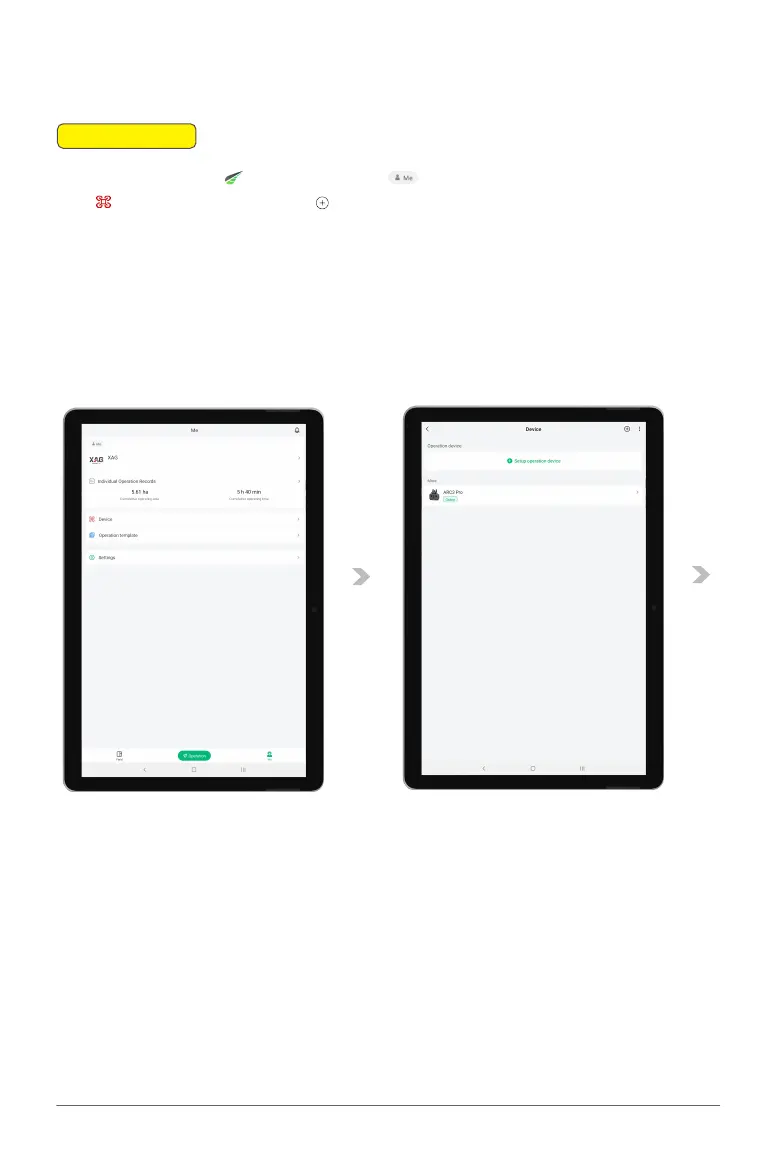
01. Open the XAG One and navigate to the Accounts Menu From there, proceed to the
Device Menu. and tap on the located in the top right corner.
02. On the XRTK4 base station, find the F3 button located beneath the XRTK4's module. Press and
hold this button until the base station emits a beep, indicating it has entered pairing mode.
Please note: For the pairing process to be successful, the F2 indicator must be flashing three
times.
📖
INSTRUCTION



 To Next Page