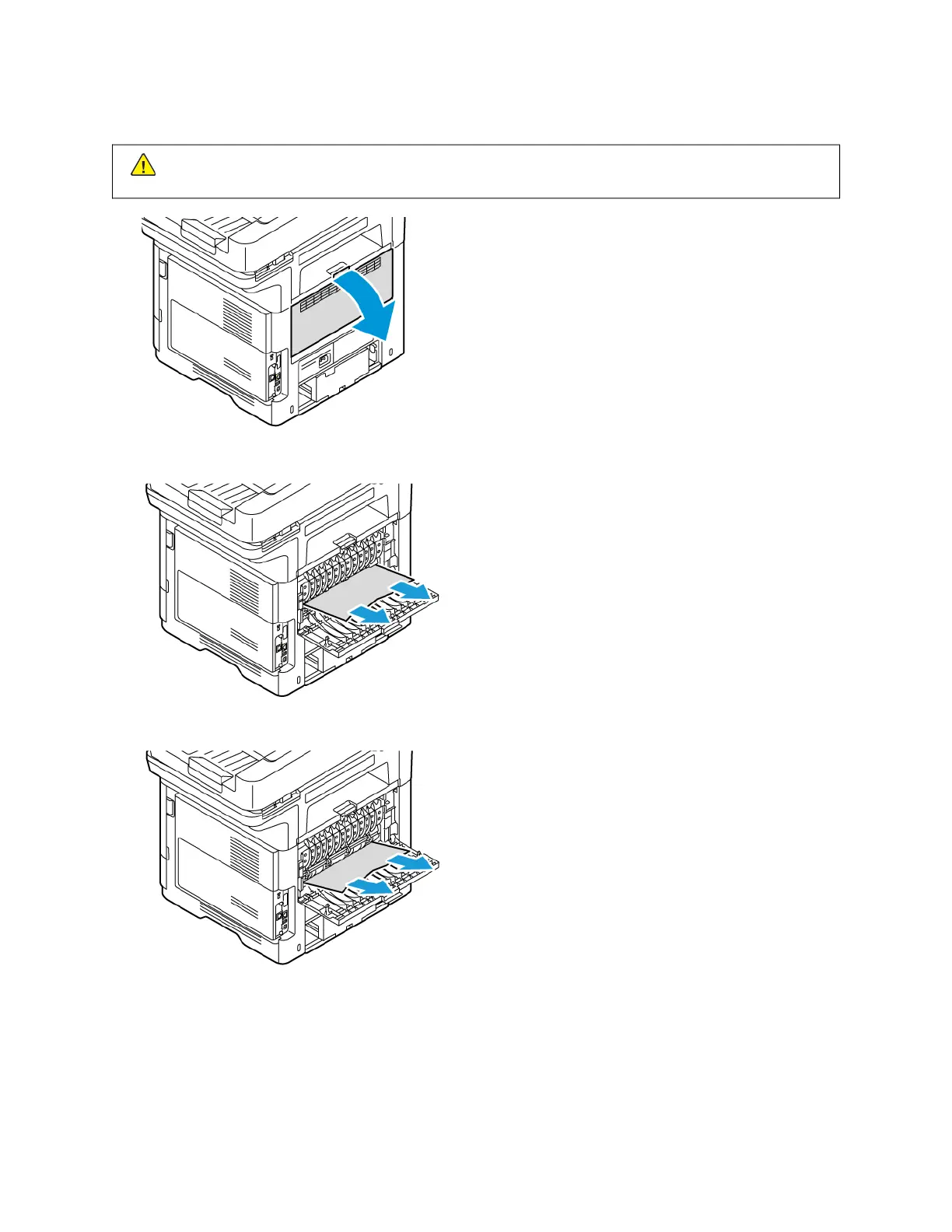
1. Open the back door, Door B.
CCaauuttiioonn:: The inside of the printer might be hot. To reduce the risk of injury from a hot component, allow
the surface of the printer to cool down before touching.
2. Remove the jammed paper that is present above the fuser assembly.
3. Remove the jammed paper that is present below the fuser assembly.
250 Xerox
®
VersaLink
®
B415 Multifunction Printer User Guide
Troubleshooting


 To Next Page
 Loading...