Maintenance
156 Xerox
®
WorkCentre
®
6027 Multifunction Printer
User Guide
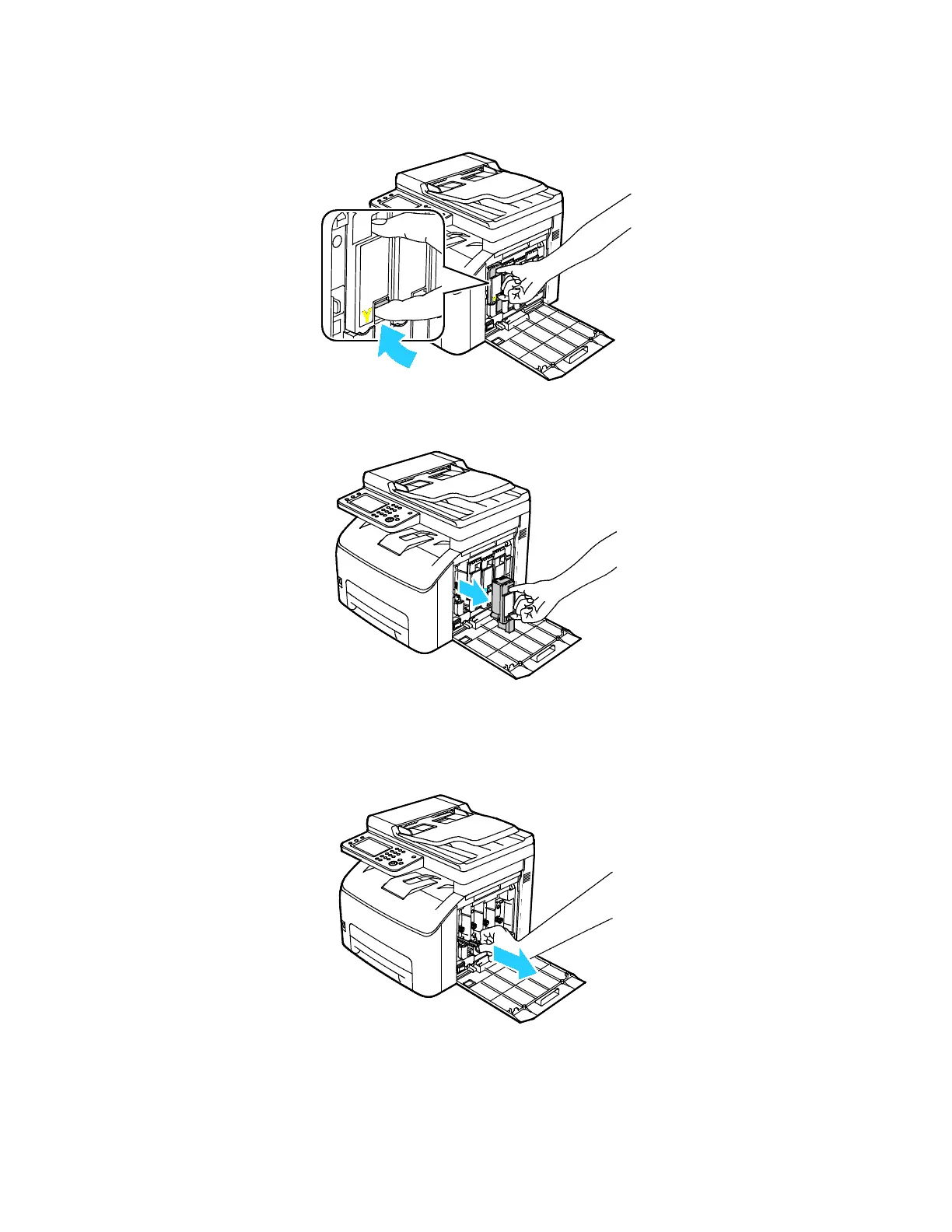
3. Pinch the release tab on the toner cartridge as shown.
4. Pull out the toner cartridge.
Note: To avoid spilling toner, pull out the toner cartridge slowly.
5. Remove the remaining toner cartridges in the same manner.
6. Pull out the cleaning rod.
Note: To remove toner and debris from the top of the cleaning rod, wipe it with a clean lint-free
cloth.



 To Next Page
 Loading...