180 Chapter 15—Internal Effects, Plug-Ins & GEQs
DM2000 Version 2—Owner’s Manual
Configuring Plug-Ins
Plug-Ins can be configured as follows.
If you’ve installed a Y56K card into one of the Slots, the DM2000 configures itself automat-
ically and no further configuration settings are required.
1 Press the EFFECTS/PLUG INS [PLUG-INS] button.
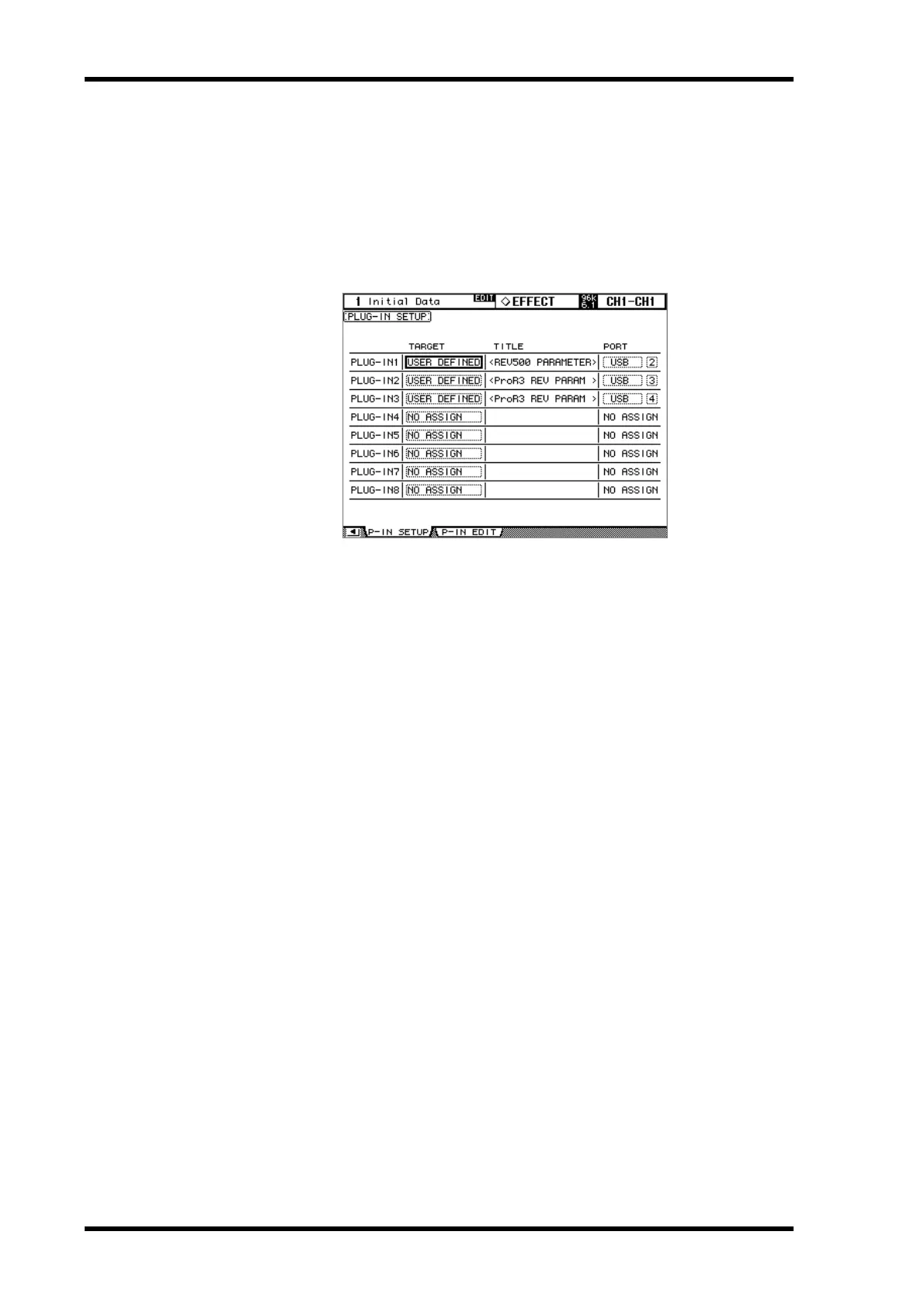
2 Use the EFFECTS/PLUG INS [DISPLAY] button to locate the Plug-In Setup
page.
3 Use the cursor buttons to select the parameters, and use the Parameter
wheel, INC/DEC buttons, and [ENTER] button to set them.
TARGET: These are used to assign a target to each of the eight Plug-Ins. Parameters for the
specified target appear on the Plug-In Edit page when that Plug-In is selected by using the
EFFECTS PLUG-INS [1–8] buttons. In addition to using the cursor buttons, Plug-Ins can
also be selected on this page by using the EFFECTS PLUG-INS [1–8] buttons.
TITLE: If a Y56K card is installed, its name is displayed here. If the target is set to USER
DEFINED, the specified title of the bank currently selected on the Plug-In Edit page is dis-
played.
PORT: If a Y56K card is installed, its Slot number is displayed here. If the target is set to
USER DEFINED, you can specify the Plug-Ins MIDI port as MIDI, SERIAL 1–8, USB 1–8,
or SLOT1 1–8. Plug-In MIDI Ports can also be set on the MIDI/To Host Setup page. See
“MIDI I/O” on page 215 for more information.
Plug-In Setup settings are stored in the Setup data. See “Saving DM2000 Data to SmartMe-
dia” on page 271 for more information.



 To Next Page